
Description
LitExtension: Store to WooCommerce Migration plugin enables you to automatically migrate your store data to WooCommerce and WordPress with accuracy and ease. It supports transferring products, categories, customers (including passwords), orders, taxes, coupons, blog posts, pages, and other related data. Multilingual content can also be seamlessly migrated to popular plugins such as WPML and Polylang.
We currently support migrations from over 140+ eCommerce platforms to WooCommerce, WordPress, and other platforms upon request. Your store will remain fully operational throughout the migration process, ensuring no disruption or loss of sales. Our dedicated support team is available 24/7 to assist you, promptly resolving any issues and ensuring you are completely satisfied with the final result.
Migrate Your Store to WooCommerce in 3 Simple Steps
We ensure maximum accuracy with minimal manual effort in your WooCommerce migration. All your data can be transferred in just a few clicks – no technical or coding skills required.
- Enter your source store details.
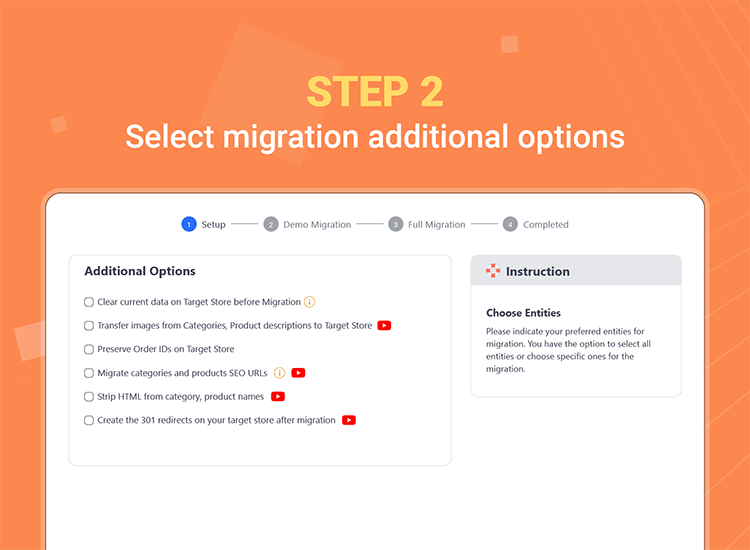
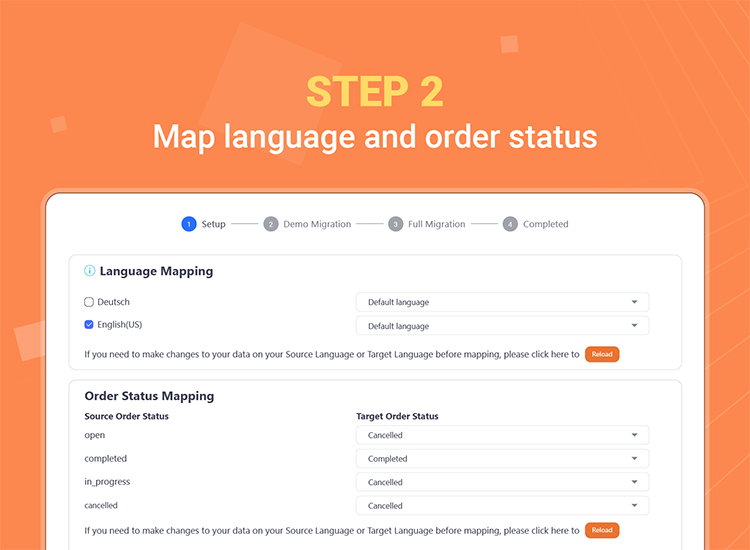
- Select the data you want to migrate to WooCommerce.
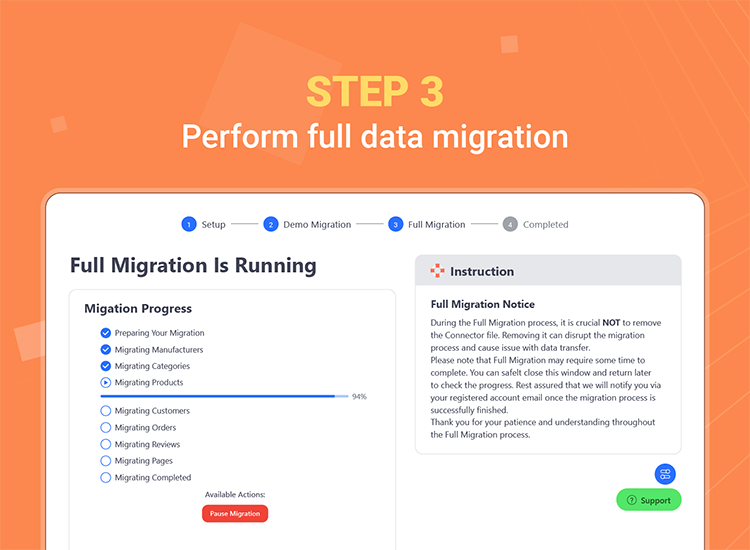
- Run a Free Demo Migration or proceed with your full WooCommerce migration instantly.
(You can find all detailed guidance directly within the migration interface)
Easily Migrate Your Data From Multiple Platforms with LitExtension
1. eCommerce Platforms:
We support migration to WooCommerce from over 140+ eCommerce platforms such as Magento, PrestaShop, BigCommerce, Shopify, OpenCart, Shopware, Ecwid, WIX and more.
2. Data Files:
With LitExtension, you can migrate data to WooCommerce from various file formats, including CSV, XML, XLS, XLSX, TXT, and SQL.
3. Custom Platforms:
We can customize our solution to migrate data from any specific or unique platform to WooCommerce based on your requirements.
4. Popular Migration Pairs:
* Magento to WooCommerce
* BigCommerce to WooCommerce
* Shopify to WooCommerce
* Prestashop to WooCommerce
* WooCommerce to WooCommerce
* Squarespace to WooCommerce
Search for your migration pair Here or need something else? Contact Us for more WooCommerce migration customization requests.
Why LitExtension Is the Best Choice for WooCommerce Migration
Easy to Use: No registration or personal information is required. Simply install the plugin and complete your migration in just three simple steps.
100% Uptime: Your current store will remain fully operational throughout the migration process, allowing you to continue receiving customers and orders without any interruption or loss of sales.
Efficient Data Migration: Powered by advanced migration technology, we ensure maximum accuracy and time efficiency for your re-platforming projects. All your essential data will be securely and completely transferred to your new WooCommerce store.
Preserve SEO Rankings: We maintain your existing URLs to protect their search engine rankings, ensuring your store’s SEO performance remains intact and delivering a seamless experience for your customers.
Highest Level of Data Security: We do not store your credentials or migration data after the process is completed. Your information is fully protected and will never be disclosed or used for any purpose other than the migration.
24/7 Professional Support: Our team is available 24/7, including holidays, to assist you. We are committed to resolving any issues during or after the migration process. If you have any questions, feel free to contact us via live chat, email, or phone.
Migration Plans
Free Plan
We offer a free version that allows you to migrate a limited amount of data to WooCommerce, helping you understand how LitExtension works.
Pro Plan
This plan allows you to migrate all your data to WooCommerce with full accuracy. The pricing depends on the actual amount of data you migrate. We also offer a 30-day money-back guarantee to ensure our plugin delivers real value to you. You can pre-check the price using our Pricing Calculator.
Customer Satisfaction
With over 10 years of experience in store migration, we have successfully migrated hundreds of thousands of stores for our customers, achieving a 99% satisfaction rate. Please Click Here to see what our customers say about us.
Screenshots


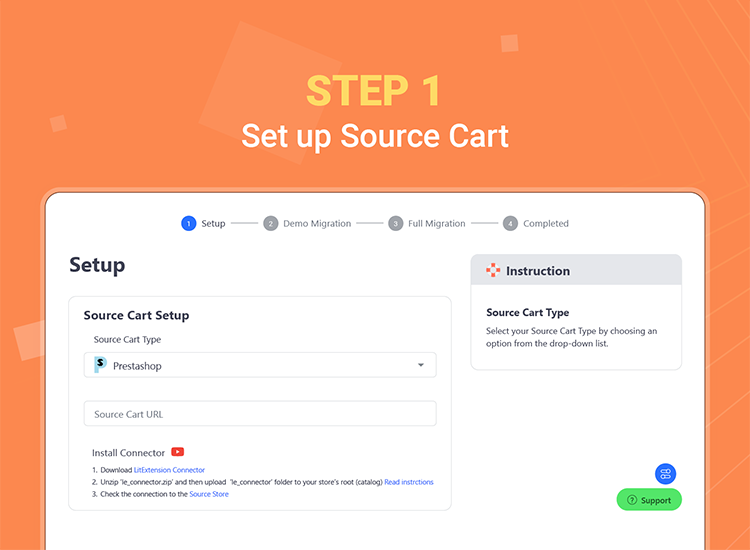
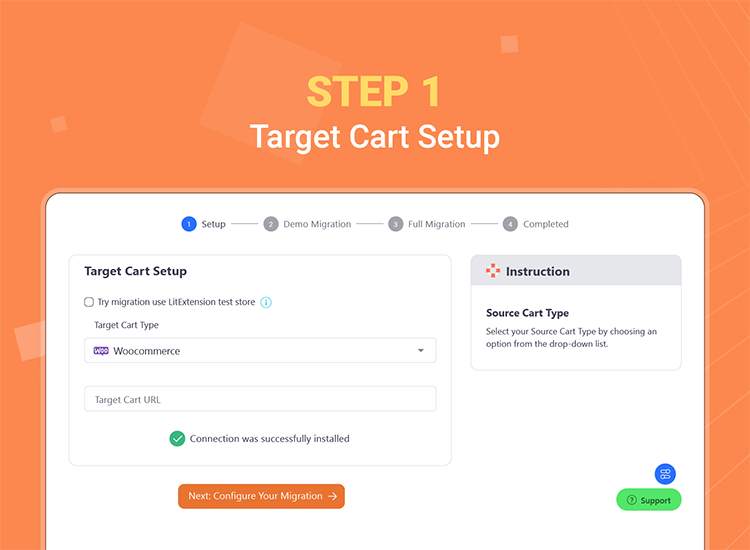
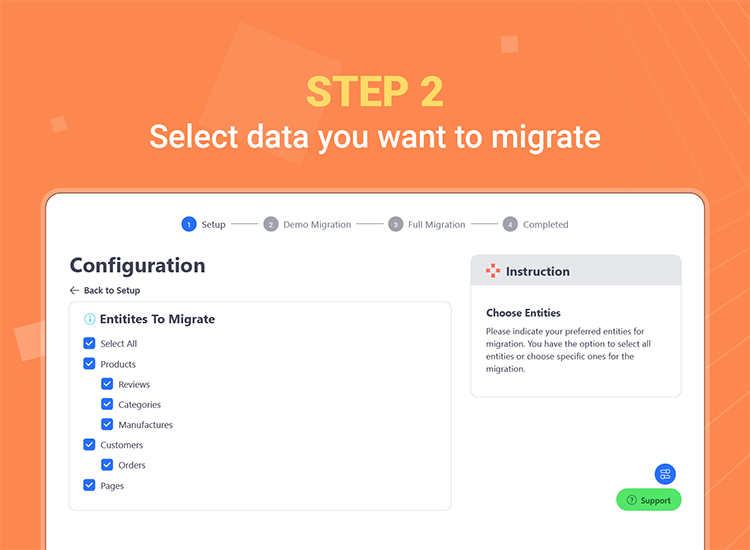
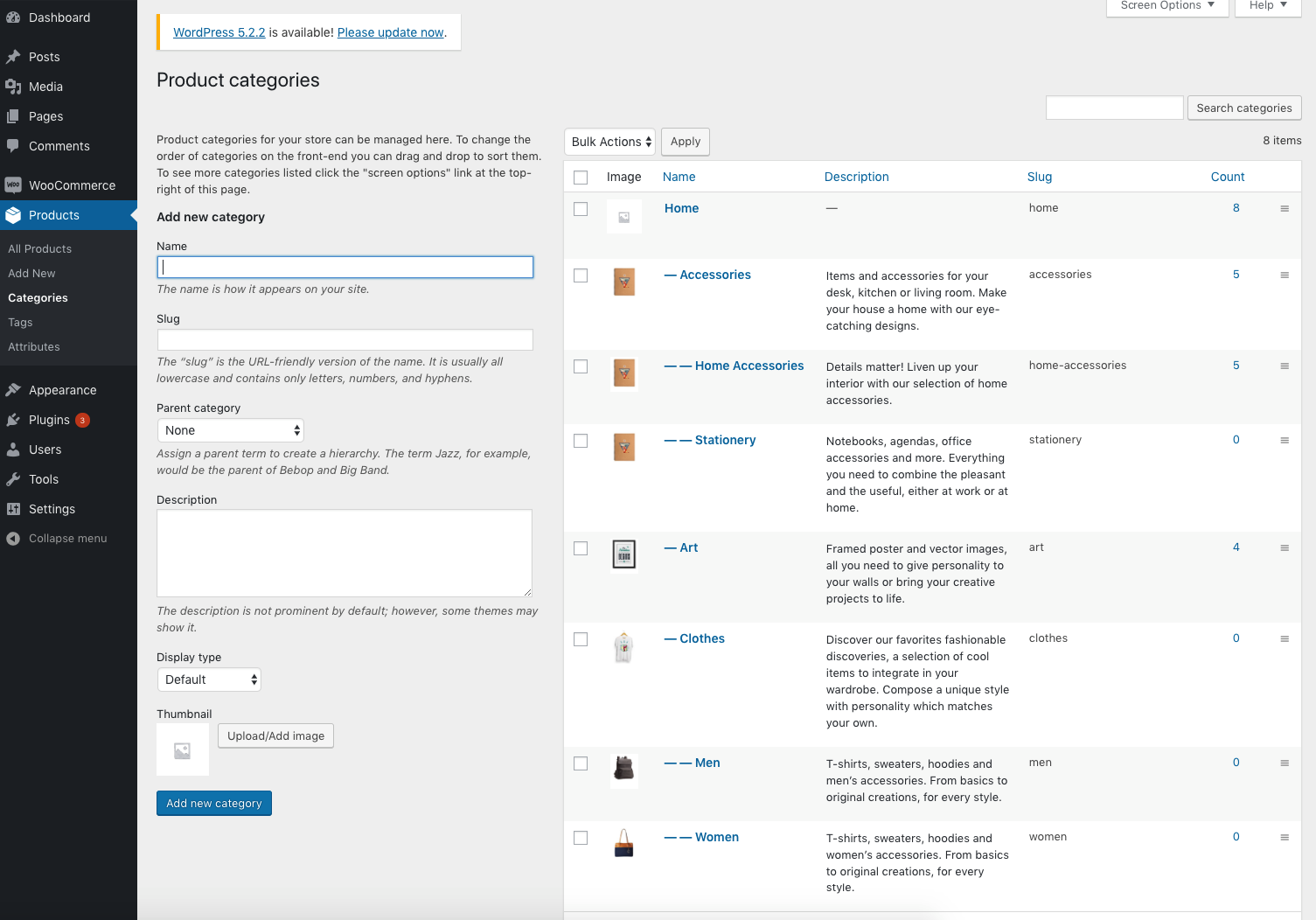
Installation
- Download the plugin and upload plugin files to your plugins folder, or install using WordPress built-in Add New Plugin installer.
- Log in your WordPress admin panel, go to Plugin page, Find “LitExtension” and active the plugin.
FAQ
-
Will the migration affect my existing store?
-
Your store can continue operating seamlessly during the cart-to-cart migration, with no downtime or interruptions. You will still be able to receive new orders and serve customers while your data is being transferred. Our WooCommerce migration service ensures 100% uptime, allowing your store to remain fully active and functional throughout the entire re-platforming process.
-
How is my store data protected during migration?
-
LitExtension’s WooCommerce migration services are backed by a comprehensive set of policies, including a Data Security Policy, GDPR compliance, and a Privacy Policy, ensuring the highest level of data protection in every project we handle. We take full responsibility for safeguarding our customers’ data in all forms, across all media, and throughout every stage of its lifecycle.
-
Will my SEO rankings be affected after the migration?
-
Your SEO rankings can be preserved by selecting the SEO URLs Migration option during the migration process. We will transfer your product and category URLs from the source cart to the target cart, ensuring that your current search engine rankings remain unaffected after the migration. Maintaining SEO performance is one of the key priorities we focus on when developing our eCommerce migration solutions.
-
How can I get support from LitExtension?
-
We are available 24/7 to support you whenever you need. If you have any questions, please feel free to chat with our support team at https://litextension.com.
Reviews


Contributors & Developers
“LitExtension – Automated Store Migration & Import” is open source software. The following people have contributed to this plugin.
Contributors
Translate “LitExtension – Automated Store Migration & Import” into your language.
Interested in development?
Browse the code, check out the SVN repository, or subscribe to the development log by RSS.
Changelog
1.2.7
- Security: the connector copy action now requires the source file to be inside the WordPress uploads folder as well as the destination, so store configuration files can no longer be copied to a location the connector is allowed to read back.
- Security: connector directory listings are limited to the uploads folder, so the connector no longer reveals the file layout of the rest of the site.
1.2.6
- Security: the migration connector is no longer downloaded from a remote server. le_connector/connector.php is now a small generated bridge that loads WordPress and runs code shipped and reviewed with the plugin.
- Security: installing, reinstalling and removing the connector now require an administrator capability and a WordPress nonce, so they can no longer be triggered by a cross-site request (CSRF).
- Security: the connector token is generated on your site with a cryptographically secure random generator and is never read from a URL parameter.
- Security: the connector can no longer write, move or read files outside the WordPress uploads folder, and can never write a file the web server would execute.
- Security: removed the database manager, phpinfo, opcache and free-form SQL console actions from the connector.
- Security: any connector installed by version 1.2.5 or earlier is removed on upgrade and its token revoked. Reinstall the connector from the LitExtension screen if a migration is in progress.
- Added a REST route (litextension/v1/connector) so a migration can be set up with WordPress Application Passwords instead of copying values by hand.
- Replaced PHP sessions with user meta, escaped all admin output and made the plugin pass Plugin Check.
- Thanks to marim00 for the responsible disclosure of the connector installation vulnerability.
1.2.5
- Security and compatibility improvements
- Fixed WooCommerce Helper notice
- Improved HPOS compatibility
1.2.4
- Tested up to: 6.9
1.2.3
- Tested up to: 6.8
1.2.2
- Compatible with PHP 8
1.2.0
- Add auto upload connector
1.1.0
- Add pages, blog posts migration to WooCommerce/Wordpress
1.0.1
- +$5 after Demo Migration
- Assets updated
1.0.0
- First commit