

Description
Rank Bix SEO is a lightweight, practical, and fully featured SEO plugin for WordPress. It gives every site owner professional-grade SEO tools without unnecessary bloat, forced upgrades, or locked features. The core features are always free.
rankbix.com | Features | Pricing | Docs | Support
Manage SEO titles and descriptions, improve social sharing previews, generate XML and HTML sitemaps, output Schema / JSON-LD structured data, manage redirects, improve image SEO, analyze focus keywords, add breadcrumbs, duplicate pages, update SEO data in bulk, notify search engines via IndexNow, serve an LLMs.txt file for AI systems, and monitor 404 errors – all in one plugin.
Why Choose Rank Bix SEO?
- Lightweight – no bloat, no unnecessary scripts on the frontend
- Clean and familiar WordPress admin interface
- All core SEO tools included and always free
- Works with posts, pages, WooCommerce products, and public custom post types
- AI meta generator with your own API keys – no middleman markup
- Module-based structure – enable only what you need
- Developer-friendly shortcodes and template functions
- Passes the official WordPress Plugin Check (PCP) tool with no errors or warnings – General, Plugin Repo, Security, Performance, and Accessibility categories all clear
Need More? Upgrade to Pro
Rank Bix SEO Pro adds powerful features for agencies and power users:
- GSC Performance – Real Google Search Console data inside WordPress
- Site Audit – Automated technical SEO audit of your entire site
- Schema Templates and Rules – Reusable JSON-LD templates with auto-assignment by post type
- Client Reports – Branded SEO reports for agency clients
- White Label – Rebrand the plugin for client sites
- Role Manager – Control SEO access by user role
- WooCommerce SEO – Enhanced product schema, OG tags, and breadcrumbs
- Multi-location – Schema-rich location pages for multi-location businesses
- AI Alt Text Generator – Bulk AI-generated image alt text
- Advanced Redirections, .htaccess Editor, Video Sitemap, and more
Free Features
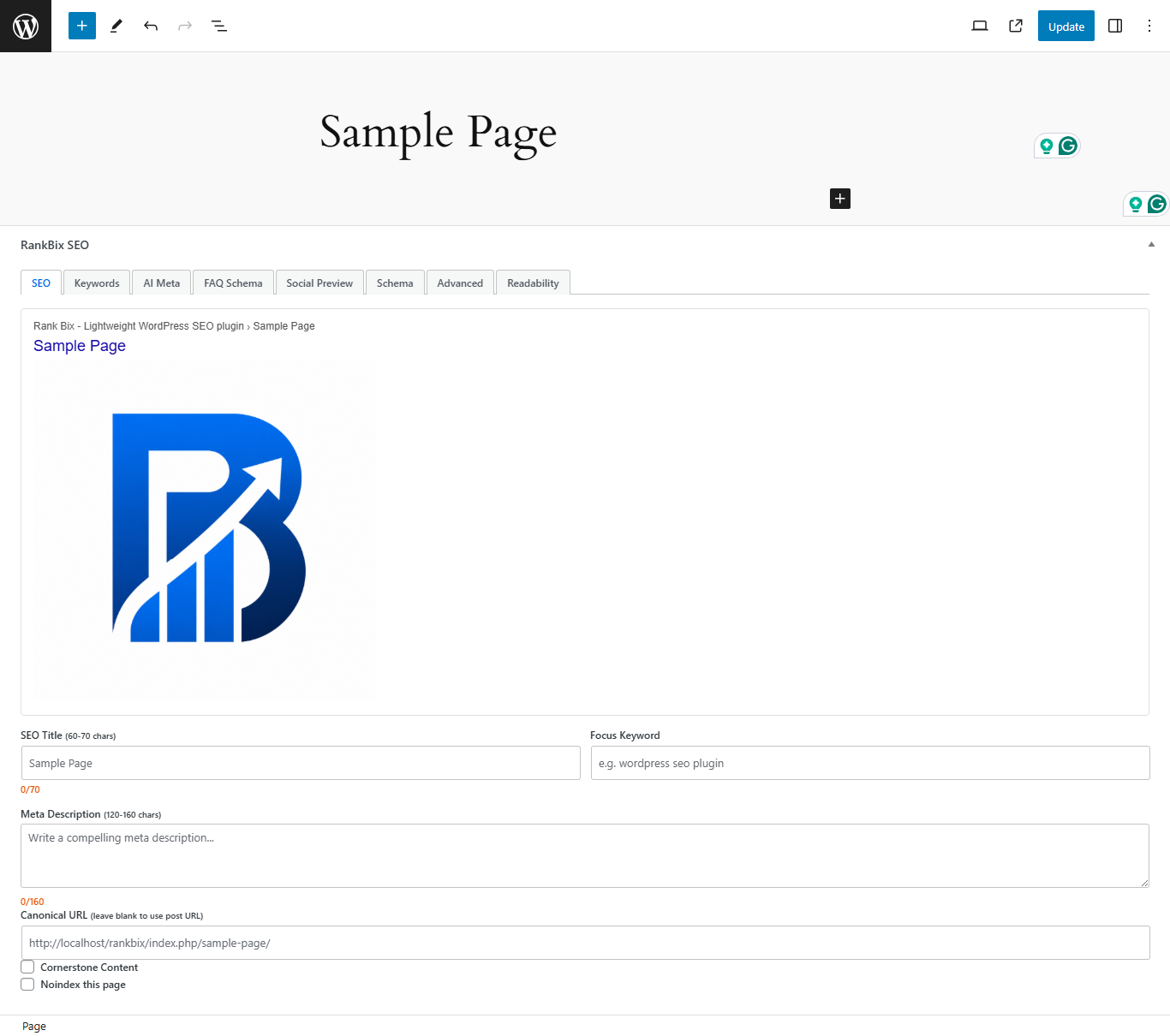
- Meta Title and Description
- Open Graph and Twitter Cards
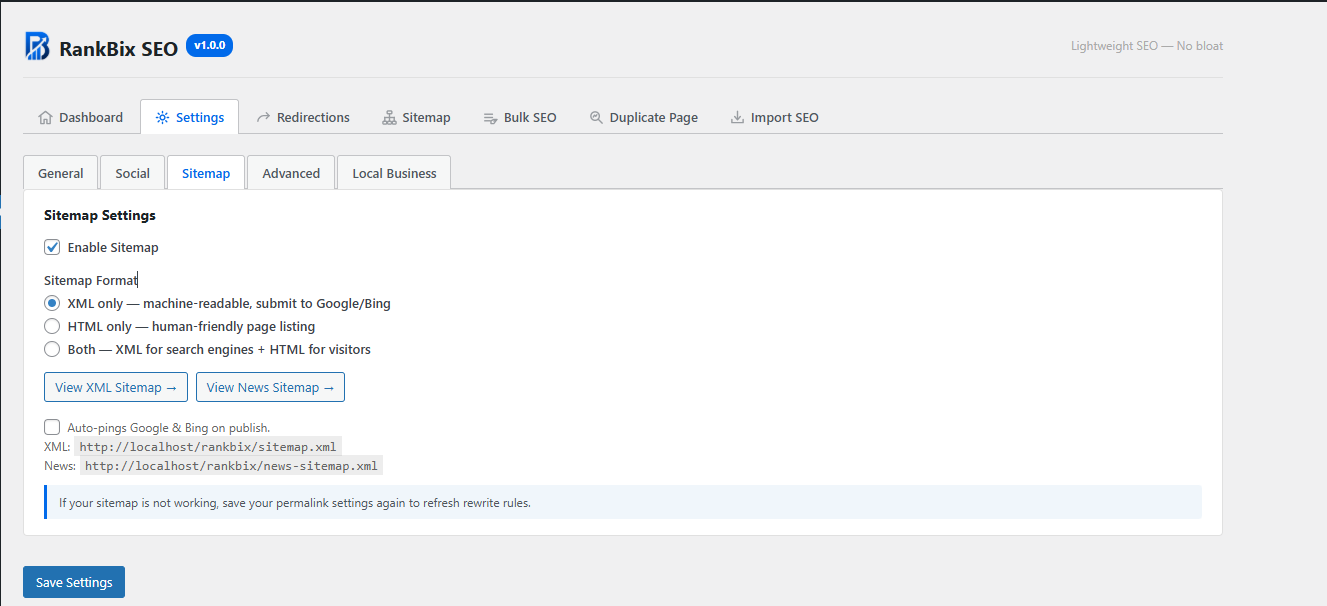
- XML Sitemap with sitemap index and sub-sitemaps
- Google News Sitemap
- HTML Sitemap shortcode
- Schema / JSON-LD (Article, Product, Review, HowTo, FAQ, BreadcrumbList, LocalBusiness)
- Image SEO (auto alt text and title on upload)
- Image Alt Audit with bulk auto-fill
- Keyword Analysis with live SEO score
- Breadcrumbs shortcode and function
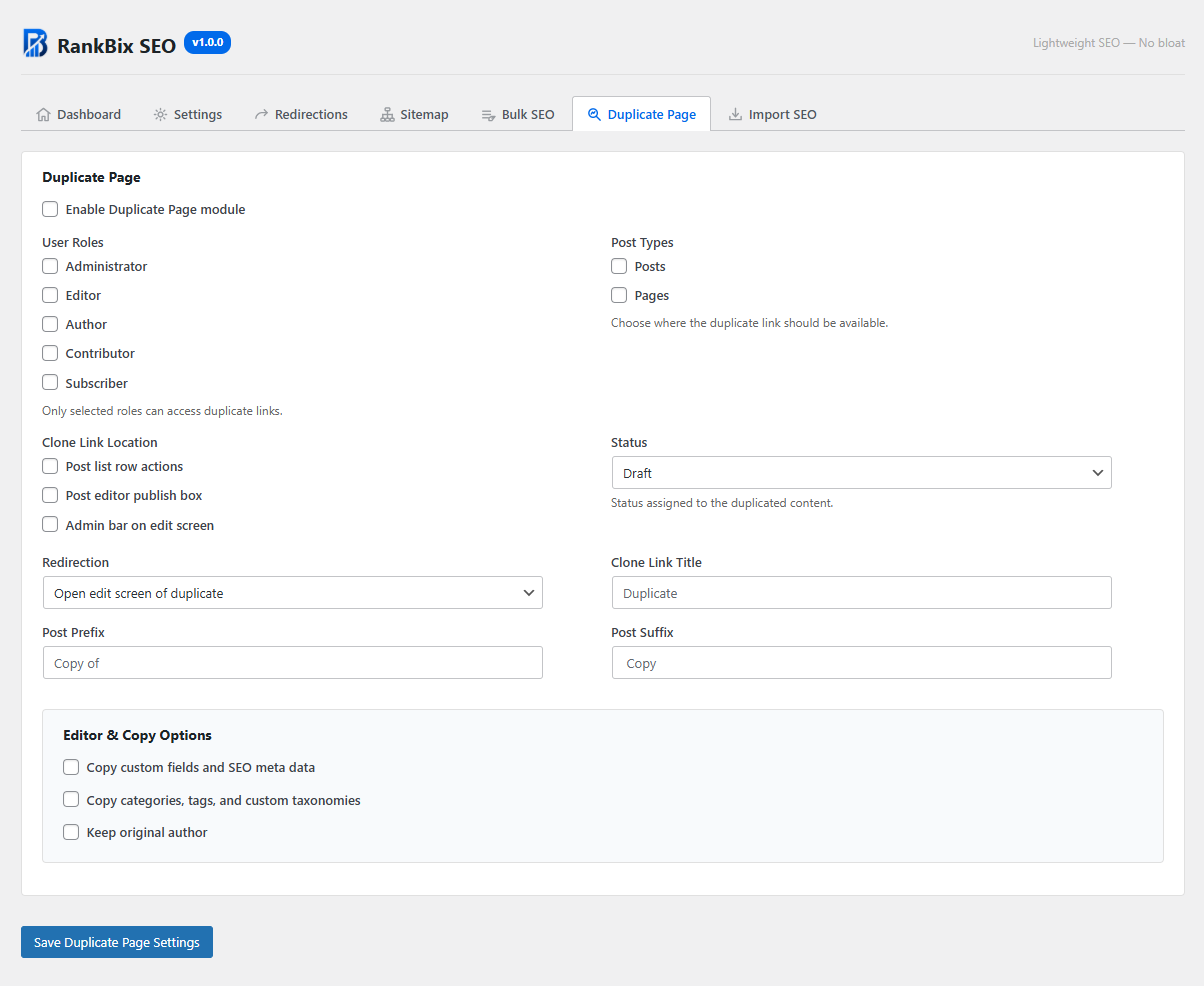
- Duplicate Page
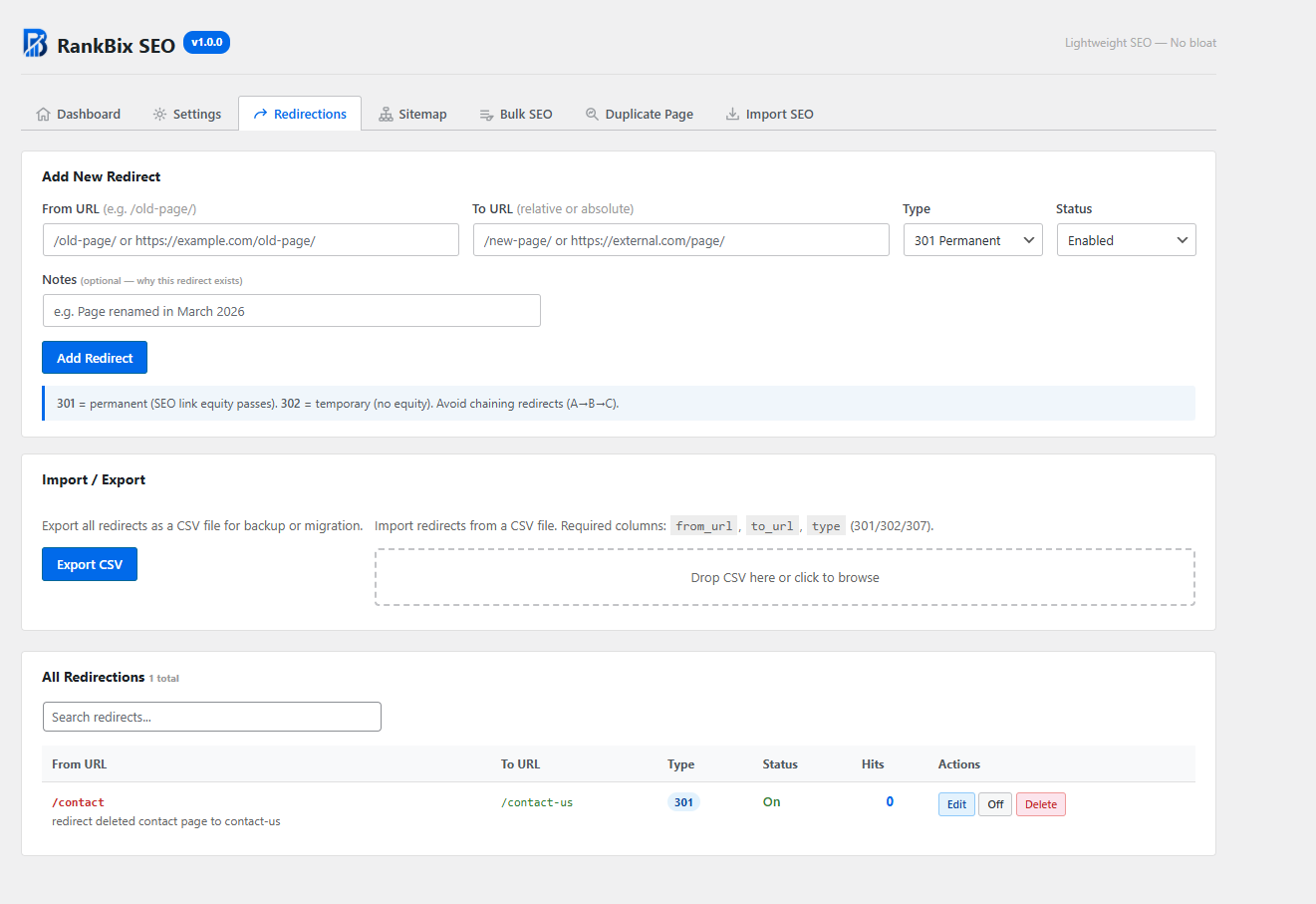
- Redirections Manager (301, 302, 307, 308)
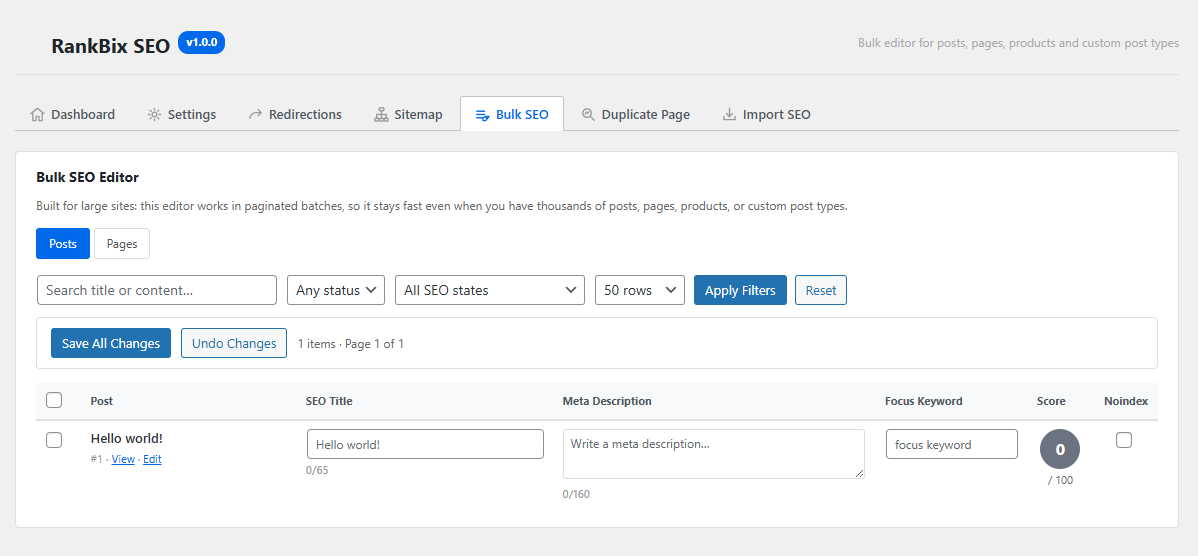
- Bulk SEO Editor
- AI Meta Generator (OpenAI, Claude, Gemini, Groq, Cohere)
- IndexNow
- LLMs.txt
- 404 Monitor with CSV export
- Broken Link Checker
- Admin Toolbar Menu
- Robots.txt editor and URL tester
- Canonical URLs
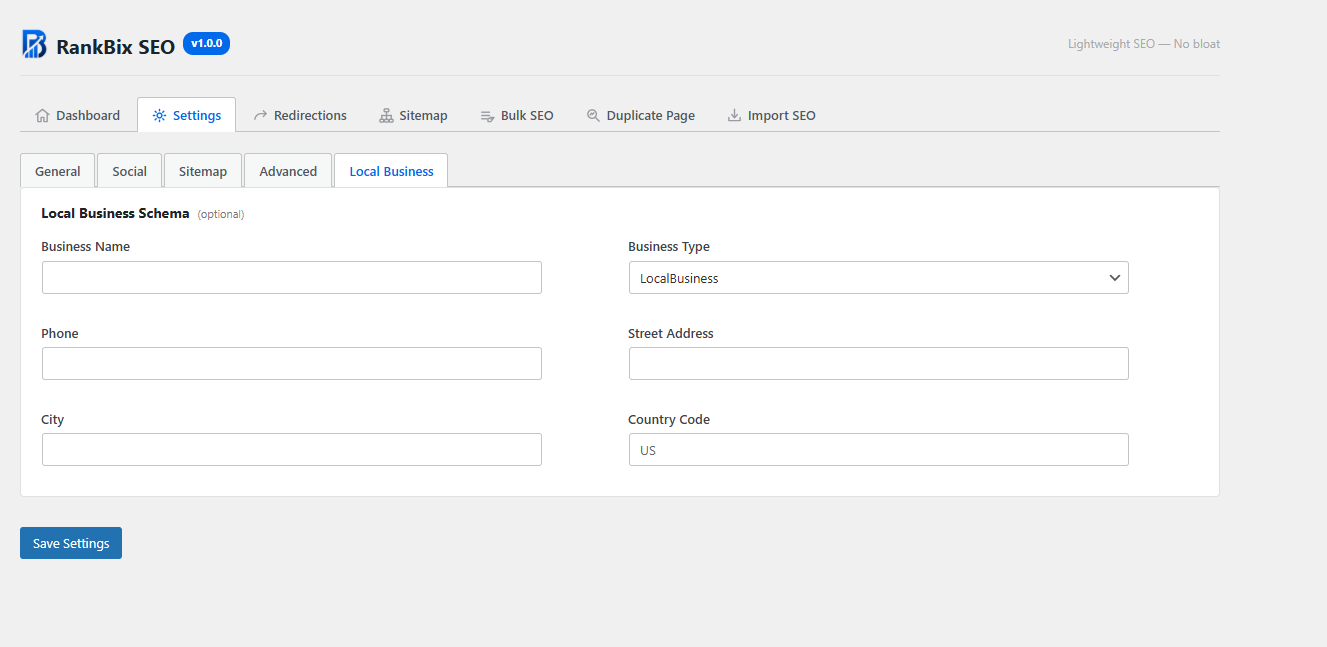
- Local Business schema
- Import from Yoast SEO, Rank Math, and All in One SEO
Translations
Rank Bix SEO is translation-ready and currently available in the following languages:
- English (US) – default
- Hindi (hi_IN) – हिन्दी
- Korean (ko_KR) – 한국어
- Portuguese (Brazil) (pt_BR) – Português (Brasil)
All translations are community-contributed at translate.wordpress.org. Thank you to every contributor who has helped make this plugin accessible worldwide.
Lightweight SEO for Better WordPress Rankings
Rank Bix SEO gives WordPress users a clean and practical way to manage SEO essentials, improve search visibility, create better social previews, generate structured data, manage redirects, and optimize content without installing many separate plugins.
External Services
Rank Bix SEO optionally connects to third-party AI services and search engine ping endpoints.
No data is sent to AI providers unless you configure an API key and manually click an AI generation button. Search engine pings can be disabled in settings.
AI Providers
The following services are contacted only when you have configured the corresponding API key in Rank Bix SEO Settings Advanced AI Keys and clicked an AI generation button in the post editor.
When triggered, Rank Bix SEO sends the post title, site name, tone preference, and optionally a plain-text excerpt of the post content. You can disable sending post content in the same settings screen.
OpenAI
- Endpoint:
https://api.openai.com/v1/chat/completionsfor generation andhttps://api.openai.com/v1/modelsfor model list - Data sent: post title, optional post content excerpt, site name, and tone preference
- Terms of Service: https://openai.com/policies/terms-of-use
- Privacy Policy: https://openai.com/policies/privacy-policy
Anthropic / Claude
- Endpoint:
https://api.anthropic.com/v1/messagesfor generation andhttps://api.anthropic.com/v1/modelsfor model list - Data sent: post title, optional post content excerpt, site name, and tone preference
- Terms of Service: https://www.anthropic.com/legal/aup
- Privacy Policy: https://www.anthropic.com/legal/privacy
Google Gemini / Generative Language API
- Endpoint:
https://generativelanguage.googleapis.com/v1beta/models/{model}:generateContentfor generation andhttps://generativelanguage.googleapis.com/v1/modelsfor model list - Data sent: post title, optional post content excerpt, site name, and tone preference
- Terms of Service: https://ai.google.dev/terms
- Privacy Policy: https://policies.google.com/privacy
Groq
- Endpoint:
https://api.groq.com/openai/v1/chat/completionsfor generation - Data sent: post title, optional post content excerpt, site name, and tone preference
- Terms of Service: https://groq.com/terms-of-use/
- Privacy Policy: https://groq.com/privacy-policy/
Cohere
- Endpoint:
https://api.cohere.com/v1/chatfor generation andhttps://api.cohere.com/v1/modelsfor model list - Data sent: post title, optional post content excerpt, site name, and tone preference
- Terms of Service: https://cohere.com/terms-of-use
- Privacy Policy: https://cohere.com/privacy
Search Engine Pings
When a post is published and the Auto-ping setting is enabled, Rank Bix SEO sends a lightweight HTTP GET request to notify search engines of the updated sitemap.
Only the public sitemap URL is transmitted. No post content, user data, or private content is sent.
- Google Ping:
https://www.google.com/ping?sitemap=<your-sitemap-url> - Bing Ping:
https://www.bing.com/ping?sitemap=<your-sitemap-url>
You can disable automatic pings at Rank Bix SEO Settings Sitemap Auto-pings Google & Bing on publish.
Google Privacy Policy: https://policies.google.com/privacy
Microsoft Privacy Statement: https://privacy.microsoft.com/en-us/privacystatement
IndexNow
When the IndexNow feature is enabled and a post or page is published or updated, Rank Bix SEO sends a single HTTP POST request to the IndexNow API endpoint to notify participating search engines (Bing, Yandex, and others) of the updated URL.
- Endpoint:
https://api.indexnow.org/indexnow - Data sent: your site hostname, a plugin-generated verification key, the URL of the verification key file, and the URL of the published/updated post or page. No post content or user data is sent.
- When: only on post/page publish or update, and only if IndexNow is enabled in Rank Bix SEO Settings Tools IndexNow.
IndexNow is an open protocol. The api.indexnow.org endpoint is operated by Microsoft. Submitted URLs are shared with all IndexNow-participating search engines.
IndexNow Privacy Policy: https://www.indexnow.org/privacypolicy
Microsoft Privacy Statement: https://privacy.microsoft.com/en-us/privacystatement
Broken Link Checker
When the Broken Link Checker feature is enabled, Rank Bix SEO runs a background cron job that sends HTTP HEAD requests to external URLs found in your post content to check whether those links are still reachable.
- Data sent: a standard HTTP HEAD request to each external URL found in your published post content. No post content, user data, or authentication credentials are included in these requests. The requests appear as ordinary browser-like HEAD requests to the destination server.
- When: only via a background WP-Cron job (runs twice daily, 5 posts per run). The feature is disabled by default and must be explicitly enabled in Rank Bix SEO Settings Tools Broken Link Checker.
- Destinations: any external URLs present in your own published post content. These are third-party URLs you have already linked to; Rank Bix SEO does not choose or control them.
No data from the broken link check is transmitted to Rank Bix SEO or any service operated by the plugin developer. Results are stored only in your own WordPress database.
Screenshots
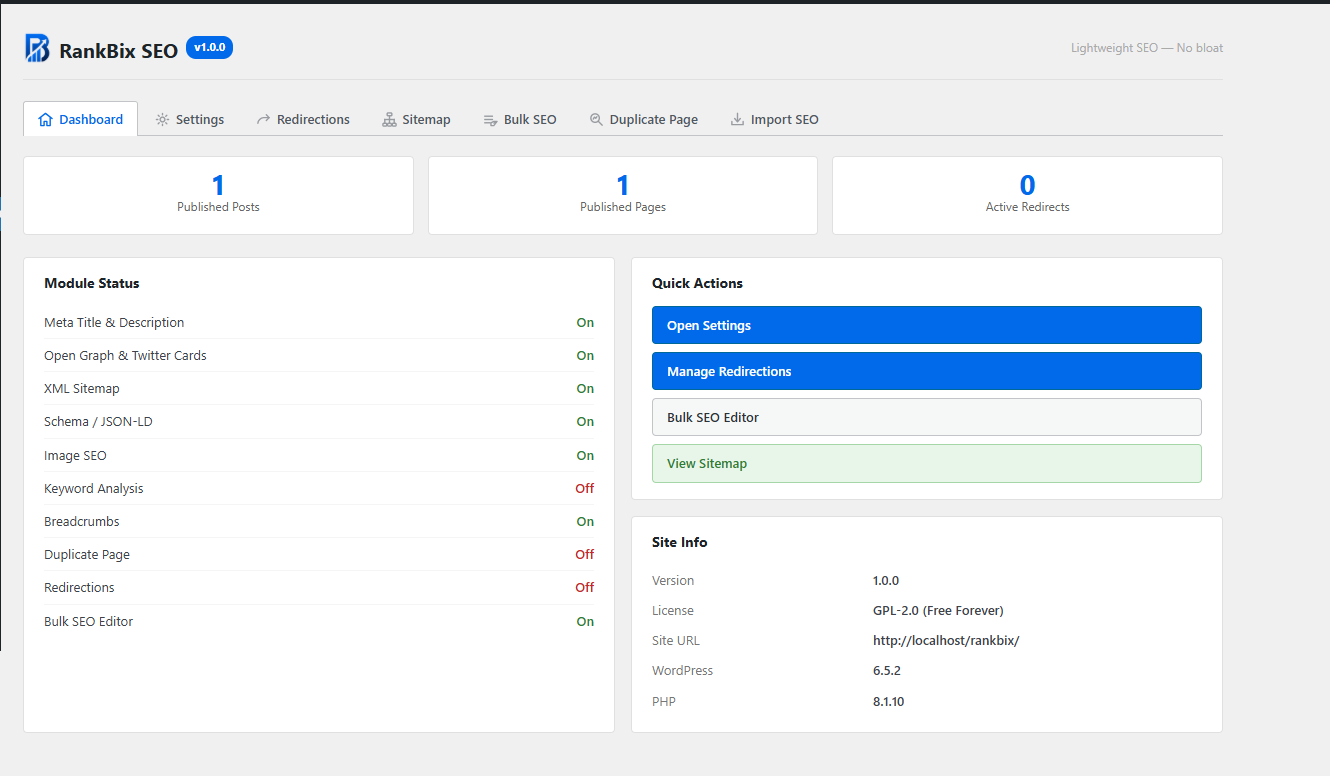

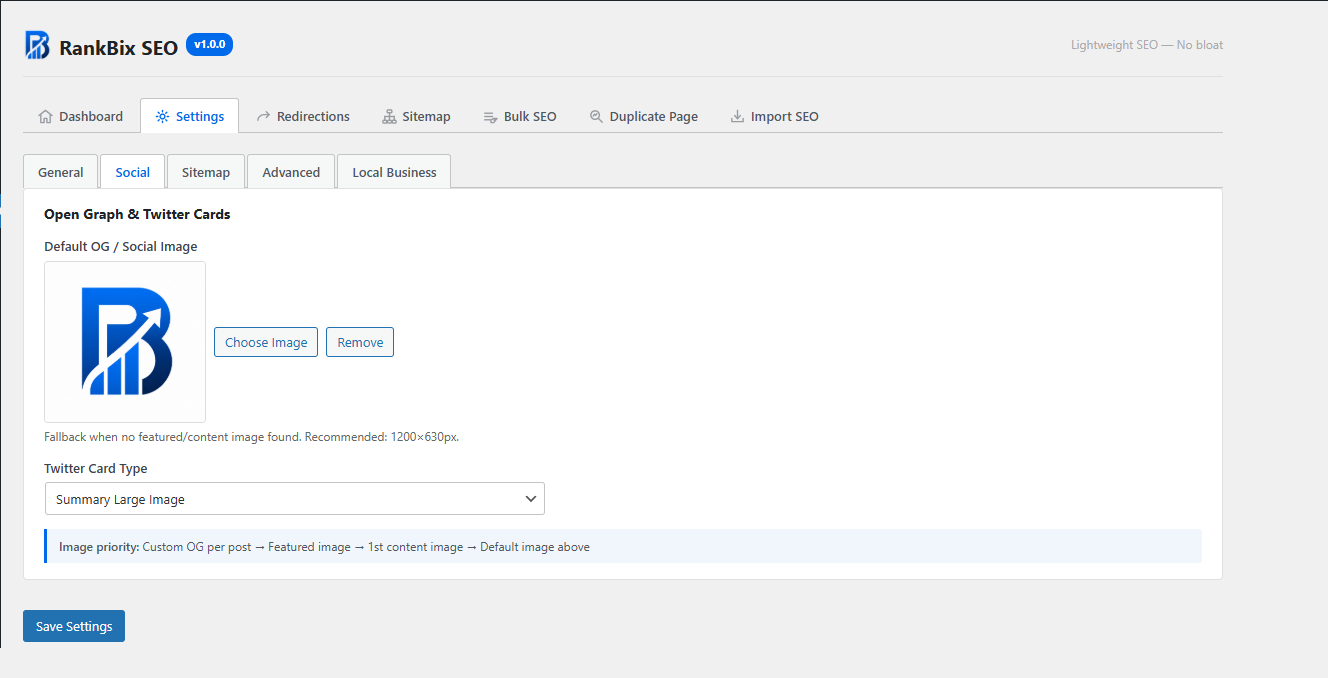
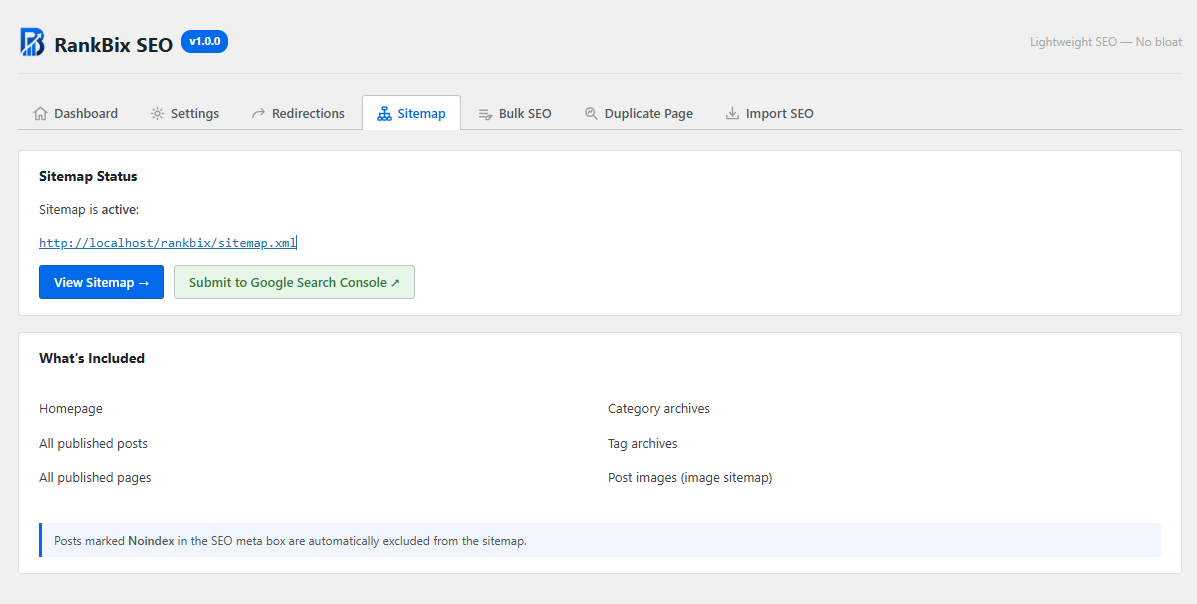
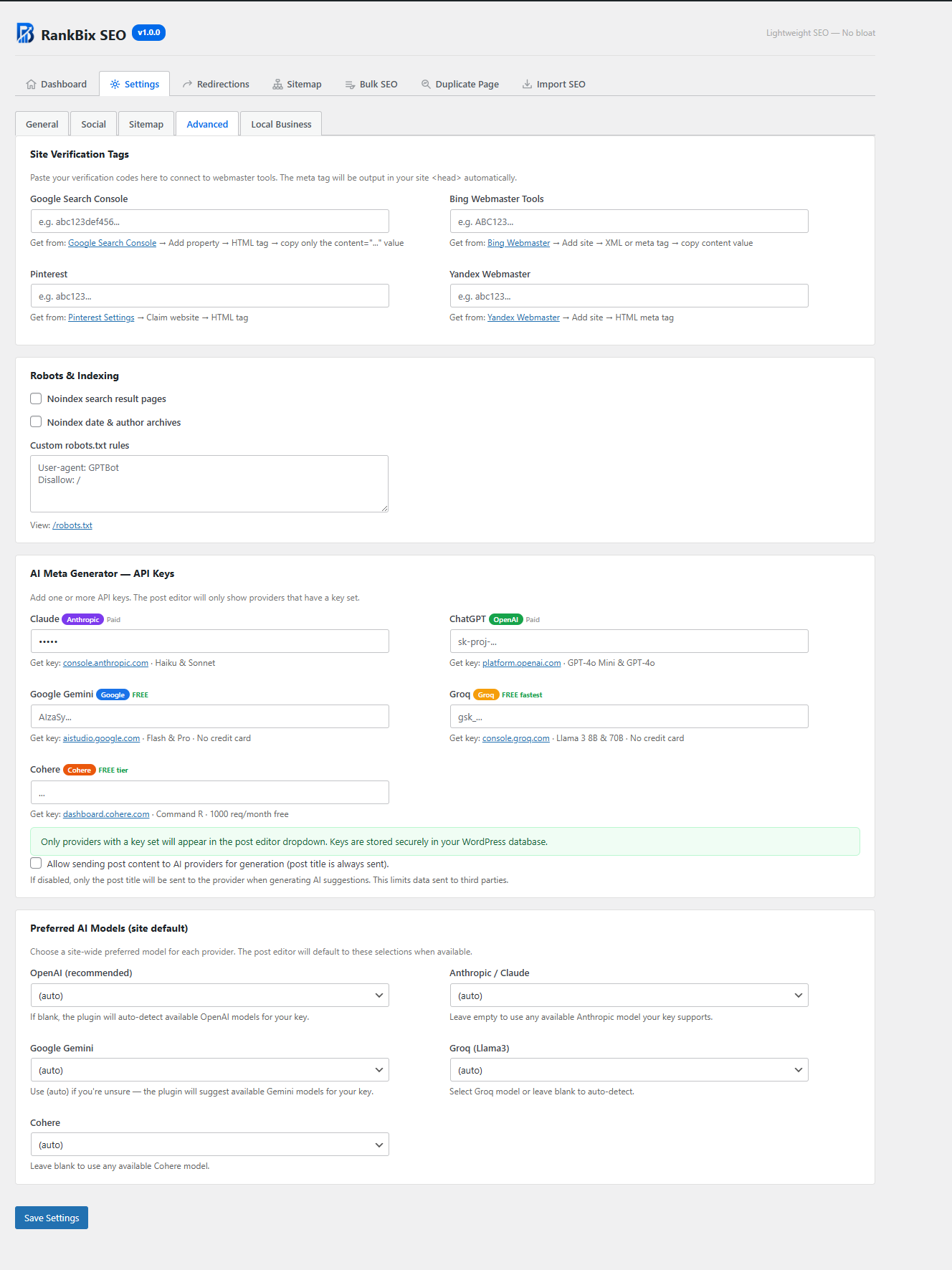


Installation
- Upload the
rankbix-seofolder to/wp-content/plugins/. - Activate the plugin through Plugins Installed Plugins.
- Go to Rank Bix SEO in the WordPress admin menu.
- Configure your settings under Rank Bix SEO Settings.
- Edit any post or page to add SEO title, meta description, focus keyword, schema, social image, and other SEO settings.
FAQ
-
Does Rank Bix SEO work with WooCommerce?
-
Yes. Rank Bix SEO supports WooCommerce products in the post editor meta box, bulk SEO editor, sitemap, and schema features.
-
Does Rank Bix SEO support custom post types?
-
Yes. Rank Bix SEO supports public custom post types with UI. They can be used in the SEO meta box, sitemap, and bulk editor.
-
Can I import SEO data from Yoast SEO, Rank Math, or All in One SEO?
-
Yes. Go to Rank Bix SEO Content Manager Import SEO tab and choose your source plugin. Rank Bix SEO can import SEO titles, meta descriptions, focus keywords, canonical URLs, and noindex settings.
-
Will Rank Bix SEO slow down my website?
-
No. Rank Bix SEO is designed for performance. The XML sitemap is cached, AI model lists are loaded only when needed, and redirects use a dedicated database table with a fast lookup process.
-
Do I need an API key for AI features?
-
Yes. You need at least one API key from a supported AI provider. AI features do nothing if no key is configured.
-
Is any data sent to AI providers automatically?
-
No. Data is only sent when you configure an AI provider API key and manually click an AI generation button in the post editor.
-
What data is sent to AI providers?
-
When you click an AI generation button, Rank Bix SEO sends the post title and optionally a plain-text excerpt of the post content to the selected provider. You can disable sending post content in Settings Advanced AI Keys Allow sending post content. When disabled, only the post title is sent.
-
Can I stop the plugin from pinging search engines?
-
Yes. Go to Rank Bix SEO Settings Sitemap and uncheck Auto-pings Google & Bing on publish.
-
Add this function to your theme template:
<?php rankbix_seo_breadcrumbs(); ?>Alternatively, use the shortcode:
[rankbix_seo_breadcrumbs] -
How do I display an HTML sitemap?
-
Use this shortcode on any page:
[rankbix_seo_sitemap]Optional shortcode attributes include
show_tags="0",columns="3", andorderby="date". -
Where is the redirect debug tool?
-
Visit any redirected URL and append
?rankbix_seo_debug_redirect=1. Logged-in administrators can see redirect match details instead of being redirected. -
Can I use Rank Bix SEO only for basic SEO?
-
Yes. You can use only the features you need, such as meta titles, descriptions, Open Graph, sitemap, schema, redirects, or breadcrumbs.
Reviews


Contributors & Developers
“Rank Bix SEO” is open source software. The following people have contributed to this plugin.
Contributors
“Rank Bix SEO” has been translated into 3 locales. Thank you to the translators for their contributions.
Translate “Rank Bix SEO” into your language.
Interested in development?
Browse the code, check out the SVN repository, or subscribe to the development log by RSS.
Changelog
1.1.11
Improvements
- LLMs.txt – file now generates reliably – The LLMs.txt file failed to generate or regenerate on sites where the legacy
rankbix_seo_llmstxt_enableddatabase option had previously been set to disabled. The enabled state is now read from the module toggle (consistent with all other modules) rather than the stale option, so the file is written correctly whenever the LLMs.txt module is active – no manual workaround or settings re-save needed. - Sitemap cache – busts on term edits and unpublish – The cached sitemap was not invalidated when a category or tag was edited, or when a published post was moved back to draft or private. Both gaps are now covered: editing any taxonomy term triggers a cache bust via the
edited_termhook, and any post transition away frompublisheddoes the same. - robots.txt – created vs updated feedback – The “Generate robots.txt” button now reports “robots.txt created.” when no file existed, and “robots.txt updated.” on subsequent saves, so you can tell at a glance whether the file was new or replaced.
- IndexNow – pings on trash, delete, and unpublish – IndexNow previously only pinged search engines when a post was published or updated. It now also pings when a post is trashed, permanently deleted, or moved to draft or private, so search engines are notified promptly to re-crawl and drop the URL from their index.
- Duplicate Page – admin notice after duplicate – After duplicating a post, a dismissible success notice now appears at the top of the page with a direct “Edit the new draft” link, making it easy to open the copy immediately without hunting for it in the post list.
- Breadcrumbs – Untitled fallback – Breadcrumb ancestor links and the current-page label no longer show an empty label when a post has no title. “Untitled” is displayed instead, keeping the trail readable.
- LLMs.txt – preview of auto-generated default in settings – The LLMs.txt settings field now includes a collapsible “Preview auto-generated default” section showing exactly what the plugin would write to
/llms.txtif the content field is left blank, so you can review it before deciding whether to customise it. - 404 Monitor – Export CSV button – A new “Export CSV” button on the 404 Monitor page downloads all logged 404 errors as a dated CSV file (URL, Referrer, Hits, First Seen, Last Seen), suitable for analysis in a spreadsheet or importing into a redirect tool.
Bug Fixes
- LLMs.txt – HTML entity in file output – The physical
/llms.txtfile and the PHP fallback response both output>instead of>when the stored content contained HTML-encoded characters.html_entity_decode()is now applied in both the static file writer and the PHP serve path so the raw Markdown character is always written correctly.
1.1.10
New Features
-
Image Alt Audit – New admin page at Rank Bix SEO Image Alt Audit. Shows every image in the media library with stats cards (Total Images, Missing Alt Text, % Have Alt Text with progress bar) and a filterable table (Missing / All / Has Alt tabs). Each row displays the thumbnail, filename, file type badge, status badge (Missing/OK), parent post link, and an inline alt text input. Per-image Save and Suggest buttons let you fix alt text without leaving the page. Auto-fill All Missing batch-fills all missing images in 30-image AJAX batches with a live progress counter. Character count is colour-coded: red below 30 chars, green 30–125 (ideal range), orange above 125. Module can be enabled or disabled from the Features page.
-
FAQ & HowTo Gutenberg Blocks – Two new dynamic blocks registered under the
rankbix-seonamespace. The FAQ Block (rankbix-seo/faq) lets you add unlimited question/answer pairs in the editor; schema is injected automatically into the page’s JSON-LD without any manual configuration. The HowTo Block (rankbix-seo/howto) provides title, total time (ISO 8601), and unlimited steps (name + description); HowTo schema is generated automatically from block data. Both blocks usesave: () => null(server-side rendering) so schema stays up to date without re-saving posts. Block styles are loaded only on pages that use the blocks. -
Page Builder Content Extraction (
RankBixSEO_ContentExtract) – New utility class that extracts post content from all major page builders: Elementor (JSON meta), Beaver Builder (serialised meta), Bricks Builder, and Oxygen Builder, with a fallback topost_contentfor Divi, WPBakery, and standard block/classic content. All keyword analysis, readability scoring, and AI content generation now use page-builder-aware content instead of rawpost_content, giving accurate results on builder-powered sites. An in-request cache prevents duplicate meta reads within a single page load. -
robots.txt Editor + Tester – The plain custom rules textarea in Settings Robots & Indexing has been replaced with a full two-tab widget. The Editor tab shows a read-only, syntax-highlighted block of WordPress-managed rules (purple directives, red Disallow, green Allow, blue Sitemap, grey comments) with CSS counter line numbers, followed by an editable custom rules textarea whose line numbers continue from the WP block. A live stats footer tracks total lines and character count. The Tester tab lets you type any URL path, pick a crawler from a bot-selector pill row (Googlebot, Bingbot, GPTBot, ClaudeBot, Yandex, CCBot, or All), and click Test URL to instantly evaluate whether that crawler is allowed or blocked – using the Google longest-path-wins spec. The result card slides in showing an Allowed / Blocked badge, the matched User-agent group, and the exact matching rule.
-
Toolbar – SEO score badge – The Rank Bix SEO toolbar item now displays a colour-coded score badge next to the plugin name whenever you are viewing or editing a singular post or page. Green badge (70+) for good, amber (40–69) for OK, red (below 40) for poor, grey dot when no focus keyword is set. Works on both the frontend and the WordPress admin post editor with zero page-load overhead – reads the cached stored score with no on-the-fly recalculation.
-
Toolbar – “Mark this page” submenu – The Rank Bix SEO admin toolbar item now includes a Mark this page submenu when viewing or editing a singular post or page. Three toggle items are available: As Cornerstone Content (marks the page as cornerstone content), As NoIndex (sets the page to noindex), and As NoFollow (sets the page to nofollow). A green ✓ checkmark appears next to each item when it is currently active. Clicking any item toggles the setting instantly via AJAX with no page reload. Works on both the frontend (live page view) and the WordPress post editor.
-
Toolbar – “Duplicate” shortcut – A Duplicate link now appears directly in the Rank Bix SEO toolbar group (after Settings) when the Duplicate module is enabled, the current post type is in the allowed post types list, and the logged-in user has an allowed role. Clicking the link duplicates the post as a draft using the existing Duplicate module settings. Replaces the old standalone admin bar button.
Improvements
-
Duplicate Page – simplified settings – The redundant “Enable Duplicate Page module” toggle has been removed from the Duplicate Page settings screen. The module is now enabled or disabled exclusively from the Features page, matching how all other modules work. Existing installations are unaffected – the stored value is preserved as a fallback.
-
robots.txt – physical file support – When a physical
robots.txtfile exists at the site root, the Editor widget now reads and displays the actual file content instead of the WP defaults placeholder. The section label changes to “Physical file content”. Three new action buttons appear: Regenerate file rebuilds the physical file from WP defaults (filtered viaapply_filters('robots_txt', ...)) plus saved custom rules; Delete file removes the physical file so WordPress’s virtual robots.txt takes over again. When no physical file exists, a Generate robots.txt file button creates one. All actions run via AJAX, show an inline status message, and automatically reload the page to reflect the new state.
Bug Fixes
-
Settings – 404 Monitor tab shown when module disabled – The 404 Monitor tab appeared in the Settings tab bar regardless of whether the 404 Monitor module was enabled. The tab now correctly respects the module state and is hidden when the module is off.
-
Settings – Save Settings button visible on 404 Monitor tab – The Save Settings button remained visible when the 404 Monitor tab was active, even though that tab is AJAX-only and outside the settings form. The button is now hidden automatically when switching to the 404 Monitor tab.
-
Redirections – notices rendered inside page header – Action notices (Redirect saved / Redirect deleted / Redirect updated) were echoed immediately after the page header function, placing them inside the plugin’s flex layout wrapper and causing them to appear alongside the header logo and title instead of in the page body. Notices now render as properly styled flash banners above the Add New Redirect form.
-
Redirections – wrong notice shown after delete then add – Submitting the Add Redirect form on a page whose URL still contained
&del=Nfrom a previous delete caused both the save and delete handlers to fire in sequence, displaying “Redirect deleted.” instead of “Redirect saved.” The three action checks are now an exclusiveif / elseif / elseifchain so only one fires per request.
1.1.9
New Features
-
Features page – module enable/disable – A new Rank Bix SEO Features page lets you toggle individual modules on or off using toggle switches. Available modules: XML Sitemap, Redirections, 404 Monitor, Duplicate Page, Breadcrumbs, IndexNow, LLMs.txt, Broken Link Checker, Table of Contents, and Robots.txt. Core features (Meta Title & Description, Open Graph, Schema / JSON-LD, Image SEO, Bulk SEO Editor) are always active and listed separately. Your data is preserved when a module is disabled. Disabled modules are hidden from the admin nav automatically.
-
Content Manager page – Bulk SEO Editor and Import SEO are now combined under a single Rank Bix SEO Content Manager page with two tabs: Bulk SEO Editor and Import SEO. The previous separate submenu items have been replaced by this unified page.
-
Multilingual support – Polylang & WPML – Rank Bix SEO now detects and integrates with Polylang and WPML automatically. SEO title, meta description, focus keyword, and secondary keywords are registered as translatable fields with Polylang Pro’s Translation Editor so translators can localise them per language. When a new translation is created in Polylang, all SEO meta fields (title, description, focus keyword, noindex, schema type, social image, and more) are automatically copied to the translated post as a starting point. Structural fields (noindex, schema type, social image ID) are copied but not flagged as translatable, so they remain shared across translations unless overridden. WPML support uses the standard
wpml_object_idfilter for per-language URL resolution; custom field translation for WPML can be configured via WPML Settings Custom Fields Translation. -
XML Sitemap – hreflang alternates – On multilingual sites running Polylang or WPML, each
<url>entry in the XML sitemap now includes<xhtml:link rel="alternate" hreflang="...">tags for every available translation, with an additionalx-defaultentry pointing to the default-language version. Thexmlns:xhtmlnamespace declaration is added to<urlset>only when hreflang links are present, keeping single-language sitemaps unchanged. Translated post URLs are injected as their own<url>entries with their own full hreflang set – ensuring Google sees reciprocal hreflang on every language version. Sitemap caches are automatically invalidated when a translation is saved (pll_save_post/wpml_translation_job_saved), so the sitemap always reflects the latest translation state.
Improvements
- Admin navigation – The sidebar nav now shows Content Manager and Features as dedicated nav items. Module-conditional items (Redirections, 404 Monitor, Duplicate Page) are hidden from the nav automatically when their module is disabled.
- Sitemap under Settings – The Sitemap configuration is now accessed via Settings Sitemap tab. The old standalone Sitemap menu item redirects to Settings for backwards compatibility.
- Admin toolbar – The admin toolbar dropdown now links to Content Manager instead of the previous separate Bulk SEO link.
1.1.8
Bug Fixes
- XML Sitemap – proper sitemap index structure –
sitemap_index.xmlwas incorrectly
outputting a flat<urlset>containing every URL on the site in a single file. It now
outputs a<sitemapindex>listing individual sub-sitemaps per content type
(post-sitemap.xml,page-sitemap.xml,category-sitemap.xml,
post_tag-sitemap.xml), matching the structure search engines expect. The
“ Back to Sitemap Index” link in the browser view now correctly navigates back to the
index instead of reloading the same page./sitemap.xmlnow 301-redirects to
/sitemap_index.xml. Trailing-slash variants of sitemap URLs are also redirected to
the canonical form to prevent duplicate indexing.
For the full changelog see rankbix.com/changelog/.