Title: URL Params
Author: Jeremy B. Shapiro
Published: June 26, 2011
Last modified: December 17, 2024
---
Search plugins

# URL Params
By [Jeremy B. Shapiro](https://profiles.wordpress.org/jeremyshapiro/)
[Download](https://downloads.wordpress.org/plugin/url-params.2.5.zip)
* [Details](https://pcd.wordpress.org/plugins/url-params/#description)
* [Reviews](https://pcd.wordpress.org/plugins/url-params/#reviews)
* [Installation](https://pcd.wordpress.org/plugins/url-params/#installation)
* [Development](https://pcd.wordpress.org/plugins/url-params/#developers)
[Support](https://wordpress.org/support/plugin/url-params/)
## Description
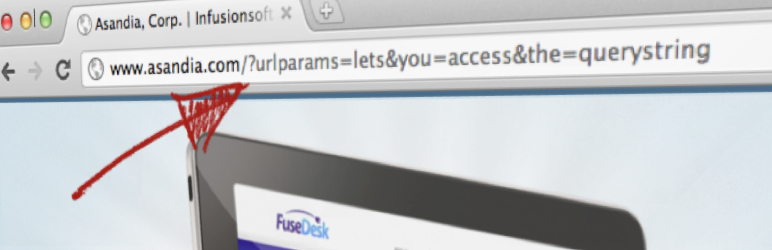
The URL Params WordPress Plugin allows you to access URL parameters in the Query
String of the URL.
The plugin even allows you to specify a default value in the shortcode if the parameter
isn’t set, so if you want to say “Hello, FirstName” and FirstName isn’t set, it
could say something like “Hello, Friend!”
To specify a backup url parameter, enter multiple parameters seperated by commas.
The plugin will check for each parameter, in order, until a matching one is found
and return that. Failing finding any of the parameters you listed, the default will
be returned. For example, you can specify `[urlparam param="FirstName, First, name"
default="Friend" /]` to check for FirstName, and if not found, then First, if not
found, then name, and if not, then just return “Friend”.
If the parameter is a date, you can also specify the `dateformat` option using a
[PHP friendly date format](http://php.net/manual/en/function.date.php), for example`[
urlparam param="somedate" dateformat="F Js" /]`. Note that PHP only returns dates
formatted in English regardless of locale settings.
This is great if you have personalized links, like from Infusionsoft or Keap, as
it lets you personalize a landing page with a persons name.
You can also use this to pre-fill out form fields for folks based on the querystring.
For example, if their first name is passed in the URL, your landing page can greet
the viewer by name and pre-fill their name on a form.
### Usage
Use the shortcode urlparam with the optional parameter of “default”. For example`[
urlparam param="FirstName" /]` or `[urlparam param="FirstName" default="Friend"/]`.
For conditional content use `[ifurlparam][/ifurlparam]`. For example, `[ifurlparam
param="FirstName"]Hey, I know you, [urlparam param="FirstName"]![/ifurlparam]` would
greet known visitors, but display nothing to users without a FirstName in the query
string.
If you want to show content when a value does NOT exist, you can set `empty` in `[
ifurlparam]`. For example `[ifurlparam param="FirstName" empty="1"]Welcome to the
site, visitor![/ifurlparam]` would greet visitors without a FirstName in the query
string, but display nothing for visitors with FirstName in the query string.
If you want to show content only to visitors with a specific value in their query
string, you can set `is` in `[ifurlparam]`. For example, `[ifurlparam param="FirstName"
is="Bob"]Hi, Bob![/ifurlparam]`, would only greet visitors with the FirstName param
set to Bob.
If you want to have urlparam return an HTML attribute, for example to use in pre-
setting the value of input or hidden input fields, pass in the optional `attr` parameter.
You might set a value attribute for an input field like so: `` or you might set a
src attribute for an image tag like so: ``
If you want urlparam to return an entire HTML tag, for example in creating an input
field, pass in the optional `htmltag` parameter. For example, `[urlparam htmltag
="input" type="text" name="firstname" id="first" attr="value" param="FirstName"
default="Bob" /]` will produce something like ``
### Security
To help protect your site against [Reflected Cross Site Scripting](http://en.wikipedia.org/wiki/Cross-site_scripting),
we sanitize output with [esc_html()](https://codex.wordpress.org/Function_Reference/esc_html)
which prevents any HTML tags from being passed in and displayed. This would prevent
someone from passing in javascript, for example, and having it execute on your site.
Starting in the [WordPress 4.2.3 security auto-update](https://make.wordpress.org/core/2015/07/23/changes-to-the-shortcode-api/),
you can no longer include shortcodes in HTML attributes. Previous to this WordPress
update, you could set a field value like this: ``. Now you have to set it like this: `` or `[urlparam
htmltag="input" type="text" name="firstname" attr="value" param="FirstName" /]`.
If you are still using this shortcode the old way, unfortunately, WordPress simply
won’t process the shortcode and will return the full shortcode text unprocessed.
To prevent unprivileged users (like Contributors) from using this shortcode to have
privileged users (like Admins) accidentally execute arbitrary javascript via HTML
attributes (like `onclick`, `onmouseover`, etc), html tags and attributes are sanitized.
If you do need have a need to set certain sanitized tags or attributes, at your
own risk, you can manually allow these from the URL Params options page under Settings.
## Installation
To install the plugin, download the zip file and upload via the plugin interface
of your WordPress site.
## Reviews

### [Works well, very straightforward](https://wordpress.org/support/topic/works-well-very-straightforward/)
[Larry Daniele](https://profiles.wordpress.org/larrydaniele/) January 21, 2025
1 reply
I love when a plugin does just what it needs to do, simply and elegantly. Well done!

### [Love the advanced features](https://wordpress.org/support/topic/love-the-advanced-features/)
[Clifford Paulick](https://profiles.wordpress.org/cliffpaulick/) August 14, 2024
Thanks for making this a great free option!

### [Great!](https://wordpress.org/support/topic/great-16076/)
[mikenco](https://profiles.wordpress.org/mikenco/) January 10, 2024
This plugin works great and has got me out of a hole a few times now.

### [Great !](https://wordpress.org/support/topic/great-16074/)
[thomas1999](https://profiles.wordpress.org/thomas1999/) January 9, 2024
Usefull and Easy

### [Very useful](https://wordpress.org/support/topic/very-useful-3265/)
[tompon](https://profiles.wordpress.org/tompon/) April 26, 2023
Quick and simple solution how to forward parameters to a post/page

### [Excellente!](https://wordpress.org/support/topic/excellente-33/)
[capitanjan](https://profiles.wordpress.org/capitanjan/) September 5, 2022
Pure coding art works like magic! Highly recomended
[ Read all 37 reviews ](https://wordpress.org/support/plugin/url-params/reviews/)
## Contributors & Developers
“URL Params” is open source software. The following people have contributed to this
plugin.
Contributors
* [ Jeremy B. Shapiro ](https://profiles.wordpress.org/jeremyshapiro/)
[Translate “URL Params” into your language.](https://translate.wordpress.org/projects/wp-plugins/url-params)
### Interested in development?
[Browse the code](https://plugins.trac.wordpress.org/browser/url-params/), check
out the [SVN repository](https://plugins.svn.wordpress.org/url-params/), or subscribe
to the [development log](https://plugins.trac.wordpress.org/log/url-params/) by
[RSS](https://plugins.trac.wordpress.org/log/url-params/?limit=100&mode=stop_on_copy&format=rss).
## Changelog
* 2.5: Released 4/20/2023 Security update to sanitize keys, attributes, and output
tags. Added options page for custom tags and attributes. Special thanks to the
Security Research team @ Automattic for the responsible disclosure and testing!
* 2.4: Released 3/1/2023. Security update to patch against setting javascript event
attributes (like `onclick`, `onmouseover`, etc)
* 2.3: Released 1/21/2022. Bumped Tested Version to WordPress 5.8.3
* 2.2: Released 6/27/2019. Bumped Tested Version to WordPress 5.2.2
* 2.1: Released 8/19/2015. Patched to make backwards compatible with PHP <5.3 where
anonymous functions aren’t yet supported.
* 2.0: Released 8/12/2015. Allow for the `htmltag` attribute to be passed which
will return a full HTML tag with optional content inside of the tag, too.
* 1.8: Released 8/5/2015. Allowed for the `attr` attribute to be passed. This helps
fix the backwards incompatible shortcode processing bugs introduced by WordPress
4.2.3
* 1.7: Released 7/2/2014. Changed escaping via htmlspecialchars() to esc_html()
and removed option to allow not escaping HTML
* 1.6: Released 7/1/2014. Security update to patch against Reflected Cross Site
Scripting.
* 1.5: Nudge. WordPress didn’t pick up this latest trunk version on commit. Will
remove this comment in the future.
* 1.5: Released 12/13/2013. Added support for conditional content via `ifurlparam`
shortcode
* 0.4: Released 7/11/2011. Added support for date formatting via the `dateformat`
option
* 0.3: Released 6/25/2011. Added support for alternative parameters, i.e. param
=”FirstName, First, name”
## Meta
* Version **2.5**
* Last updated **1 year ago**
* Active installations **8,000+**
* WordPress version ** 3.0 or higher **
* Tested up to **6.7.5**
* Language
* [English (US)](https://wordpress.org/plugins/url-params/)
* Tags
* [query string](https://pcd.wordpress.org/plugins/tags/query-string/)[url](https://pcd.wordpress.org/plugins/tags/url/)
[url parameters](https://pcd.wordpress.org/plugins/tags/url-parameters/)[url params](https://pcd.wordpress.org/plugins/tags/url-params/)
[urlparam](https://pcd.wordpress.org/plugins/tags/urlparam/)
* [Advanced View](https://pcd.wordpress.org/plugins/url-params/advanced/)
## Ratings
5 out of 5 stars.
* [ 37 5-star reviews ](https://wordpress.org/support/plugin/url-params/reviews/?filter=5)
* [ 0 4-star reviews ](https://wordpress.org/support/plugin/url-params/reviews/?filter=4)
* [ 0 3-star reviews ](https://wordpress.org/support/plugin/url-params/reviews/?filter=3)
* [ 0 2-star reviews ](https://wordpress.org/support/plugin/url-params/reviews/?filter=2)
* [ 0 1-star reviews ](https://wordpress.org/support/plugin/url-params/reviews/?filter=1)
[Add my review](https://wordpress.org/support/plugin/url-params/reviews/#new-post)
[See all reviews](https://wordpress.org/support/plugin/url-params/reviews/)
## Contributors
* [ Jeremy B. Shapiro ](https://profiles.wordpress.org/jeremyshapiro/)
## Support
Issues resolved in last two months:
0 out of 1
[View support forum](https://wordpress.org/support/plugin/url-params/)