
Description
⭐⭐⭐⭐⭐ 5/5 stars and +500 downloads! ⭐⭐⭐⭐⭐
Most WordPress websites use WhatsApp as a black box.
You receive conversations — but you don’t know:
* Which page generated them
* Which campaign drove the click
* Which UTM source converted
* Which content performs best
WhatsLink Click Tracker gives you full visibility into your WhatsApp performance directly inside WordPress.
It works with both:
* https://wa.me/
* https://api.whatsapp.com/send
Perfect for store owners, marketers, agencies, and support teams that rely on WhatsApp for leads and sales.
✅ What you can do with WhatsLink
- See which pages generate WhatsApp clicks
- Measure content performance
- Track UTM campaigns
- Display click counters directly on your links
- Analyze trends over time (Pro)
- Export click data (Pro)
- Receive real-time email notifications (Pro)
🚀 Free Version Features
- Detects clicks on all WhatsApp links
- Works on posts, pages, and WooCommerce products
- Tracks:
- Post title
- Post type
- Permalink
- Click date & time
- Clicked URL
- Tracks
utm_source - Tracks
utm_medium - Tracks
utm_campaign - Tracks referrer
- AJAX-powered dashboard
- Pagination and live search
- Sortable columns
- One-click log reset
- Lightweight and optimized
- GDPR-friendly (no IP or location tracking)
- Optional badge counter showing total clicks next to each WhatsApp link on the page
The badge counter lets you instantly see which buttons are performing — without opening the dashboard.
🔐 Pro Version – Advanced WhatsApp Analytics
Upgrade to WhatsLink Click Tracker Pro and unlock full campaign-level insights.
Campaign & Attribution Tracking
Know exactly which traffic sources generate conversations.
Advanced Reporting Dashboard
The Pro Reports section includes:
- Date range filtering
- Filter by post type
- Filter by permalink
- Filter by UTM parameters
- KPI overview (total clicks, top sources, top URLs)
- Trend chart over time
- Top Sources chart
- Top Mediums chart
- Top Campaigns chart
- Top Pages chart
- Top Clicked URLs chart
Built with interactive visual charts for quick analysis.
Automation & Export
- Export click logs to CSV
- Receive real-time click notifications via email
- Daily summary reports
- Weekly summary reports
Ideal for agencies and performance marketers.
👉 Upgrade here: https://wpsani.store/downloads/whatslink-tracker-pro/
🔒 Privacy / GDPR
WhatsLink Click Tracker is built with privacy in mind.
Free version logs:
* Post / page / product title
* Post type
* Permalink
* Click date and time
* Clicked URL
Free version does NOT collect:
* IP addresses
* Country or geolocation data
* Personal user data
If Pro is activated, additional tracking fields such as UTM parameters and referrer may be logged.
Always ensure your privacy policy reflects the tools used on your website.
Features
✅ FREE VERSION
- Detects clicks on all WhatsApp links
- Works on posts, pages, and WooCommerce products
- Tracks post_title, permalink, clicked_url, datetime
- Tracks
utm_source,utm_medium,utm_campaign - AJAX dashboard with pagination and search
- Column sorting by title, date, and type
- Optional badge counter on WhatsApp links
- Lightweight and fast
- GDPR-friendly: no IP or location tracking
🔐 PRO VERSION
- Tracks referrer
- Advanced report filters (date, permalink, post type, UTM)
- KPI overview dashboard
- Trend chart over time
- Top Sources chart
- Top Mediums chart
- Top Campaigns chart
- Top Pages chart
- Top Clicked URLs chart
- Export logs to CSV
- Real-time email notifications
- Daily & weekly reports
- Priority support
👉 Upgrade here: https://wpsani.store/downloads/whatslink-tracker-pro/
Screenshots
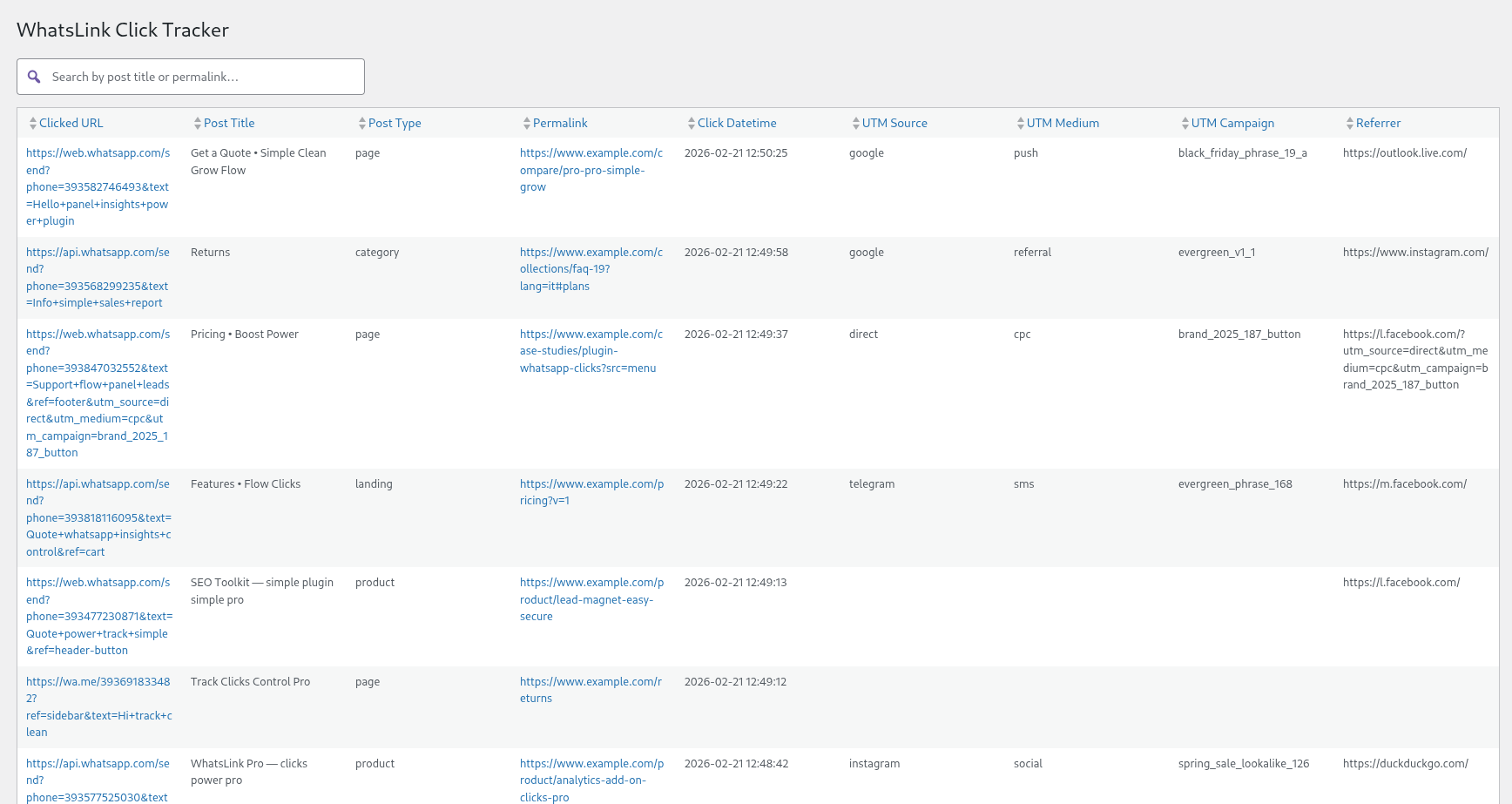
Main dashboard with search and pagination. 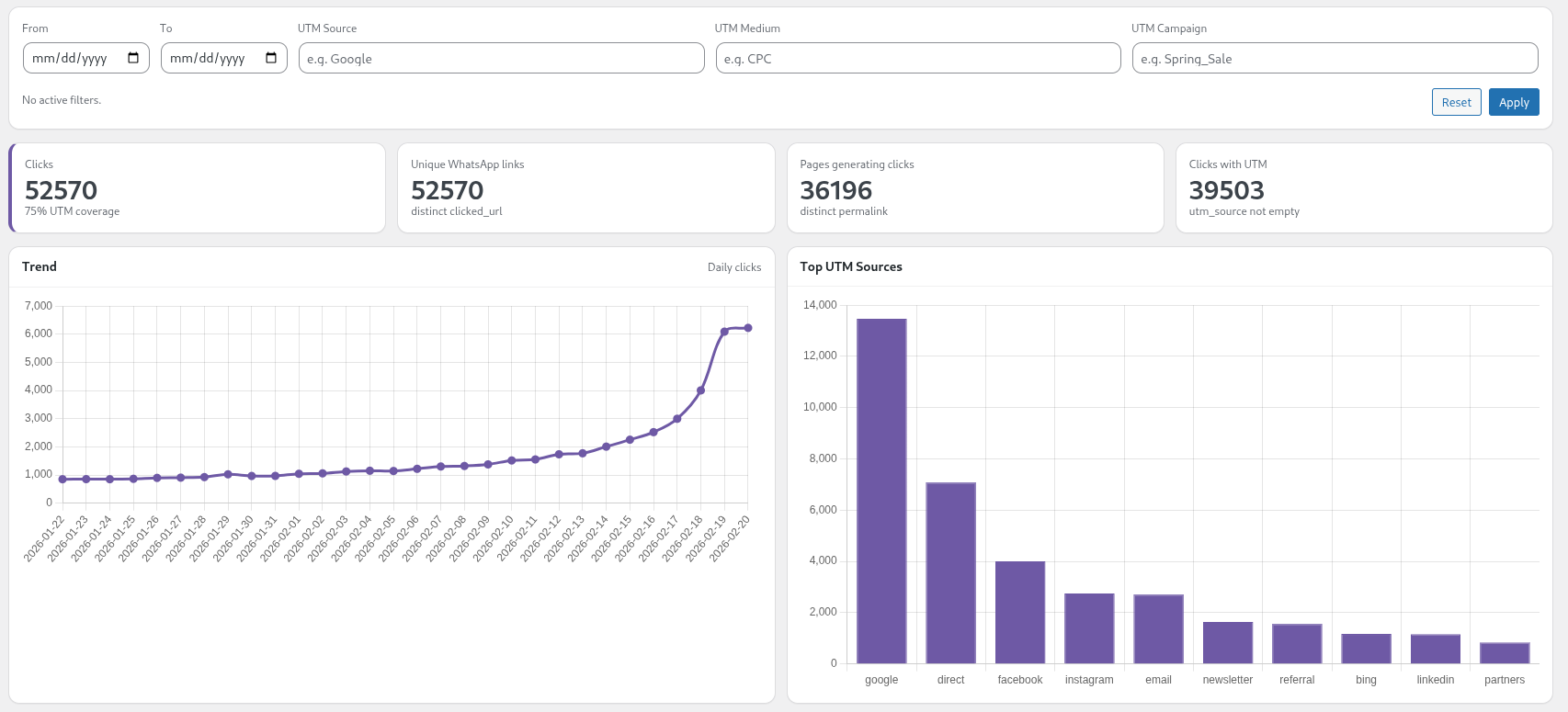
Reports Dashboard with filters and KPIs (Pro). 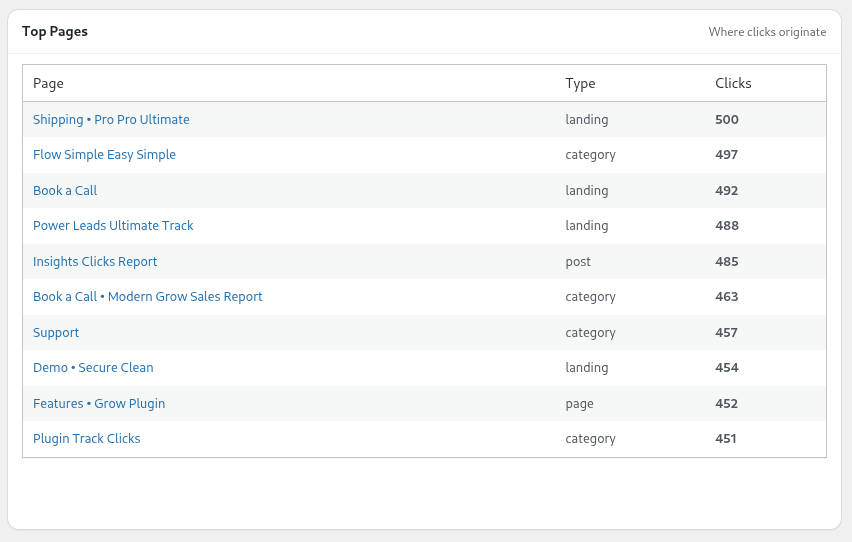
Top Pages chart (Pro). 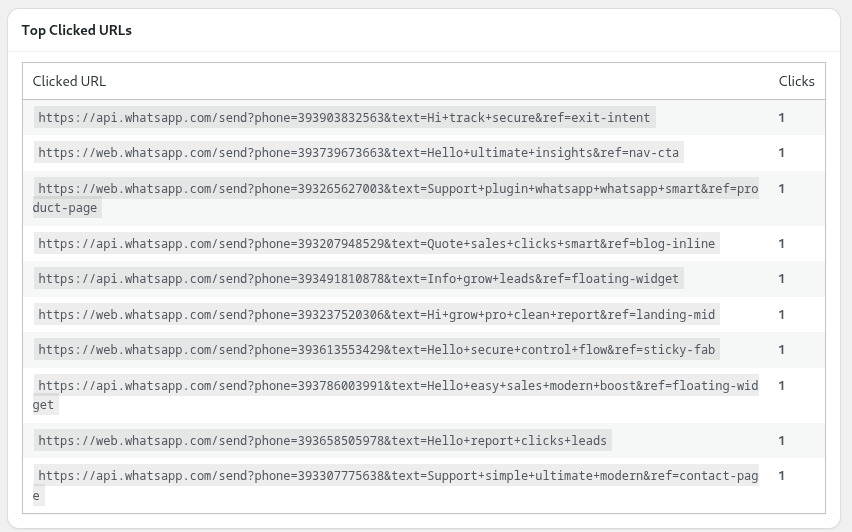
Top Clicked URLs chart (Pro). 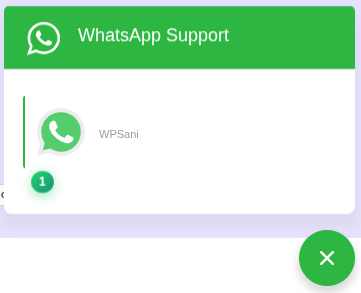
Badge counter displayed next to WhatsApp links. 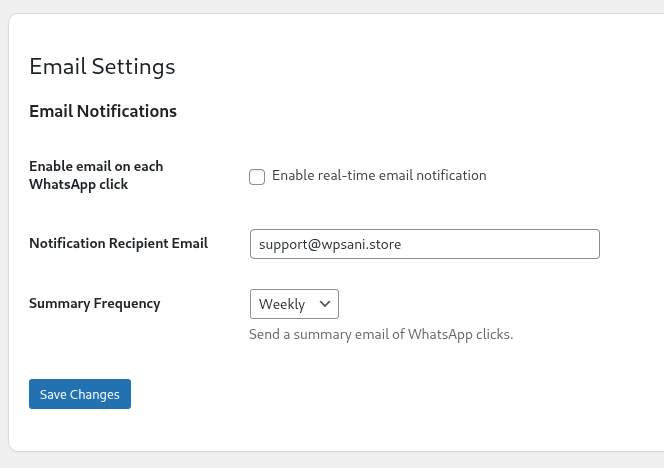
Email notification settings (Pro). 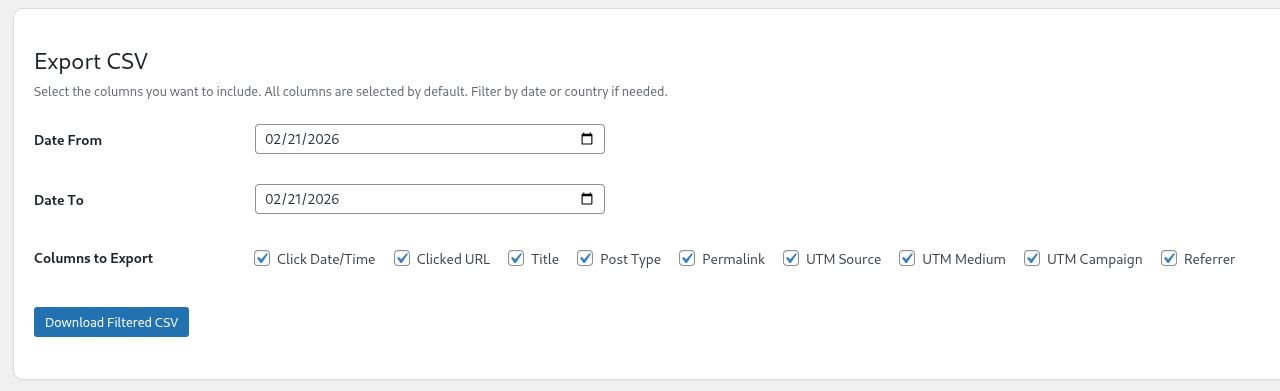
CSV export from click logs (Pro). 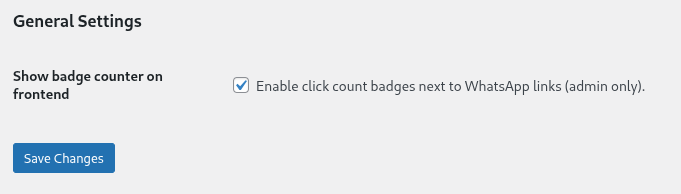
Badge counter enable/disable setting.
Installation
- Upload the plugin files to
/wp-content/plugins/whatslink-click-trackeror install directly via the WordPress plugin screen. - Activate the plugin through the “Plugins” screen in WordPress.
- Navigate to
Tools WhatsLink Click Trackerto view logs.
FAQ
-
Does it track all WhatsApp links?
-
Yes. It detects both
https://wa.me/andhttps://api.whatsapp.com/send. -
Is it compatible with WooCommerce?
-
Yes. WhatsApp clicks on product pages are tracked.
-
Is it GDPR compliant?
-
The Free version does not store IP addresses or geolocation data.
-
Can I export logs?
-
CSV export and email reports are available in the Pro version.
-
Will it slow down my site?
-
No. Logging is asynchronous and optimized for performance.
Reviews

Contributors & Developers
“WhatsLink Click Tracker” is open source software. The following people have contributed to this plugin.
Contributors
Translate “WhatsLink Click Tracker” into your language.
Interested in development?
Browse the code, check out the SVN repository, or subscribe to the development log by RSS.
Changelog
1.1.1
- Now free version includes also UTM and referrer tracking.
1.1.0
FREE
- Added badge counter on WhatsApp links showing total clicks per link.
- Added new column: Clicked URL.
- Refactored click count logic into a dedicated module.
- Improved logging reliability with sendBeacon.
- Security improvements.
PRO
- Added advanced report filters (date range, post type, permalink, UTM).
- Added KPI overview in Reports.
- Added Trend chart.
- Added Top Sources, Mediums, Campaigns, Pages and Clicked URLs charts.
- Internal improvements and compatibility updates.
1.0.1
- Security and stability improvements.
1.0.0
- Initial release.