

Description
Something changed on your site and nobody knows who did it. A page disappeared. A plugin got deactivated. Someone tried to log in at 3 a.m. — fourteen times.
AIFORYA Activity Log answers the only question that matters when that happens: who did what, and when.
Built to stay on your server
This is the part most activity log plugins get wrong. AIFORYA Activity Log makes zero network requests. No account. No API key. No external dashboard. No “connect your site to continue”.
Your activity log is a record of your users and their actions — exactly the kind of data that should never leave your server. Here, it never does. Events are written to your own WordPress database and stay there. That is not a setting you can forget to switch off; it is how the plugin is built.
What it records
- Logins — including the failed ones. Successful logins, logouts, and every failed attempt. A cluster of failures within the same minute is how you find out that someone is trying the door.
- Content. Published, edited, trashed and permanently deleted posts and pages.
- Plugins and themes. Activations, deactivations, theme switches — the changes that break sites.
- User accounts. Registrations, profile changes, deletions.
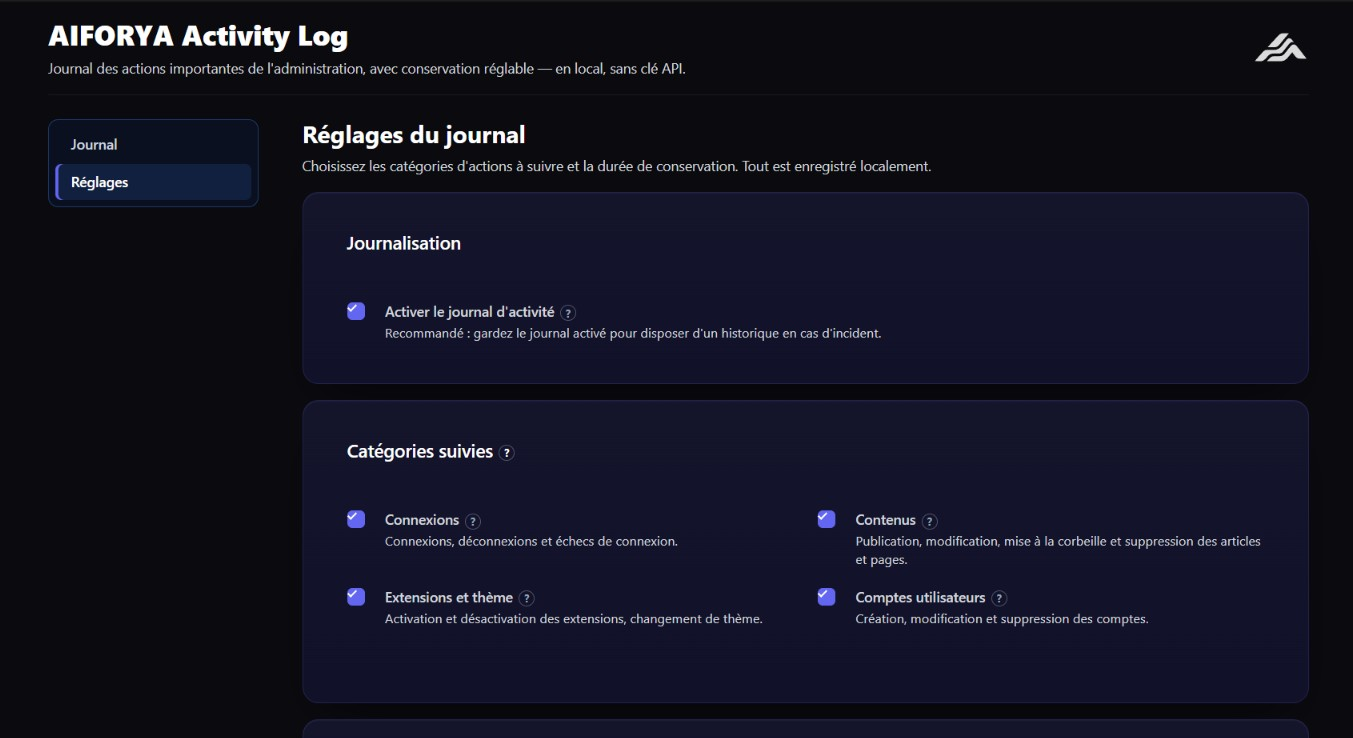
Each entry shows the date, the action, a readable detail and the user involved. Enable only the categories you care about — the ones you switch off are never written at all.
It will not bloat your database
Activity logs have a reputation for quietly growing to hundreds of megabytes. This one does not: you set the retention period (30 days by default) and a daily cleanup removes anything older. One click empties the whole log whenever you want.
No nagging
This plugin is complete and stays complete. No time limit, no locked buttons, no upgrade banner in your way.
Part of the AIFORYA suite: WordPress plugins that do their job on your server, without sending your data anywhere.
Screenshots

Installation
- Install and activate the plugin.
- Open the AIFORYA Activity Log menu.
- In the Settings tab, choose which categories to track and how long to keep events.
- Review the history in the Log tab.
FAQ
-
Which actions are recorded?
-
The categories you enable: logins (including failed attempts), content changes, plugins and themes, and user accounts.
-
Are failed login attempts recorded?
-
Yes. Failed attempts are logged alongside successful ones, which is what makes a brute-force attempt visible.
-
How long are events kept?
-
For the retention period you set, 30 days by default. A daily cleanup removes anything older.
-
Does any data leave my site?
-
No. The plugin makes no network requests. Everything stays in your WordPress database.
-
Do I need an API key or an account?
-
No. The plugin is entirely self-contained.
-
Where do I get support?
-
Through the support forum of this plugin on WordPress.org.
Reviews
There are no reviews for this plugin.
Contributors & Developers
“AIFORYA Activity Log” is open source software. The following people have contributed to this plugin.
Contributors
Translate “AIFORYA Activity Log” into your language.
Interested in development?
Browse the code, check out the SVN repository, or subscribe to the development log by RSS.
Changelog
1.0.1
- Housekeeping release: hardened input handling and internal cleanups. No change to recorded events or settings.
1.0.0
- Initial release: category-based logging, history view, adjustable retention and purge.