Description
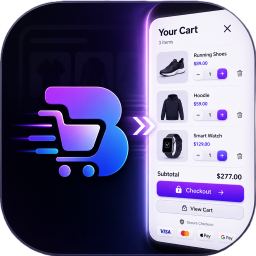
BrahamCart replaces your theme’s default “Add to Cart” behavior with a slide-out side cart drawer that works the same way regardless of which theme or page builder your store uses.
Theme independence, by design
The drawer renders its own markup independent of any theme template and auto-opens after every add-to-cart, on any theme, through a server-side WooCommerce hook — no theme-specific setup required for that part.
To also make your theme’s existing header cart icon open the drawer:
- Known themes (Astra, Woodmart, Storefront, Divi, OceanWP, Elementor Pro menu cart, Qode themes, and the default WooCommerce Mini Cart block) are detected automatically.
- Any other theme: the plugin watches for the CSS selector your theme itself already uses to keep its own cart badge updated, and picks it up automatically — visible under BrahamCart General once your theme’s cart fragment has fired at least once on the site.
- If neither of the above catches your theme’s icon, you can paste its CSS selector into the “Theme Cart CSS Selector” field under BrahamCart General.
- Developers can register additional selectors in code via the
brahamcart_native_cart_suppress_selectorsfilter, to suppress a theme’s own native cart panel when this plugin’s drawer opens.
Free shipping bar
A progress bar showing customers how much more they need to spend to unlock free shipping. The spend threshold is set directly in the plugin’s own settings (BrahamCart General) — no WooCommerce Shipping Zone configuration required. Once a customer’s cart crosses the threshold, shipping is automatically set to free at checkout.
Milestone rewards
Beyond free shipping, configure up to three additional spend-based milestones. Each milestone can independently be set to either:
- A discount — automatically applies a configurable amount off the cart once the threshold is reached, shown to the customer as an auto-applied special offer (compatible with both classic and WooCommerce Blocks Cart/Checkout).
- A free gift — automatically adds a specified product (or a custom name/image) to the cart as a zero-price item once the threshold is reached, and automatically removes it if the cart later drops back below the threshold.
Cross-sells
An optional “You might also like” section inside the drawer, either auto-populated or manually curated from specific products.
Built for WooCommerce Blocks
The milestone discount is displayed with a friendly label on both classic (shortcode) and block-based Cart and Checkout pages.
Installation
- Upload the plugin zip via WordPress Admin Plugins Add New Upload Plugin, or extract it to
/wp-content/plugins/. - Activate the plugin through the ‘Plugins’ menu in WordPress. WooCommerce must already be installed and active.
- Go to WooCommerce BrahamCart to configure the free shipping threshold, milestone rewards, cross-sells, and coupon field.
- Optionally add your theme’s header cart selector under BrahamCart General if it isn’t auto-detected.
FAQ
-
Does this work with my theme?
-
The drawer itself works on any theme out of the box — it doesn’t depend on theme templates. Making your theme’s own header cart icon open the drawer works automatically for several popular themes, and is auto-detected for most others. See the Description section above for details, or add a manual CSS selector if needed.
-
Will it conflict with my theme’s own built-in cart panel?
-
The plugin actively tries to suppress a theme’s native slide-out cart so only one panel opens at a time. This is automatic for several popular themes, and the plugin also attempts to detect and suppress unknown themes’ native cart panels dynamically. If your theme’s native cart still appears alongside the drawer, you can register its selector with the
brahamcart_native_cart_suppress_selectorsfilter. -
Do I need to configure a WooCommerce Shipping Zone for the free shipping bar to work?
-
No. The free shipping threshold is a setting inside this plugin (BrahamCart General) and is independent of your WooCommerce Shipping Zone configuration.
-
Can I turn off the free shipping bar?
-
The free shipping milestone is always active; only its spend threshold is configurable.
-
Does this support WooCommerce Blocks Cart and Checkout?
-
Yes. The milestone discount is displayed with a friendly, configurable label on both classic and block-based Cart/Checkout pages.
-
Does the plugin work with Cash on Delivery or other fees?
-
Once the free shipping threshold is met, all shipping rates for the cart are set to zero. If you use additional fees (such as a COD handling fee) alongside shipping, review how this interacts with your fee setup before enabling in a live store.
-
What languages are supported?
-
BrahamCart is fully internationalized (i18n ready). All customer-facing and admin settings text can be translated into any language using standard WordPress translation tools or translation plugins like Loco Translate and WPML.
Reviews
There are no reviews for this plugin.
Contributors & Developers
“BrahamCart – App-Like Modern Side Cart for WooCommerce” is open source software. The following people have contributed to this plugin.
Contributors
Translate “BrahamCart – App-Like Modern Side Cart for WooCommerce” into your language.
Interested in development?
Browse the code, check out the SVN repository, or subscribe to the development log by RSS.
Changelog
4.5.13
- Fixed: settings page “saved” notice could be triggered by visiting a crafted URL; now requires a genuine save to display.
- Fixed: gift image URLs are now sanitized with the correct URL sanitizer on save.
- Fixed: milestone unlock state is now computed once and reused, instead of being recalculated redundantly in the cart template.
- Fixed: dynamic native-cart-panel suppression now safely escapes generated CSS selectors.
- Fixed: session storage cleanup no longer mutates while iterating.
- Improved: milestone discount calculation is now cached per cart-totals cycle to avoid redundant recalculation.
- Added: uninstall routine that removes plugin options and the auto-created gift placeholder product on uninstall.
4.5.11
- Fixed: AJAX nonce failures now return a proper error response instead of a broken page.
- Fixed: added product purchasability/stock checks to the “add cross-sell product” AJAX action.
- Fixed: the cart drawer no longer auto-opens on top of the actual Cart/Checkout pages after a non-AJAX add-to-cart redirect.
- Fixed: WooCommerce Blocks Cart/Checkout now shows a friendly label for the milestone discount coupon.
- Improved: native cart panel suppression extended beyond the originally hardcoded theme, with a dynamic detection layer for other themes.
- Changed: free shipping and the three milestone rewards are now always active; the previous per-milestone enable/disable toggle was removed in favor of fixed, always-on milestones with configurable thresholds.
4.4.1
- Initial hardened release: side cart drawer, theme-independent trigger detection, free shipping and milestone rewards, free gifts, cross-sells, and coupon field.