

Description
DigitalM InsideSEO shows you the truth about your site, not a flattering “SEO score 85/100” but concrete facts and real errors.
Instead of a vanity score, InsideSEO explains problems in plain language: “84 people could not reach checkout, here is why and how to fix it.” Everything runs on your own site, and it reads the fields of your existing SEO plugin instead of replacing it.
Who it is for
- WooCommerce stores that get traffic but not enough sales.
- Service businesses that want to measure calls, emails and form submissions.
- Blogs and content sites that want to know which content brings real results.
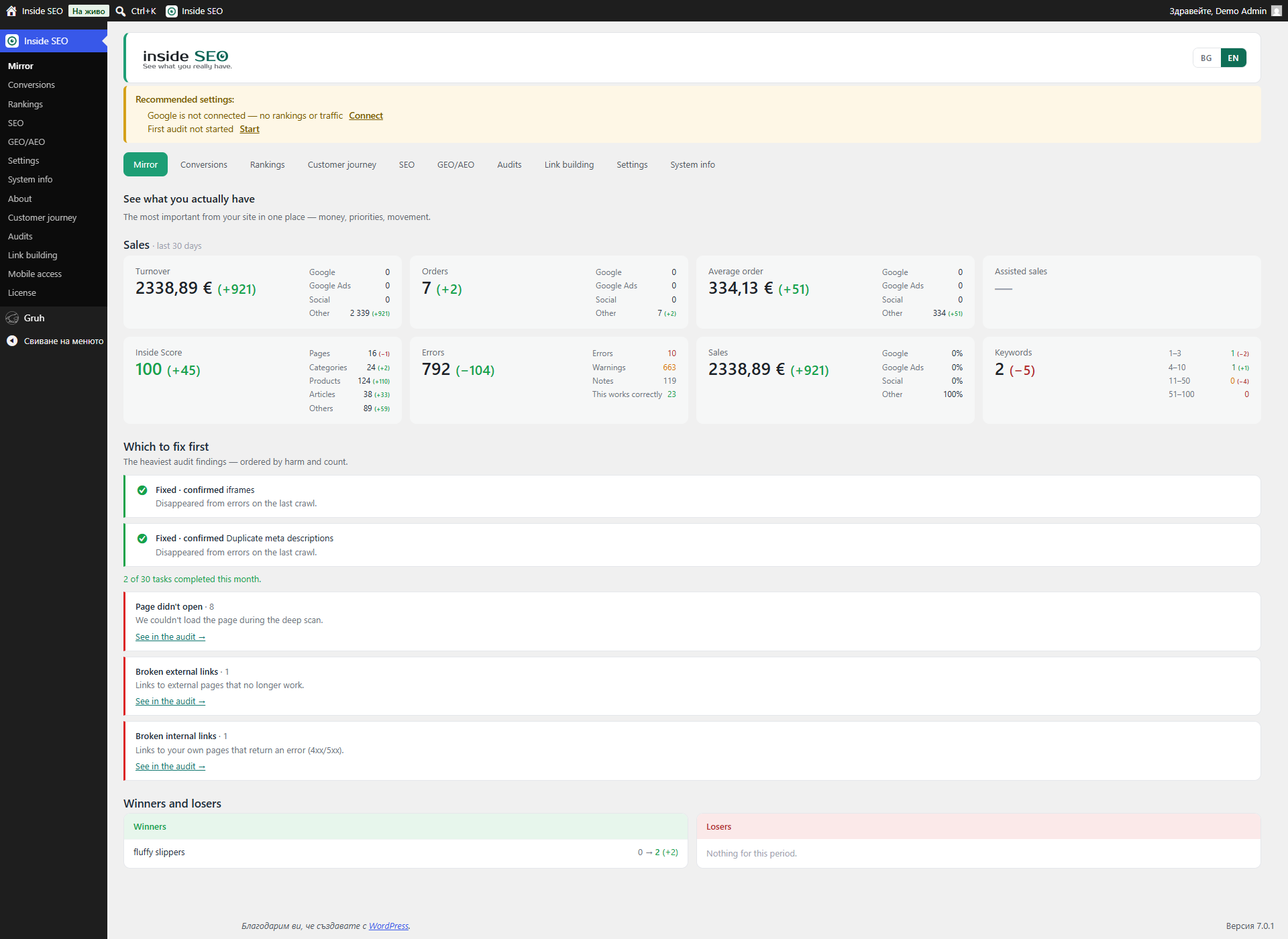
The Mirror, what search engines see
The home screen is a single honest snapshot of your site: how many pages are indexable, which structured data types exist and which are missing, whether AI assistants can reach your content, and where titles, descriptions and H1s are missing or problematic. Numbers are measured from your real pages, not estimated.
Error audit, over 100 automated checks
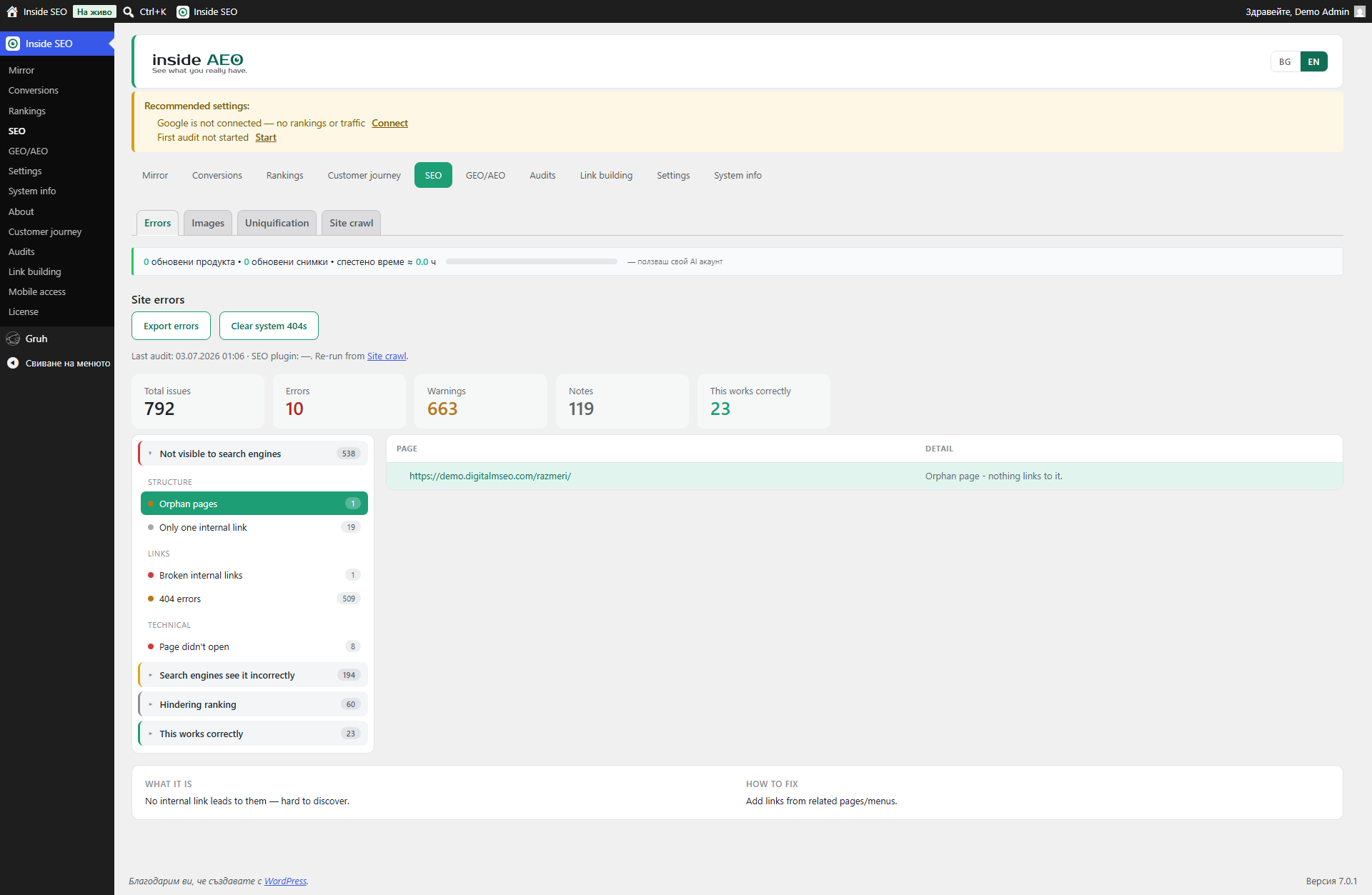
The SEO screen runs more than 100 checks on your pages and groups the findings by priority. The checks cover:
- Indexability – site-wide “discourage search engines”, noindex on important pages, canonical missing, duplicated, pointing elsewhere or broken.
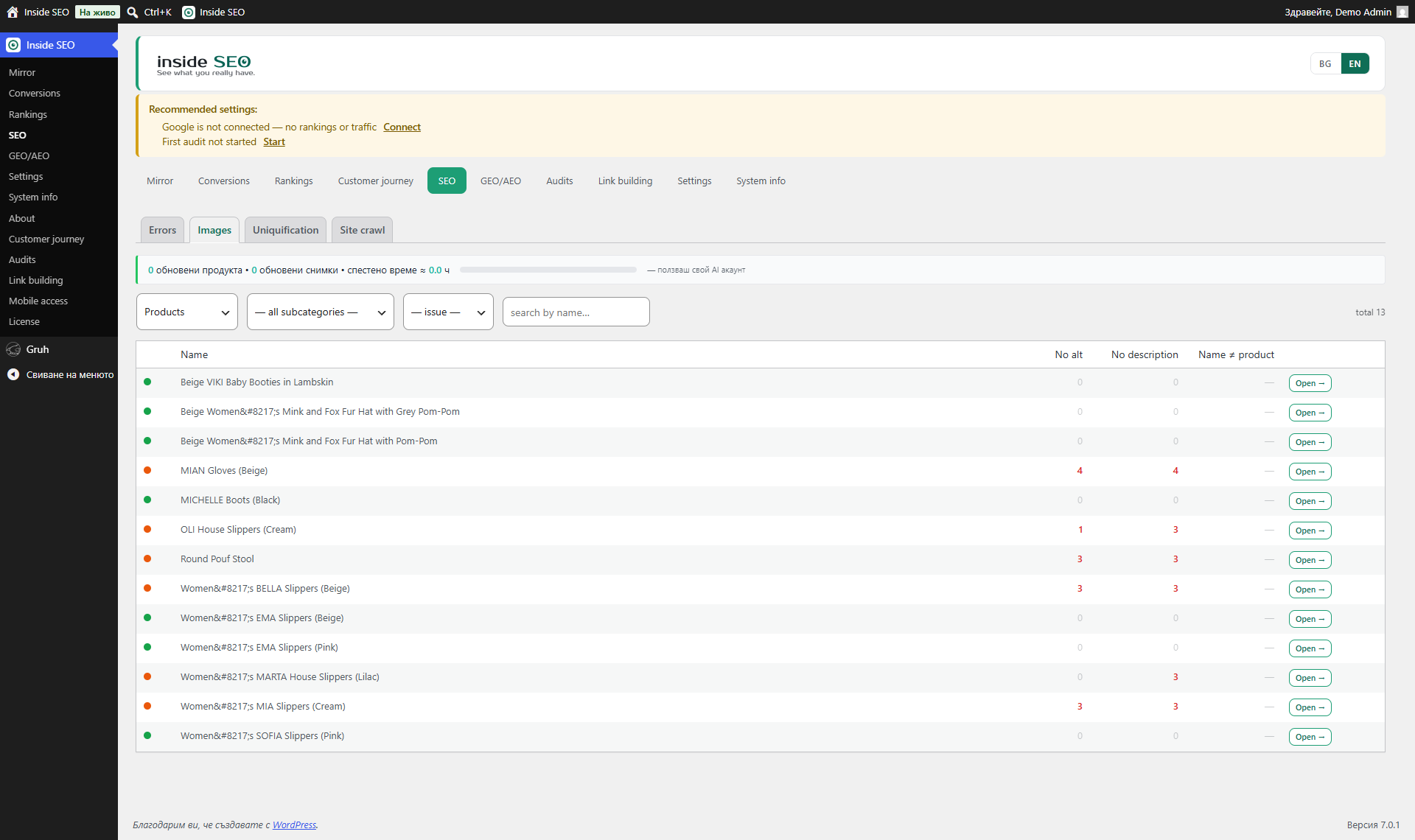
- Content – thin content, low text-to-code ratio, images without alt text, generic or uninformative file names, alt text equal to the file name, orphaned images, near-duplicate products, stale year in the title, missing H2, heading order skips.
- Titles and meta – missing, too long or too short titles, duplicated titles, missing, too long, too short or duplicated meta descriptions, missing or multiple H1.
- URL hygiene – overly long URLs, underscores, uppercase, non-descriptive slugs.
- Structure and internal links – broken links, orphaned pages, “traffic without checkout” (content that never links to a product or category).
- Headers and security – missing security headers and related response issues.
- Technical head – problems in the document head that affect crawling.
- Performance – server response time and render weight from your own crawl.
- Schema / AEO – missing or incomplete structured data (JSON-LD) per page.
- Files – sitemap and robots checks.
- Multilingual and validity – hreflang checks on multilingual setups.
- Hidden Cyrillic – invisible characters and mixed Latin/Cyrillic letters in SEO fields that quietly break search.
Each finding comes with a short “what it is” and “how to fix it” explanation.
Speed, from real visitors
The plugin reads PageSpeed Insights and real-user data from the last 28 days, so speed problems are shown as your visitors actually experience them, not as a single lab test.
GEO / AEO, readiness for AI assistants
A dedicated screen checks whether AI bots (ChatGPT, Claude, Perplexity, Gemini) can reach your site, whether you have structured data they understand, and whether your content is ready to be quoted. The plugin can serve an llms.txt map of your key pages and products for AI crawlers, and it can build FAQ (question and answer) and schema suggestions from your Google Search Console queries and page content.
Sales and conversions (WooCommerce)
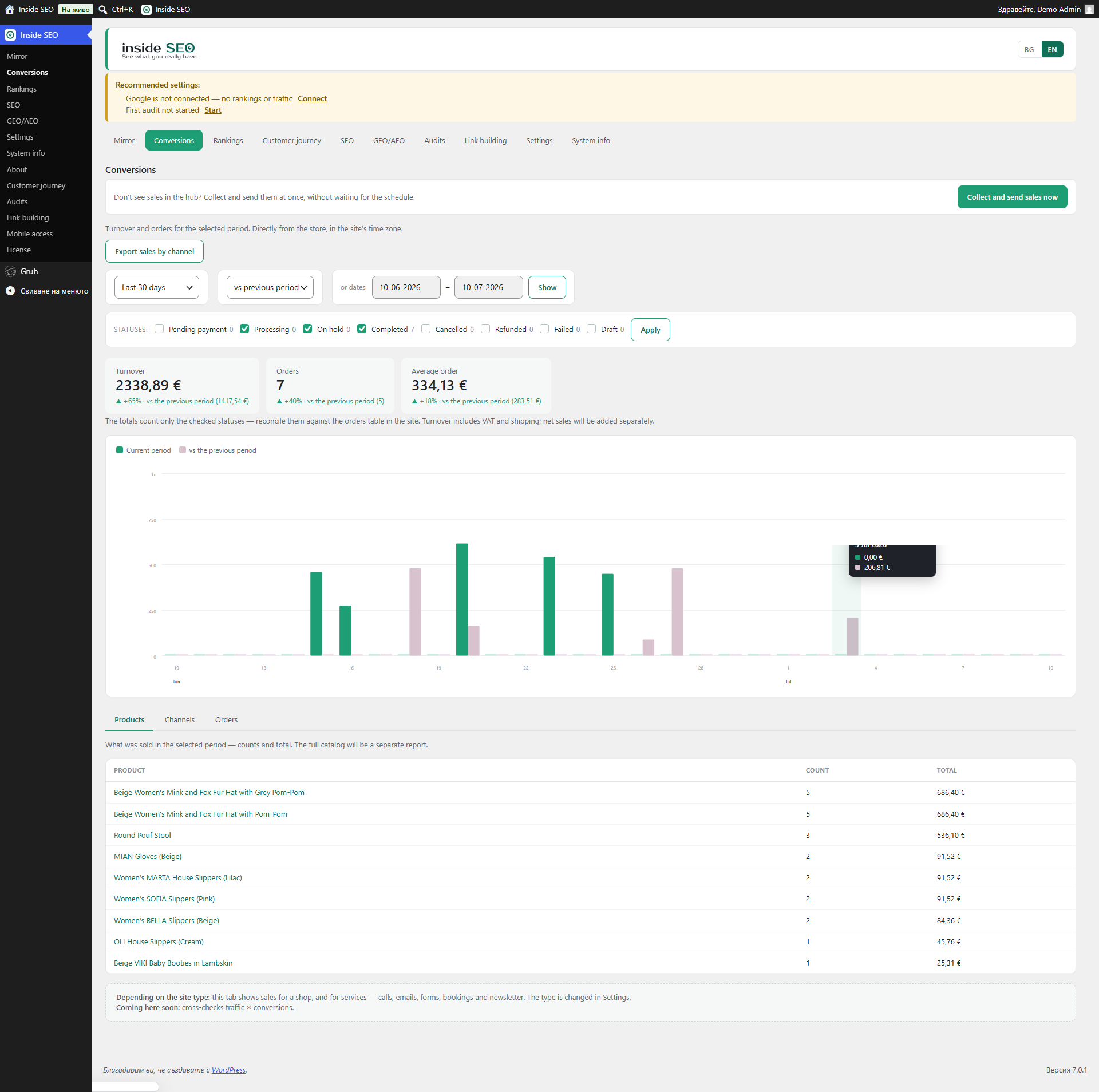
When WooCommerce is active, a Conversions screen shows orders by channel (Google, Facebook, direct and others), revenue and ROAS when you add an ad-spend file, and goals for service sites such as calls, emails and form submissions.
Rankings
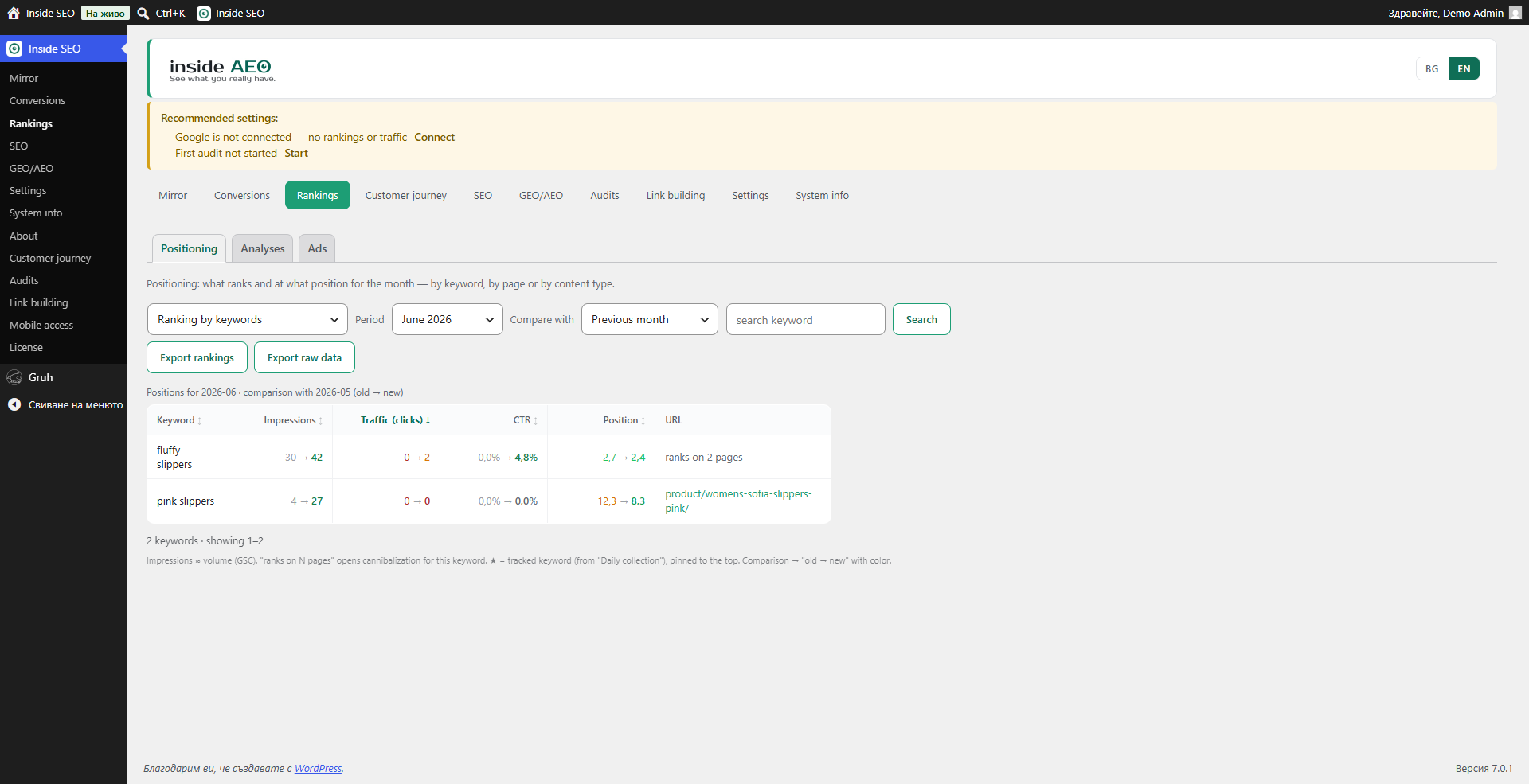
Connected to Google Search Console, the Rankings screen shows keyword positions, won and lost positions, and queries that are close to the top 10, so you can see quick wins.
Crawl
A full on-demand crawl of your own site detects broken links and orphaned pages, and feeds the audit above.
Content planning
A Content view compares your existing articles against the topics your site should cover: it flags thin, cannibalizing or stale articles, finds topic gaps for new articles, and flags missing categories and tags, all read live from your own data.
Monthly audit and tasks
Findings can be turned into a monthly checklist with completion marks, so a recurring audit becomes a simple to-do list.
Highlights
- A mirror, not a lie – concrete facts, no sugar-coating.
- See why you do not sell – sales by channel plus checkout diagnostics.
- AI readiness – checks for ChatGPT, Claude, Perplexity and Gemini visibility, plus an llms.txt map.
- Your data stays on your site – the data is stored on your own WordPress install, not in a foreign cloud.
- Works alongside your SEO plugin – it reads the fields of Yoast, RankMath, SEOPress and All in One SEO instead of replacing them.
Requirements
- WordPress 6.2 or newer
- PHP 8.1 or newer
- WooCommerce (optional, for sales data)
- Google Search Console and GA4 accounts for full data
External Services
DigitalM InsideSEO may communicate with the following external services when you use specific features.
seo.digitalmseo.com (our service)
- What: the Google connection uses our service as a connection helper, so you do not have to create your own Google Cloud project.
- When: only when you click “Connect Google account”.
- What is sent: your site URL, plugin version, and a public verification key. Google tokens are stored only on your own site; our service never stores them.
- Privacy Policy: https://seo.digitalmseo.com/en/privacy-policy/
- Terms of Use: https://seo.digitalmseo.com/en/terms/
Google APIs (optional)
- What: Search Console API and GA4 API.
- When: when the user connects their accounts.
- What is sent: OAuth tokens and data requests.
- Policy: https://policies.google.com/privacy
AI provider APIs (optional)
- What: AI suggestions for questions (FAQ) and schema on the GEO/AEO screen.
- When: only when the user explicitly clicks a “Suggest” button, using the AI provider configured in WordPress (WordPress 7.0 Connectors) or the user’s own API key.
- What is sent: page context (title, content excerpt).
- The user pays their AI provider directly; we never see or store the key on our servers.
Credits
Built by Digital M SEO Ltd (digitalmseo.com).
Screenshots
Installation
- Upload the plugin folder to
/wp-content/plugins/, or install it directly from the WordPress admin. - Activate the plugin through the Plugins menu in WordPress.
- Follow the setup wizard, or open Settings and connect Google Search Console and GA4.
- Run the first audit from the SEO screen.
FAQ
-
Is the plugin free?
-
Yes. Everything in this plugin works forever with no time limit and no locked features.
-
What data do you collect and where do you store it?
-
The plugin collects data about the SEO health of your site (titles, meta descriptions, speed, rankings). This data is stored on your own WordPress site, not on our server.
-
Does it work with Yoast SEO, RankMath, SEOPress or All in One SEO?
-
Yes. InsideSEO is built to work alongside them, not to replace them. It reads the meta data from the active SEO plugin and adds deeper analysis.
-
Do I need Google Search Console and GA4?
-
Not strictly, but they are strongly recommended. Without them you will not see rankings, impressions, CTR and traffic data, only the technical checks.
-
Does it support multilingual sites?
-
Yes. It runs hreflang checks automatically when it detects a multilingual setup.
-
Will the plugin slow down my site?
-
No. Scans run in small batches and never block a page load.
-
What is llms.txt?
-
It is a small map of your key pages and products for AI crawlers, served at yoursite.com/llms.txt. You can turn it on or off from the GEO/AEO screen.
-
Do you support AI assistants (ChatGPT, Claude, Perplexity, Gemini)?
-
Yes. The GEO/AEO screen checks whether AI bots can reach your site, whether you have structured data they understand, and whether your content is ready to be quoted.
Reviews
There are no reviews for this plugin.
Contributors & Developers
“DigitalM InsideSEO” is open source software. The following people have contributed to this plugin.
Contributors
Translate “DigitalM InsideSEO” into your language.
Interested in development?
Browse the code, check out the SVN repository, or subscribe to the development log by RSS.
Changelog
0.266.3
A large update over the previously published 0.213 line. What is new:
* Mirror home screen: one honest snapshot of indexability, structured data, AI readiness and meta coverage, measured from your real pages.
* SEO audit expanded to over 100 checks across indexability, content, titles and meta, URL hygiene, structure and internal links, headers and security, technical head, performance, schema, files, multilingual and hidden Cyrillic. Each finding comes with a plain-language “what it is” and “how to fix it”.
* GEO/AEO screen: checks whether AI assistants (ChatGPT, Claude, Perplexity, Gemini) can reach your site, an optional llms.txt map of key pages and products, and FAQ and schema suggestions built from Search Console queries and page content.
* Speed from real visitors: PageSpeed Insights combined with 28 days of field data.
* WooCommerce conversions: orders by channel, revenue and ROAS with an ad-spend file, and goals for service sites (calls, emails, forms).
* Rankings from Search Console: won and lost positions, and queries close to the top 10.
* On-demand crawl that detects broken links and orphaned pages.
* Content planning: flags thin, cannibalizing and stale articles, finds topic gaps and missing categories and tags, read live from your own data.
* Monthly audit turned into a simple task checklist.
* Hardening for the Plugin Check tool: text domain aligned with the slug, input sanitizing and unslashing, prepared-statement identifiers via %i, and translator comments for all placeholder strings.
0.266.2
- Code quality pass for the Plugin Check tool: translator comments for all placeholder strings, input sanitizing and unslashing on admin AJAX handlers, and database identifiers passed through %i placeholders in prepared statements.
- Replaced array_is_list() with an internal helper to stay compatible with the declared WordPress 6.2 minimum.
0.213.5
- Removed all remaining paid/locked wording from the English translations and the readme.
- The site now registers with our connection service only when the user clicks “Connect Google account” (no automatic call before consent).
0.213.2
- The Google connection origin check now runs entirely inside the plugin, with no dependency on the hub database.
0.213.1
- Fixed the admin stylesheet not loading after the slug change.
0.213.0
- The “Fix” button now writes titles and meta descriptions directly into the active SEO plugin (Yoast, RankMath, SEOPress, All in One SEO) for everyone, with no restrictions.
- Text domain aligned with the plugin slug (digitalm-insideseo).
- Hardened the Google account connection with an origin check on the return step.
0.212.0
- Renamed to DigitalM InsideSEO.
- Streamlined the plugin for the WordPress.org directory.
- Menu reorganized: Mirror, Conversions, Rankings, SEO, GEO/AEO, Settings, System info, About.
0.211.0
- Google connection simplified to a single button.
- Full English translation of the interface.
- Compatibility with WordPress 7.0 AI Connectors (with graceful fallback for WordPress 6.2+).
0.210.0
- Fixed input sanitization and output escaping across admin screens.
- Added translator comments for all strings with placeholders.