

Description
GRUH is a watchdog for your WordPress site. It does two things: it keeps a clear record of who changed what, and it checks whether the important visual parts of your site still look right to visitors. It runs quietly in the background.
Who it is for
- Agencies and freelancers who maintain sites for clients and need to know who did what, and when
- Site owners who want a plain, honest history of every change
- Anyone on Elementor whose header, footer or page templates sometimes lose their styling and only come back after a manual re-save
Activity log
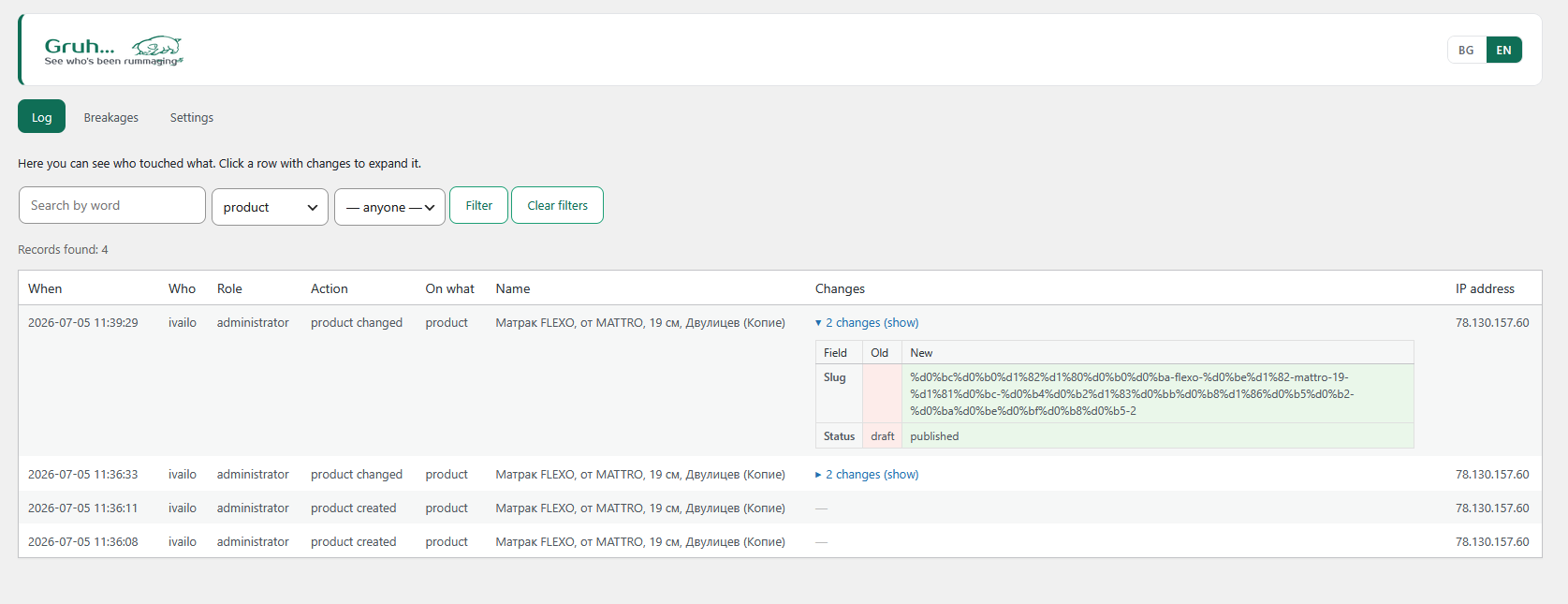
GRUH records real human actions, not background noise. Every entry stores who, when, the action, and the old and new values, so you can see exactly what changed.
It can watch:
- Logins, logouts and failed login attempts
- Pages, posts and products
- Product variations (sizes with prices)
- Categories and tags
- Orders
- Settings
- Plugin activation and deactivation
- Users
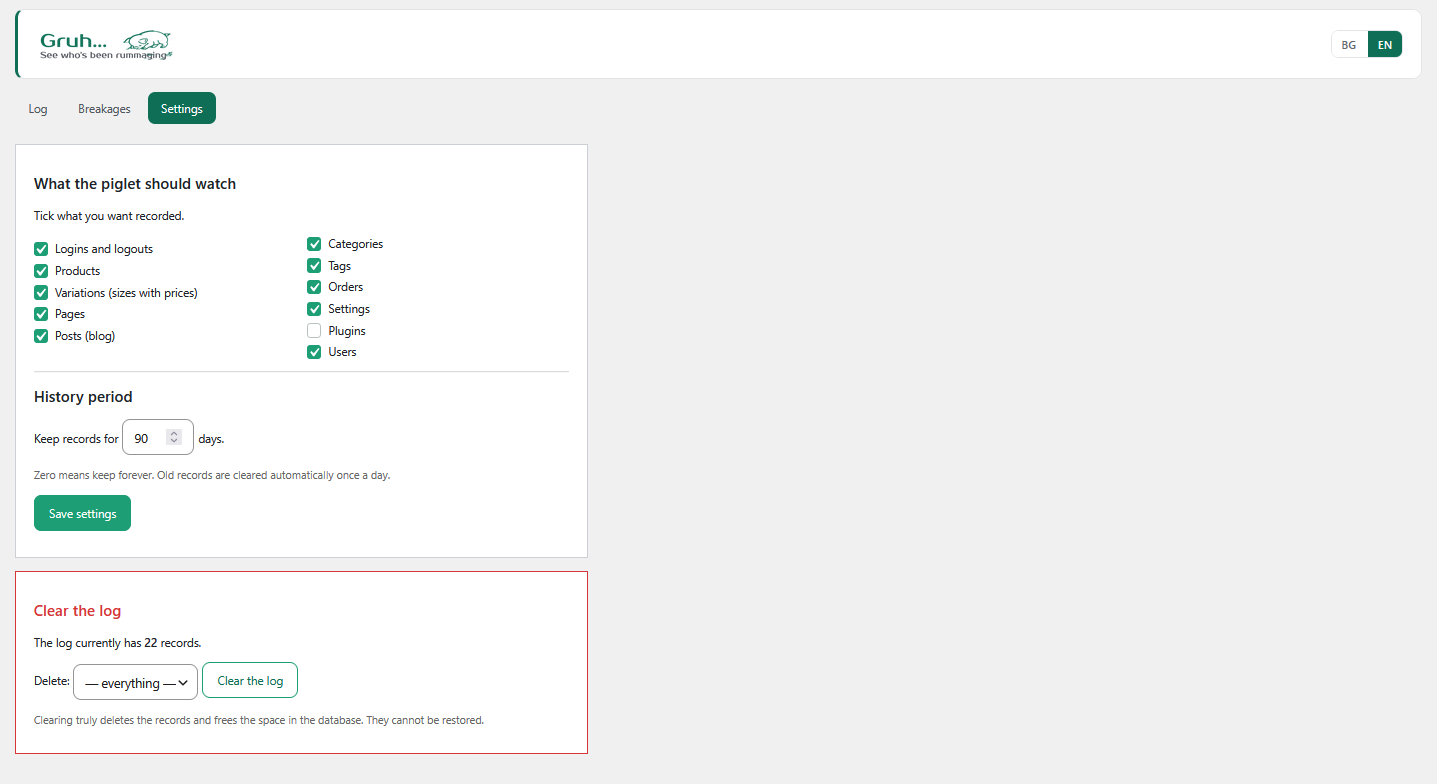
You choose what to log with simple checkboxes, filter the history by type or by person, search it, set how long to keep it, and clean it up when needed.
Breakage monitor
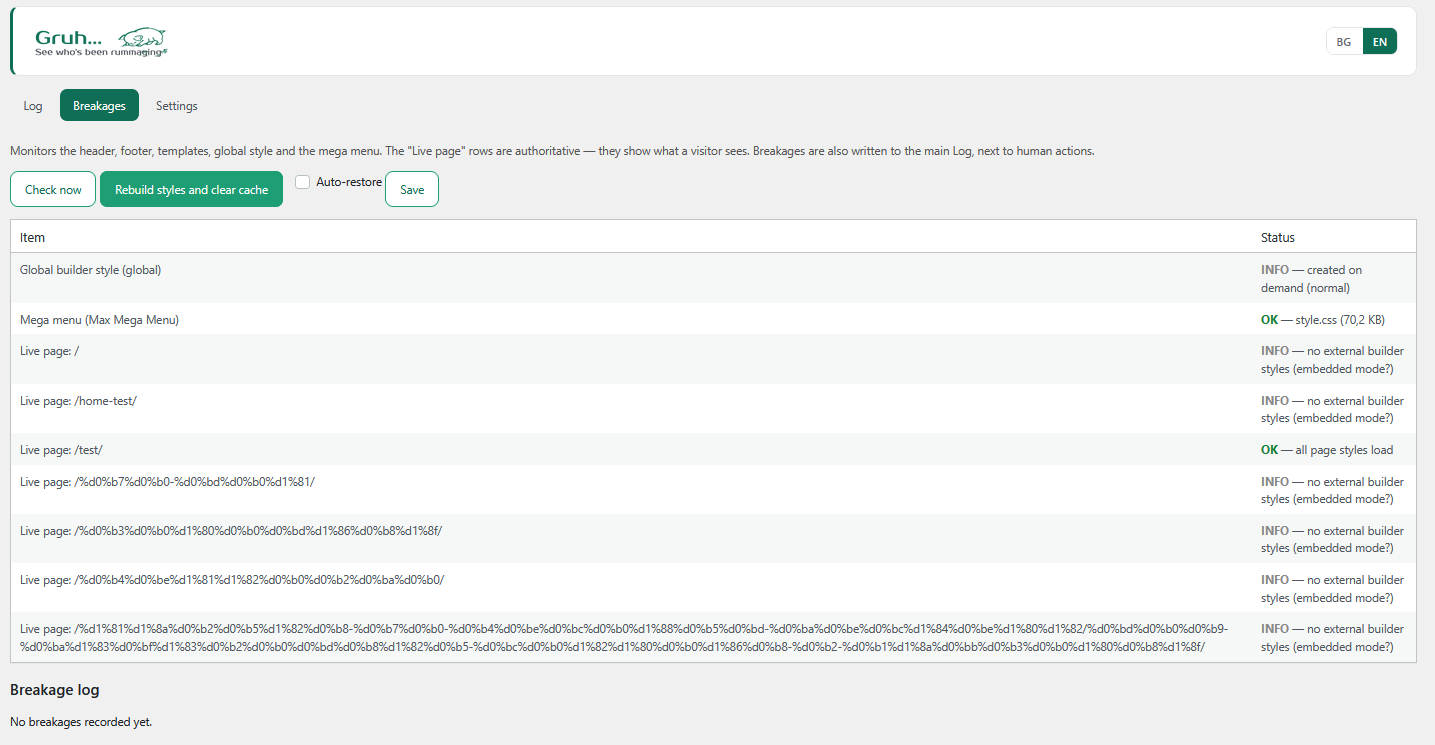
The Breakages screen watches the visual integrity of your site: the header, the footer, the page templates, the global styles and the mega menu.
- Every few minutes it loads real pages the way a visitor would, and checks that the style files actually load
- When something breaks, it records the exact moment together with likely causes (for example, a cache clear), right next to the human actions in the log
- One button rebuilds the styles and clears the cache; an optional switch does this automatically
The breakage monitor is designed for sites built with Elementor. The activity log works on any site, with or without Elementor.
Help and more plugins
Links to the documentation, the support forum and the review form sit in the plugin’s header and under its name on the Plugins screen. A quiet “More of our plugins” page lists our other free plugins from the WordPress.org directory. Nothing is installed unless you press the Install button, which opens the standard WordPress installer.
Highlights
- Full traceability, who changed what and when, with old and new values side by side
- Visual health checks, catches broken header, footer and templates before your visitors do
- Cause, not just symptom, breakages are logged next to the human action that triggered them
- Your data stays on your site, the log is never sent anywhere
- Bilingual, the interface is available in Bulgarian and English, switchable with one click
External Services
GRUH stores all its data on your own site. The Breakages feature only loads your own site’s pages (over your site’s own address) to verify that their style files respond correctly; no log data leaves your server.
WordPress.org plugin directory
- What: the “More of our plugins” page reads the list of our plugins from the WordPress.org directory through the standard WordPress function.
- When: only when you open that page; the list is kept for 12 hours.
- What is sent: the author name used for the search; nothing about your site.
- Privacy Policy: https://wordpress.org/about/privacy/
Screenshots
Installation
- Upload the
gruhfolder to/wp-content/plugins/, or install the plugin from the WordPress admin. - Activate the plugin through the Plugins menu.
- Open the “Gruh” menu in the admin area. Use Settings to choose what to log, Log to review the history, and Breakages to monitor the visual health of your site.
FAQ
-
Does it send any data to an external server?
-
No. Everything is stored in your own WordPress database. The Breakages screen only requests your own site’s pages to verify that their styles load. No visitors are tracked. The only outside request is the optional “More of our plugins” page, which reads our plugin list from WordPress.org when you open it.
-
How do I clear the log?
-
On the Settings screen, choose what to delete and press “Clear the log”. The plugin asks for confirmation on the page itself before anything is deleted.
-
How long is the history kept?
-
You set the retention period on the Settings screen. Old records are cleaned automatically once a day. Zero means keep forever.
-
Do I need Elementor?
-
Only for the Breakages screen, which is built for Elementor sites. The activity log works on any WordPress site.
-
Will it slow down my site?
-
No. The checks run on a light schedule (about every five minutes) and never block a page load.
-
Where are breakages recorded?
-
In the same log as the human actions, so a breakage and the change that caused it sit next to each other, ordered by time.
Reviews
There are no reviews for this plugin.
Contributors & Developers
“GRUH Log Activity” is open source software. The following people have contributed to this plugin.
Contributors
Translate “GRUH Log Activity” into your language.
Interested in development?
Browse the code, check out the SVN repository, or subscribe to the development log by RSS.
Changelog
1.6.22
- New: links to the documentation, the support forum and the review form, in the plugin’s header and on the Plugins screen, plus a Settings link under the plugin name.
- New: a “More of our plugins” page that lists our other free plugins from WordPress.org; nothing is installed without your click.
- Changed: clearing the log now asks for confirmation on the page instead of a browser pop-up.
- Polished the Bulgarian and English wording on the Settings and Breakages screens.
1.6.21
- English plugin description and author name (Digital M SEO Ltd), with a link to the developer site.
1.6.20
- Aligned the plugin folder, main file and text domain to the assigned slug (gruh-log-activity).
- Fixed admin-screen detection so other plugins’ notices are hidden only on the plugin’s own pages.
1.6.16
- Removed the duplicate Plugin URI header; kept a single Author URI.
1.6.15
- Set an explicit version on the enqueued admin style.
1.6.14
- Corrected the plugin and author URLs in the header.
1.6.13
- Replaced an inline event handler with a standard button (no inline JavaScript).
1.6.12
- Admin styles moved to the standard enqueue method (wp_add_inline_style).
1.6.11
- Code quality fixes for Plugin Check compliance (translator comments, output escaping, query flags) and added readme.
1.6.10
- Full English translation of the Breakages screen.
1.6.9
- Added the Breakages screen that monitors the visual integrity of the site.