
Description
You: The class
btn-blueis used all over the site. Rename it tobtn-primarywithout breaking the CSS.Lola:
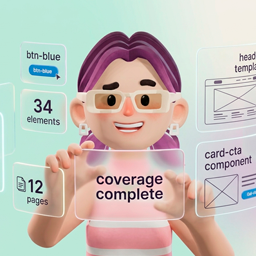
btn-blueis on 34 elements across 12 pages, plus the header template and thecard-ctacomponent. I’ll rename it and update every reference. Here is the list. Proceed?
She named the pages. Not “34 places somewhere on your site.” She knows where that class lives because she maps your global classes, variables, theme styles, components, and templates before she writes anything.
Building a Bricks site once is the fun part. Keeping it consistent afterwards is what wears you down. A rename that touches twelve pages. A hero that has to repeat across twenty service pages with different copy in each. An inherited site full of classes nobody applies, variables nobody references, and theme styles whose conditions overlap. None of that is visible from the canvas, and none of it gets fixed by dragging. That grind has a name: admin fatigue.
LolaCore for Bricks gives Lola your Bricks site. You describe the change in plain language, she shows you which pages it touches, and she writes only after you confirm.
Same Bricks site. Same classes and pages. You stopped hopping between builder panels and started asking.
This is an addon. It needs LolaCore and the Bricks theme (2.0 or newer) on the same site. Walkthroughs and demos: lolacore.com/lolacore-for-bricks.
Third-party addon, not affiliated with Bricks
Bricks is developed by Bricks Builder. LolaCore for Bricks is an independent addon built by LolaCore. It is not affiliated with, endorsed by, or sponsored by Bricks Builder. You install and license Bricks separately.
She writes in the vocabulary your site already uses
If your buttons run on btn-primary, that is the class Lola applies. If your spacing runs on variables, those are the values she reaches for. She can tell when existing class names look like BEM, Tailwind-style utilities, or Bootstrap, and she works inside the convention you save — or your own pattern.
Tell her the convention once and she saves it, then reports what share of your current classes already follows it. From that point she creates classes that fit, and she tells you when a name you asked for would break the pattern. If you want that name anyway, she still writes it.
65 abilities, 69 when WooCommerce is active
- Knowing the system (13). Bricks version, CSS loading mode, and how much of the site she has mapped. Global classes with categories and trash state. Where each class is applied, page by page. Variables and which elements reference them. Theme styles with their conditions. Components with instance counts. Which template wins on a given page, and why. Element control contracts, the operating guide, and rebuilding the map in batches until coverage is complete.
- Governing the library (5). Classes no element applies. Pairs that do the same job under two names. Variables defined and never referenced. Components without a single instance. Theme styles whose conditions overlap. Every answer reports how complete her map is.
- Writing the design system (11). Create, update, rename, merge, trash, and restore global classes. Create and update variables in batch, so a brand palette lands in one confirmation. Update palettes and theme styles, conditions included. Save the site naming convention.
- Pages and elements (17). Read a page tree, then insert, move, duplicate, or remove elements. Apply the shared style controls at any breakpoint or state. Attach and detach global classes. Update element settings with live validation, so an unknown key comes back with the valid ones and the closest match first. Shortcuts for section, container, div, heading, text, image, and button.
- Templates (5). Create headers, footers, content templates, and archives with conditions. Preview which pages a condition would cover, listed by name, before it saves. Duplicate a template with new element IDs, or move it to the trash.
- Components (6). Turn a selection into a component and leave an instance in its place. Set properties, insert instances, update props and overrides, or detach an instance back into regular elements.
- Page behavior (5). Page settings, element conditions, native Bricks interactions (click, hover, viewport, scroll, WooCommerce events, and actions such as off-canvas), plus the dynamic-data tags she finds on your site, ACF included when ACF is active.
- The same change on many pages (3). Clone a section onto several pages with new IDs and different copy on each. Update text, images, or links across a list of pages, matched by class, element name, or position. Add or remove global classes on those matches.
- Shop layouts (4, when WooCommerce is active). Inspect which store templates exist and which the shop still needs. Create product, archive, cart, checkout, and account templates. Add product elements by name. Browse a catalog of 47 insertable WooCommerce elements.
Lola styles and configures any Bricks element. The count lands at 65 because Bricks styling controls are shared: _padding is _padding on every element, so she works through that grammar instead of needing one ability per widget.
Every write shows you the page names
Reads run straight through. Listing classes, tracing a variable, resolving which template wins on a page: none of that changes anything, so none of it waits.
On writes she stops for your confirmation, and what she shows you is specific. A rename lists the page titles it would touch. A merge tells you how many elements move. A template condition lists the pages it will cover. A bulk operation names every destination page before the first one is written. When a class change hits pages that store CSS in files, she regenerates those files on save.
She also declares how much of the site she has mapped. If her map is 40% complete she says so before answering a question that depends on it, because looking for unused classes against a partial map would flag classes that are very much in use. Ask her to rebuild the map in batches until it is done.
The next session does not start from zero
Lola keeps a picture of your Bricks site and refreshes it daily: how many global classes exist and how many go unused, which variables are defined, the naming convention you agreed on, the framework she detected, component and template counts, and how far she has mapped the site. It lives in your own WordPress database, alongside everything else she remembers.
Open a client site you have not touched in six weeks and that context is already there. You describe the change instead of re-learning the site first.
The addon also registers the lolacore-bricks-system-architect skill and two playbooks: one that walks a blank site from naming convention to tokens, header, footer, templates, and first pages, and one that orients her inside a site somebody else built.
Lola’s lane on Bricks
The same principle as the core: narrow on purpose.
- Custom CSS on global classes and theme styles is saved after a safety check. Bricks code-execution settings stay out of her hands by design, and so do custom JavaScript interactions. She wires the native Bricks interactions instead.
- Images come from your media library, so what she inserts is already yours.
- Bricks is where design decisions get made by hand. Lola takes the work that is long to click and short to say, and the builder stays one click away for the rest.
For agencies and freelancers
Every client site is its own free install with its own memory, its own naming convention, and its own map. One client’s context never reaches another’s.
The 65 abilities register through the WordPress Abilities API, so they are available wherever LolaCore already puts Lola. A designer can work in the WordPress panel while a developer drives the same abilities from an editor, on the same site, with the same memory underneath.
Don’t know what to say? Start here.
“Show me the global classes nothing uses, and which ones do the same job under two names.”
“Rename
card-titletocard-headingeverywhere. Show me the pages first.”“Clone the hero from /services/branding onto these twenty pages and swap the heading on each.”
Installation
- Install and activate LolaCore 2.7.0 or newer, and the Bricks theme 2.0 or newer.
- Upload the
lolacore-for-bricksfolder towp-content/plugins/, or install the ZIP from Plugins Add New Upload Plugin. - Activate LolaCore for Bricks from the Plugins screen.
- Open the Lola chat in wp-admin. The Bricks domain appears once Bricks is active.
- Ask her what she found: “Give me an overview of the design system.” If the map is partial, ask her to rebuild the design index.
There is no settings page for this addon and nothing to configure. It extends the Lola you already have.
Requirements
- WordPress 7.0 or higher
- PHP 8.1 or higher
- LolaCore 2.7.0 or newer, active
- Bricks theme 2.0 or newer, active
- WooCommerce (optional) for the four shop-layout abilities
Privacy
Reads and writes run against your WordPress database on your server. When you chat with Lola, messages go to the AI provider you configured in WordPress (Settings -> Connectors, WordPress 7.0+). This addon adds no API keys and no usage quotas of its own.
FAQ
-
Do I need LolaCore to use this?
-
Yes. This addon gives Lola the Bricks domain. Install and activate LolaCore first, then this addon.
-
Do I need Bricks?
-
Yes, the Bricks theme at version 2.0 or newer. Bricks is a commercial product and you license it from Bricks Builder directly.
-
Where does Bricks fit once Lola is installed?
-
Bricks keeps building and rendering your site, exactly as it does today. Lola reads and writes that same design data through conversation, using the Bricks APIs, so the builder reads everything back without a translation step. Open it whenever you want to work by hand.
-
Will she use my existing classes, or invent new ones?
-
She uses what you have. Before she creates a class she checks whether something similar already exists, and she tells you when it does. If you ask her to style something and a site variable already holds that value, she offers the variable instead of a loose hex. If you want the loose value anyway, she applies it.
-
Are the Bricks abilities available over MCP too?
-
Yes. All 65 register through the WordPress Abilities API, so LolaCore exposes them alongside everything else it already exposes.
-
What happens if the design map is incomplete?
-
Every index-backed answer carries a
coveragefigure. Lola tells you when the map is partial, and she can advancerebuildDesignIndexin batches until it is complete. On questions that need the full picture, such as finding unused classes, she says so before answering. -
Can Lola run PHP or JavaScript inside Bricks code elements?
-
Custom CSS on global classes and theme styles is supported, and it goes through a safety check before it is saved. Bricks code-execution settings and code signatures stay out of her hands by design, as a security decision, and custom JavaScript interactions stay in the builder.
-
What happens if I deactivate Bricks?
-
The addon shows an admin notice and stops registering its abilities until Bricks is active again. Your site keeps running on whatever theme you switch to.
-
What if WooCommerce is not installed?
-
The four shop-layout abilities stay out of the way. The other 65 work as usual.
-
Does this cost anything?
-
No. The addon is free, with no license key and no subscription.
-
Can I use it on client sites?
-
Yes. Install it on each site alongside LolaCore. Each install keeps its own memory, its own naming convention, and its own map, so one client’s context never reaches another’s.
Reviews
There are no reviews for this plugin.
Contributors & Developers
“LolaCore for Bricks” is open source software. The following people have contributed to this plugin.
Contributors
Translate “LolaCore for Bricks” into your language.
Interested in development?
Browse the code, check out the SVN repository, or subscribe to the development log by RSS.
Changelog
1.1.0
- Lola now builds pages, not only the design system. She inserts, moves, duplicates, styles, and detaches elements, with a preview before every write.
- Ask for a section, container, div, heading, text, image, or button and she adds it with your site’s classes already on it. Images come from your media library.
- She sets page settings, element conditions, and native Bricks interactions, and she assigns the dynamic-data tags she finds on your site, ACF included.
- Clone one structure onto twenty pages with different copy on each. If page eleven fails, the first ten stay written and she tells you where to resume.
- With WooCommerce active she works on shop layouts: product, archive, cart, checkout, and account templates, plus a catalog of 47 product elements.
- 65 abilities with Bricks, 69 when WooCommerce is also active.
- Tested up to WordPress 7.1.
1.0.0
- First release. 29 abilities for knowing and governing the Bricks design system.
- Lola maps your global classes, variables, palettes, and theme styles, and remembers what she finds.
- Class writes with CSS regeneration after every change.
- Architect skill, project kickoff playbook, memory bootstrap, and the MCP operating guide.