
Description
NetterTech Events stores your events in dedicated database tables rather than WordPress post meta. That architectural choice means calendar queries stay fast whether you have 50 events or 5,000, and it means recurring event schedules are pre-computed rather than recalculated on every page load.
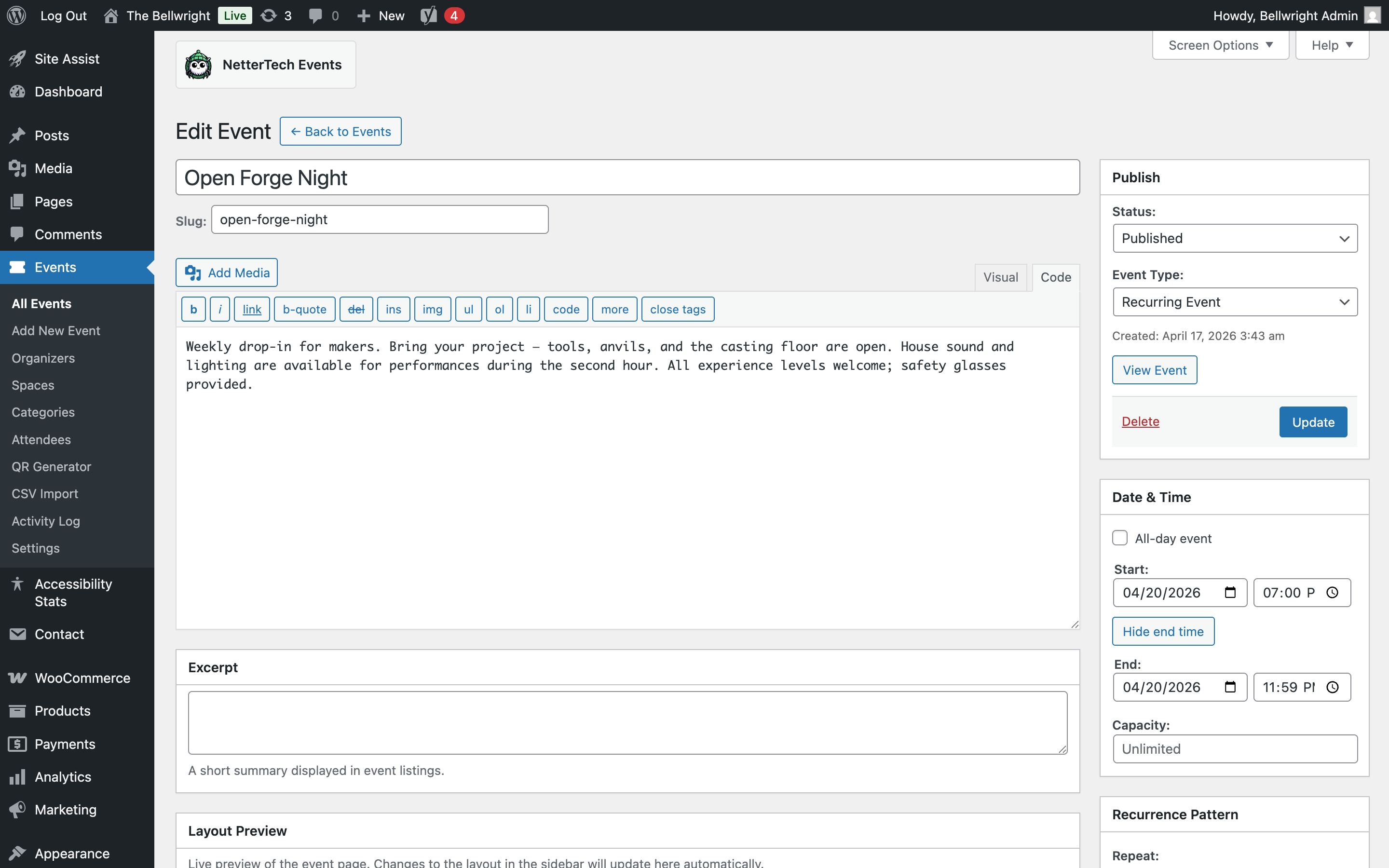
Recurring events that handle real schedules: Full RFC 5545 recurrence rule support covers patterns like “every second Tuesday” and “last Friday of the month.” Change a rule, and occurrences regenerate automatically.
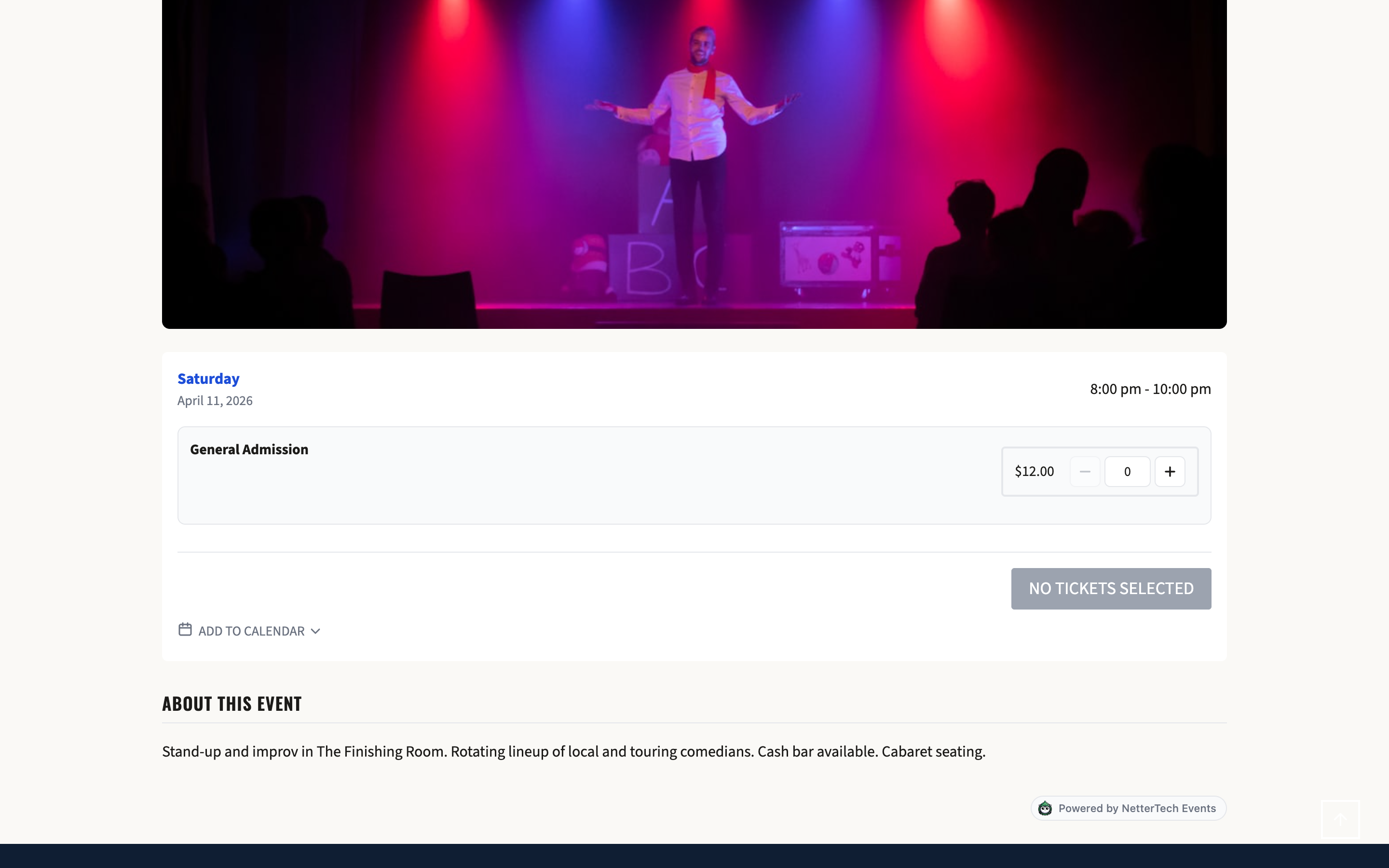
Ticketing without per-ticket fees: Sell tickets through WooCommerce with automatic capacity tracking per occurrence. Series passes let attendees buy once for an entire recurring event run. No external ticketing service means no percentage taken on each sale.
Free event registration: RSVP forms work without WooCommerce for events that don’t require payment. Attendees register, receive confirmations, and can be tracked through the same admin interface.
Check-in built in: Manual attendee check-in by name or email search works from any device. QR code and volunteer check-in workflows can be added with the separate NetterTech Events Pro plugin.
Spaces and locations management: Define bookable spaces and physical locations through a dedicated admin interface. Assign spaces to events via the event editor metabox to track which room or area each event occupies.
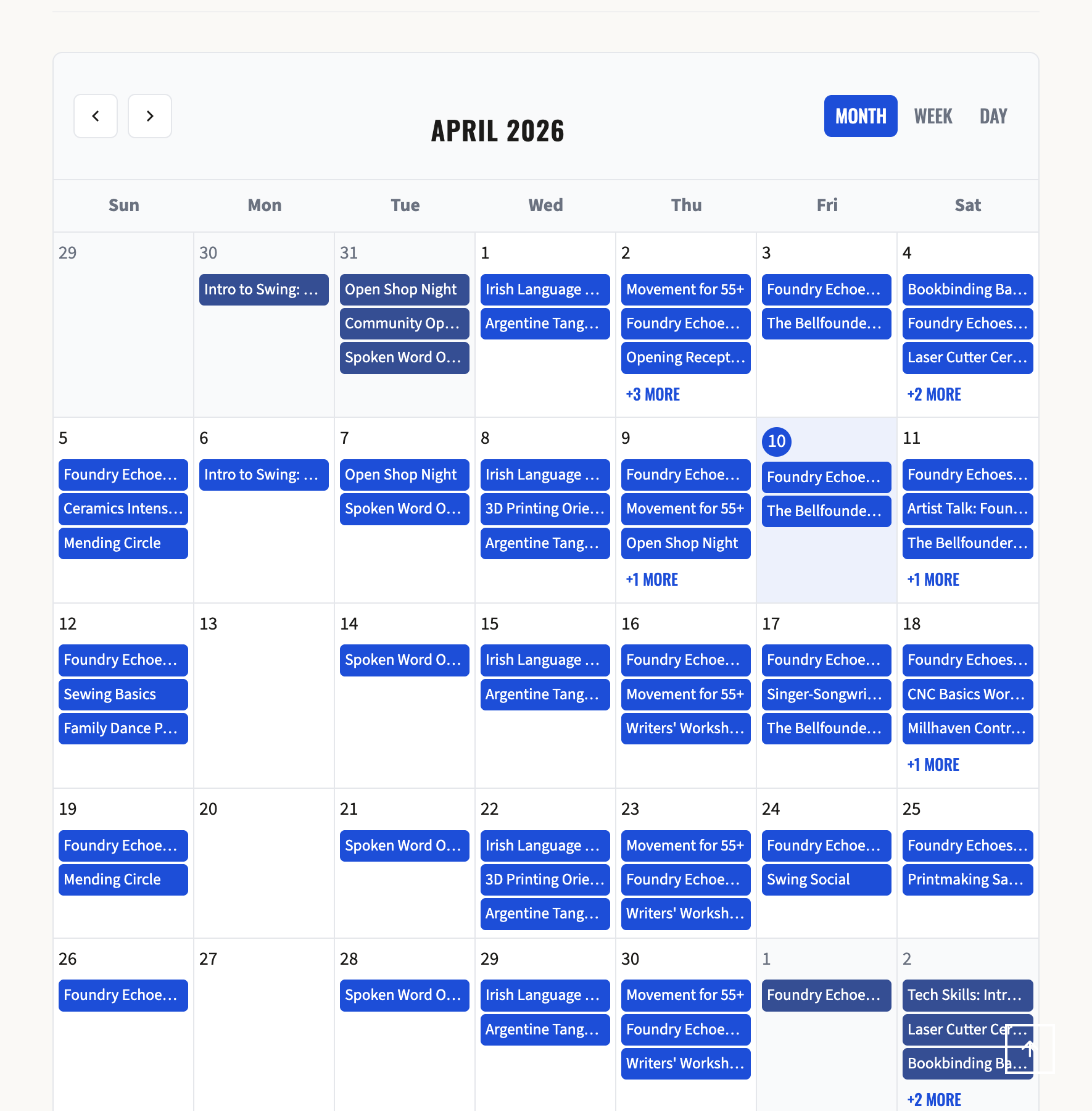
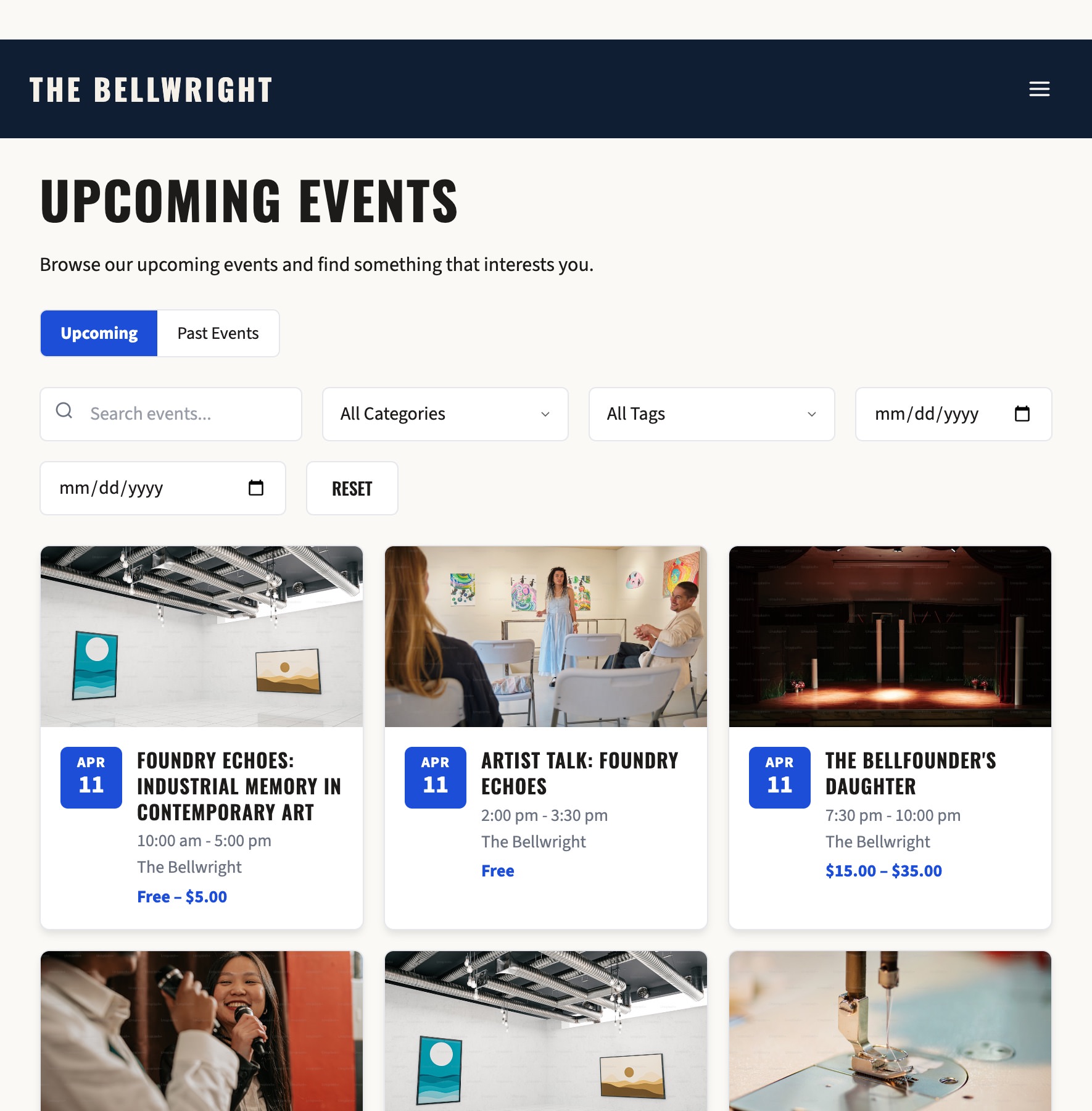
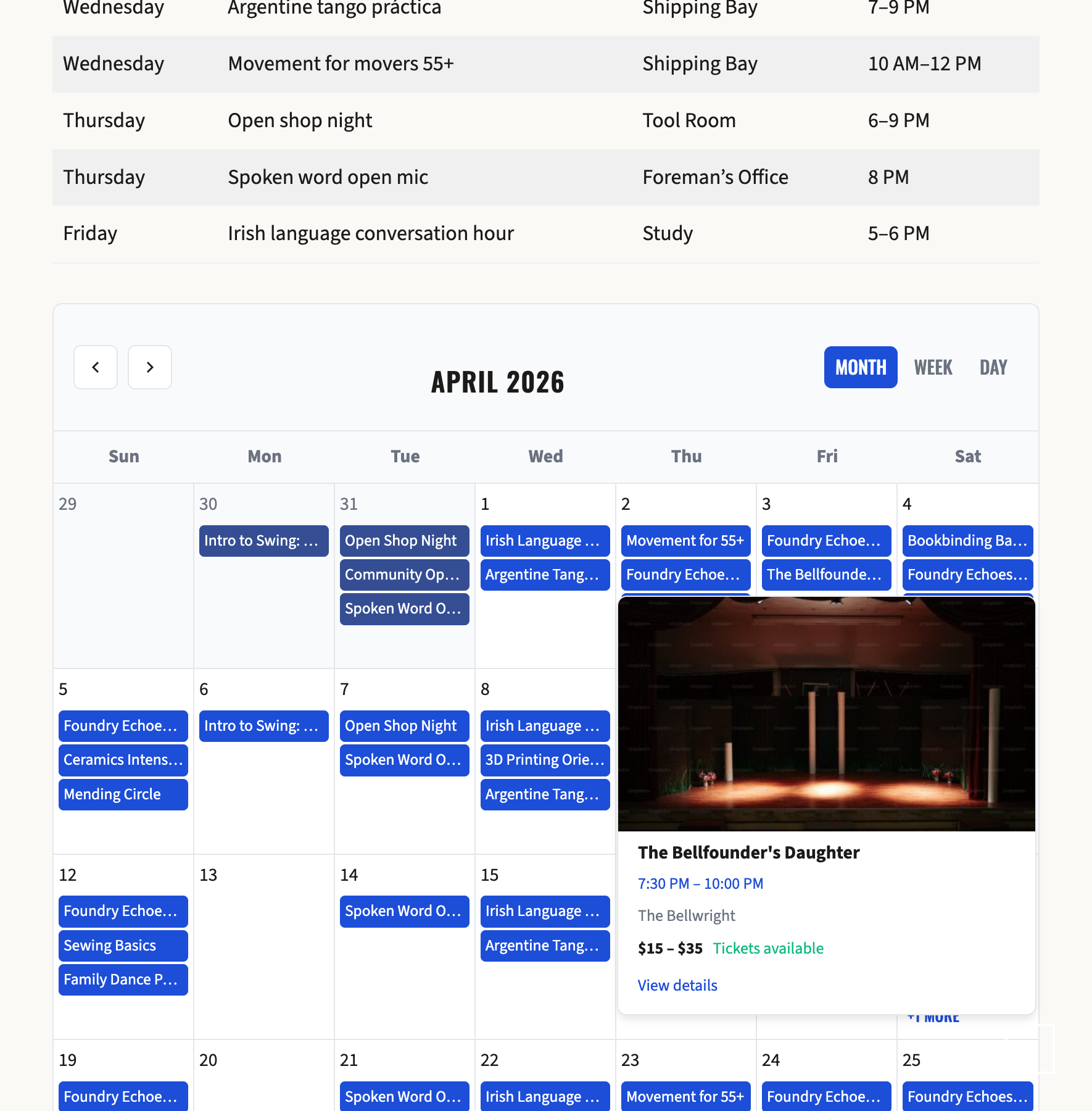
Display options for any layout: Month, week, and day calendar views. Carousel slider for featured events. Filterable grid with live search. Weekly regulars table for recurring events. All three calendar views are available as Gutenberg blocks and Beaver Builder modules.
Reminder emails that send themselves: Configure pre-event reminders at any interval you choose. Emails go out automatically via WordPress cron – no third-party service required.
SEO handled at the source: Schema.org Event structured data integrates with Yoast SEO and Rank Math’s JSON-LD output rather than generating a second duplicate block. Custom sitemap entries cover recurring occurrence URLs individually. Custom SEO title variables (%%nettertech_events_event_date%%, %%nettertech_events_event_venue%%, %%nettertech_events_event_organizer%%) let you build dynamic titles per-occurrence. Breadcrumb trail follows the full event hierarchy. Works without either SEO plugin using built-in Schema.org and Open Graph output.
Accessibility throughout: Designed to WCAG 2.2 AA standards with ARIA labels, full keyboard navigation, focus management, and reduced motion support across every public-facing view.
Your data stays yours: All attendee, ticket, and event data is stored in your WordPress database. No data is sent to external services. GDPR tools let site administrators export or erase attendee records on request.
For Developers:
- Repository and Service patterns with documented hooks and filters throughout
- Theme-overridable templates in
nettertech-events/templates/– copy to your theme to customize - REST API for headless or custom implementations
- Over 5,000 automated tests with over 17,000 assertions covering core functionality
Shortcodes
[nettertech_events_calendar] – Monthly, weekly, and daily calendar views with navigation.
[nettertech_events_list] – Filterable event grid or list with live search and category filters. (Also available as [nettertech_events_grid] for grid-only layout.)
[nettertech_events_carousel] – Sliding carousel of upcoming events with configurable columns.
[nettertech_events_rsvp] – RSVP registration form for free events. Supports party size and custom confirmation messages.
[nettertech_events_regulars] – Display weekly recurring events in a compact table grouped by day of week. Replaces manually maintained static HTML with live data from published recurring events. Parameters:
limit– Maximum events to display (default: 50)show_venue– Show venue name column, true/false (default: true)show_time– Show event time column, true/false (default: true)show_day– Show day-of-week grouping, true/false (default: true)heading– Optional table heading text (default: empty)class– Additional CSS class for the wrapper (default: empty)
Example: [nettertech_events_regulars show_venue="false" heading="Weekly Classes"]
Third Party Services
This plugin does not connect to any external third-party services by default.
WooCommerce Integration (Optional)
When WooCommerce is installed and activated, this plugin integrates with it to provide paid ticketing functionality. WooCommerce is a separate plugin that handles payment processing through payment gateways you configure.
- WooCommerce is developed by Automattic
- WooCommerce Terms of Service
- WooCommerce Privacy Policy
No data is sent to WooCommerce servers by this plugin. All ticket and order data remains in your WordPress database.
QR Code Generation
QR codes are generated entirely on your server using the bundled PHP QR Code library. No external API calls are made.
Bundled Third-Party Libraries
NetterTech Events is licensed under GPL-2.0-or-later. The plugin bundles the following GPL-compatible third-party libraries via Composer. The authoritative dependency list and resolved versions live in composer.json and composer.lock (both shipped with the plugin so reviewers can verify vendor contents).
chillerlan/php-qrcode6.0.1 — MIT (selected from the upstream dual MIT / Apache-2.0 license). Used for QR code rendering on tickets and check-in flows. Source: https://github.com/chillerlan/php-qrcodechillerlan/php-settings-container3.3.0 — MIT. Transitive dependency ofphp-qrcode. Source: https://github.com/chillerlan/php-settings-containersymfony/polyfill-mbstring1.33.0 — MIT. UTF-8 string-function polyfill (transitive). Source: https://github.com/symfony/polyfill-mbstring
The MIT license is selected for the dual-licensed chillerlan/php-qrcode because Apache-2.0’s patent-retaliation clause is GPL-3.0+ compatible but not GPL-2.0 compatible. MIT keeps the bundled code consistent with the plugin’s GPL-2.0+ choice.
Privacy Policy
NetterTech Events collects and stores the following data in your WordPress database:
Data Collected
- Attendee Records: Name, email address, and ticket details when users purchase tickets or submit RSVPs
- Check-in Data: Timestamps when attendees are checked in at events
- Event Data: Event details, occurrences, and ticket configurations created by administrators
Data Storage
- All data is stored locally in your WordPress database in custom tables prefixed with
nettertech_events_(e.g.{$wpdb->prefix}nettertech_events_events) - No data is transmitted to external servers by this plugin
- Data retention is controlled by you; delete events and ticket records to remove associated data
Data Export and Erasure
- Attendee data integrates with WordPress’s built-in privacy tools
- Site administrators can export or erase attendee data on request
- Event organizers should document ticket/RSVP data collection in their site privacy policy
Cookies
This plugin does not set any cookies.
Source Code & Build
The plugin ships pre-built block assets under blocks/*/build/ (compiled from
@wordpress/scripts) so it runs without requiring users to install Node.js or
run a build step. The human-readable source for every compiled file is
included in the same distribution under blocks/*/src/:
blocks/calendar/src/index.jsx— source forblocks/calendar/build/index.jsblocks/carousel/src/index.jsx— source forblocks/carousel/build/index.jsblocks/event-grid/src/index.jsx— source forblocks/event-grid/build/index.js
To rebuild from source after editing any *.jsx file:
npm install && npm run build
The build configuration lives in package.json (scripts.build) and uses the
official @wordpress/scripts toolchain with no custom webpack config.
Additional Resources
Screenshots
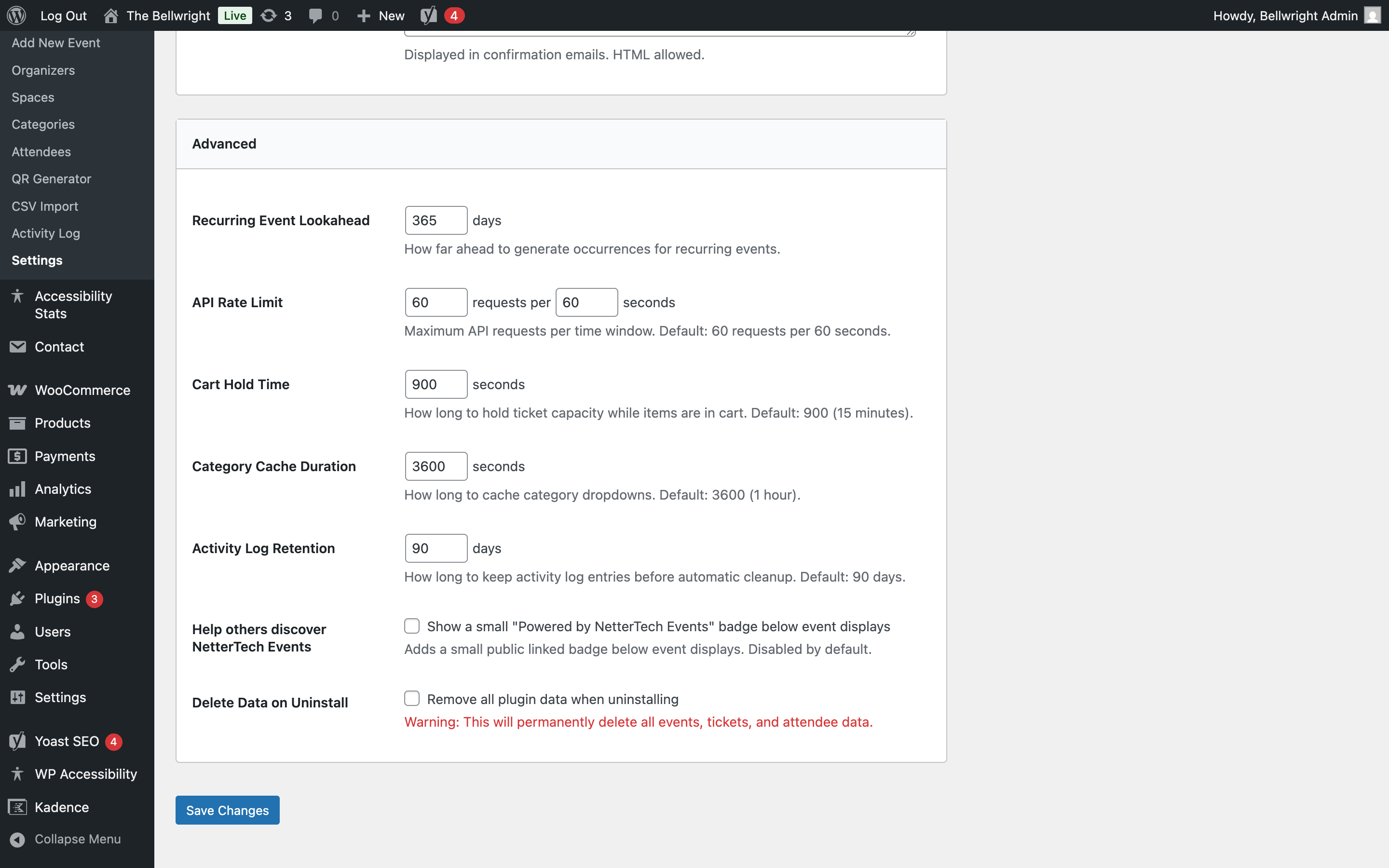
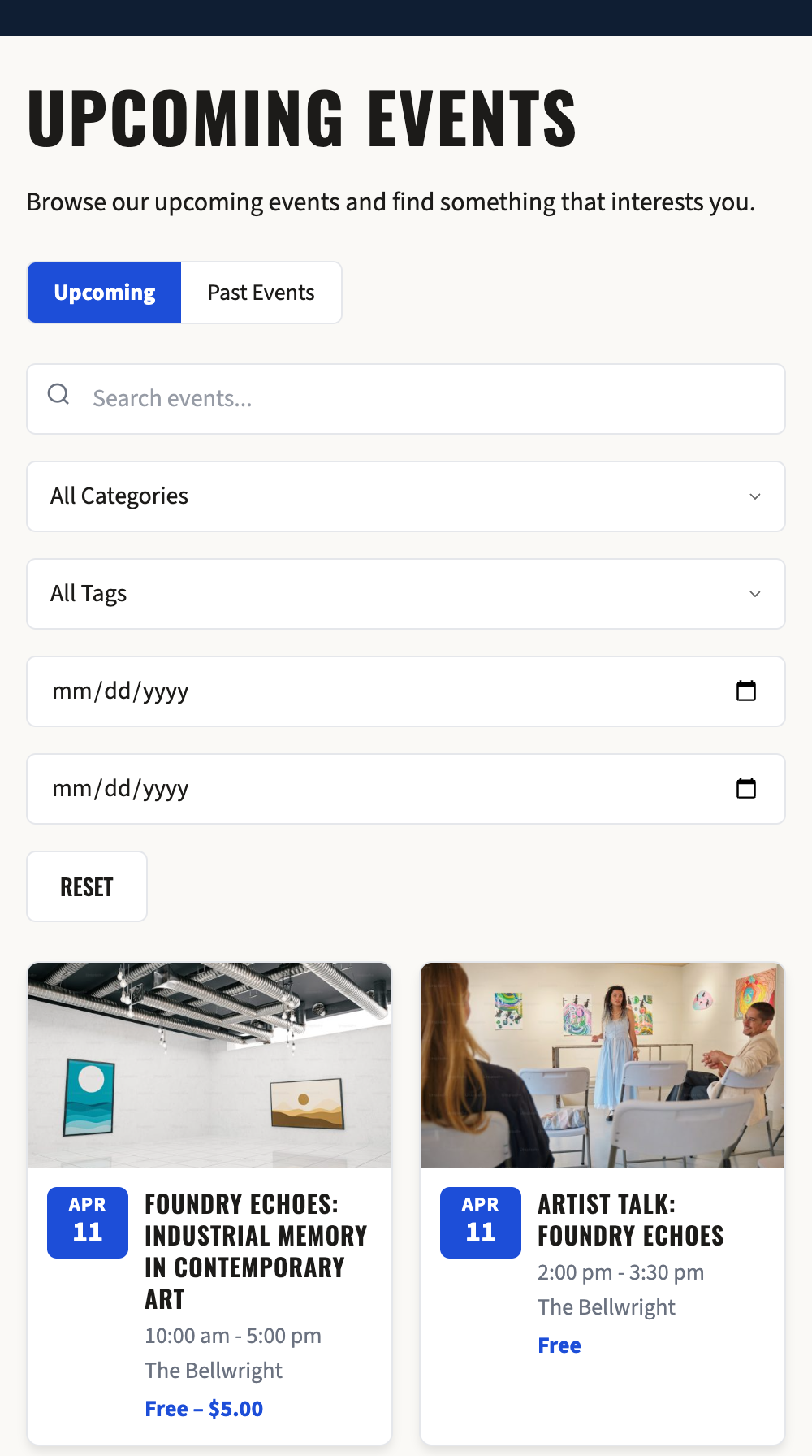
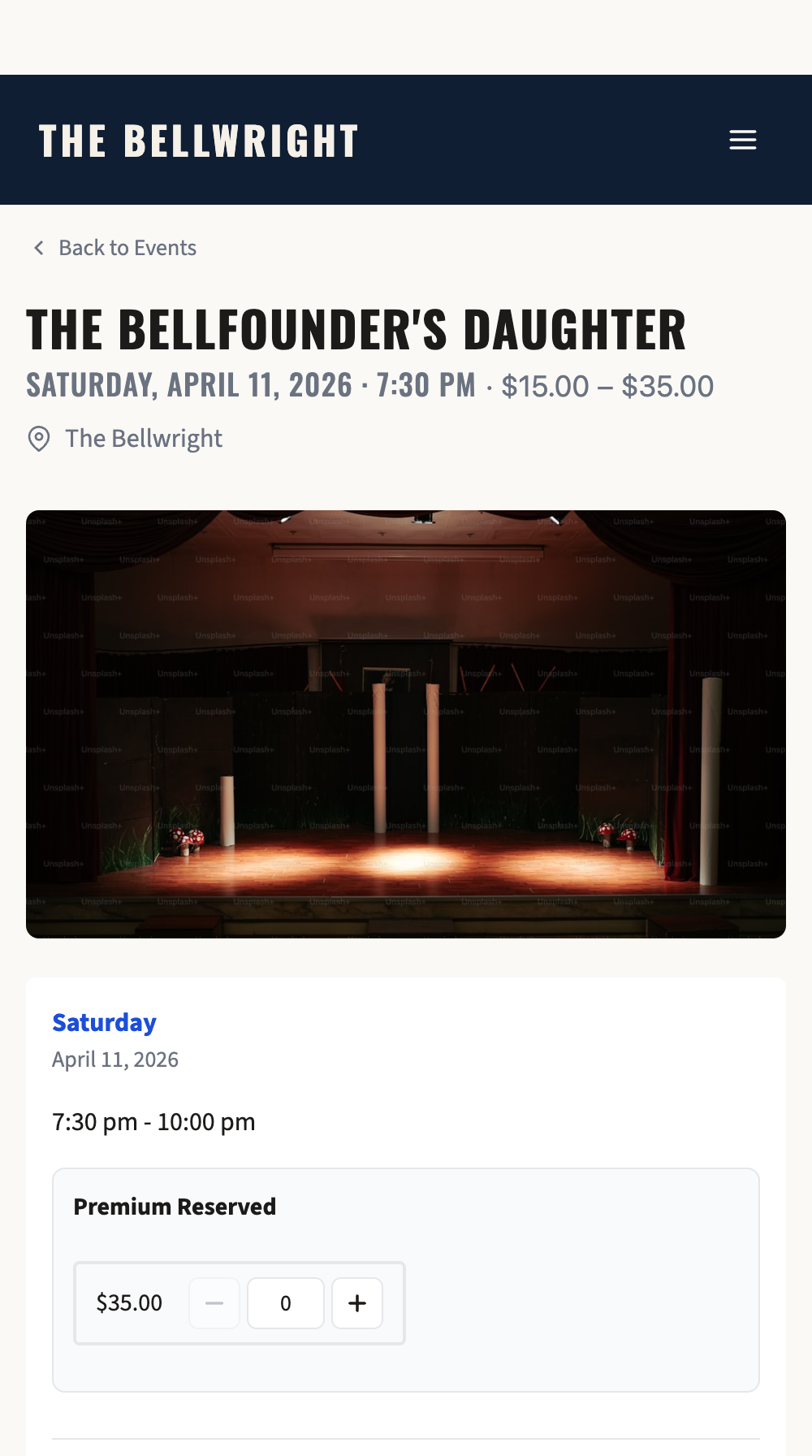
Blocks
This plugin provides 3 blocks.
- Event Calendar Display an interactive event calendar with month, week, or day views.
- Event Carousel Display upcoming events in a responsive carousel.
- Event Grid Display events in a filterable grid or list layout.
Installation
- Upload the
nettertech-eventsfolder to/wp-content/plugins/ - Activate the plugin through the ‘Plugins’ menu
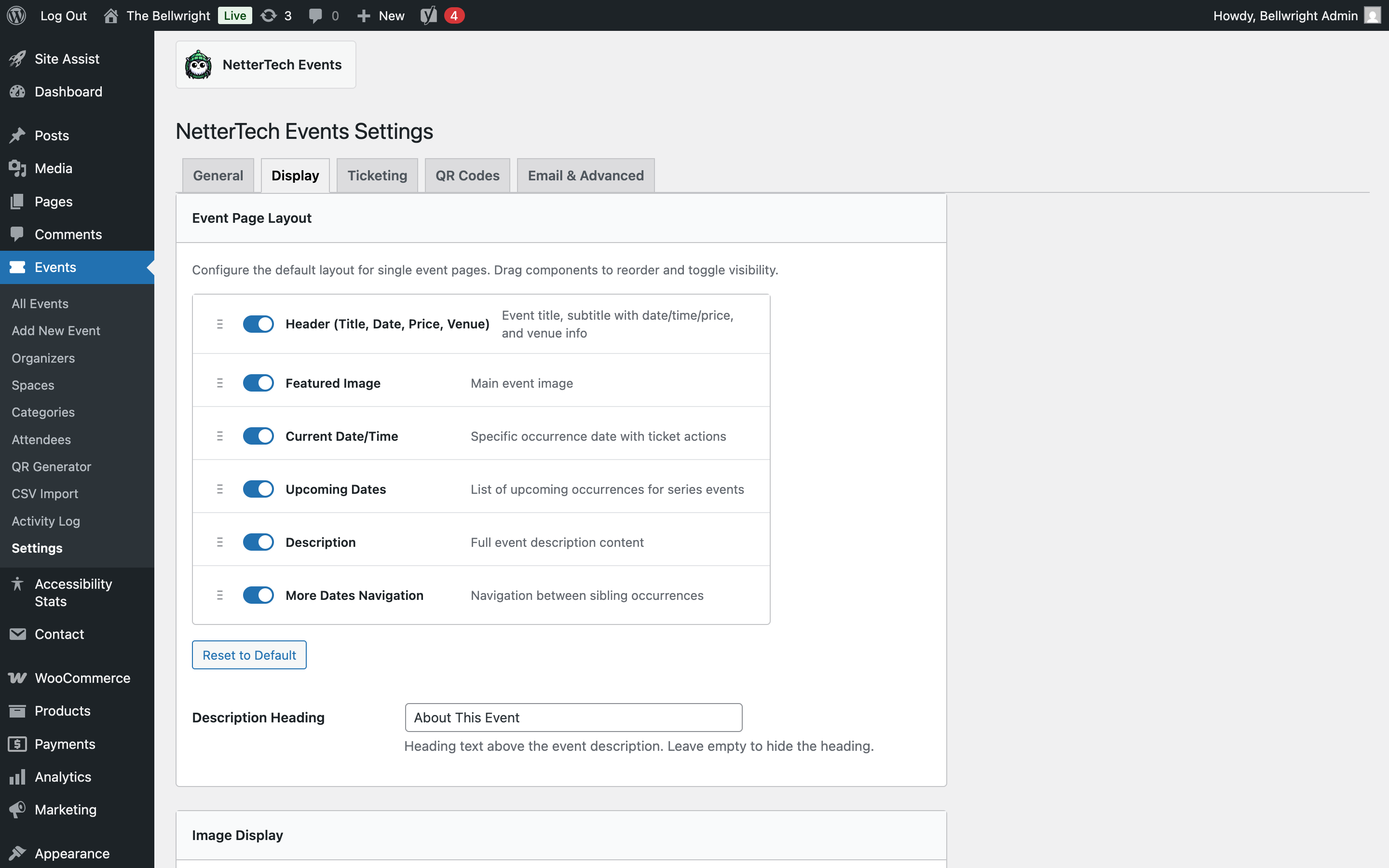
- Go to Events > Settings to configure options
- Create your first event under Events > Add New
For Ticketing:
- Install and activate WooCommerce 8.5+
- NetterTech Events will automatically create products for ticket types
- Configure ticket types in the Event Editor
FAQ
-
Does this plugin require WooCommerce?
-
No. WooCommerce is optional and only needed for paid ticketing. The plugin works without it for event display, calendars, and free RSVP registration.
-
What’s included in the free version?
-
The free version includes unlimited events, recurring event support, RSVP forms, manual attendee check-in by name or email search, all three display views (calendar, grid, carousel), SEO integration, and full GDPR tools. QR code check-in, volunteer check-in mode, and QR code generation for promotion are available in NetterTech Events Pro.
-
Can I import events from The Events Calendar?
-
Yes. The companion plugin NetterTech Events Migrator supports bidirectional migration with The Events Calendar. Import and export cover all 13 entity types including recurring events, venues, organizers, categories, tickets, and attendees with lossless round-trip fidelity.
-
How do recurring events work?
-
NetterTech Events pre-computes occurrences using RFC 5545 recurrence rules (the same standard used by Google Calendar and iCal). Rules support patterns like “every second Tuesday” and “last Friday of the month.” When you change a rule, occurrences regenerate automatically.
-
Can attendees buy a ticket to an entire recurring event series?
-
Yes. Series passes grant access to all occurrences of a recurring event with a single purchase. They’re configured as a ticket type in the event editor.
-
Will this slow down my site as the event count grows?
-
Event data is stored in dedicated database tables with indexes built for calendar queries. Calendar views query by date range against pre-computed occurrences rather than scanning post meta. The query load does not scale with total event count the way post-meta-based plugins do.
-
Can visitors subscribe to a calendar feed?
-
Yes. Published events are available as an iCalendar (.ics) feed that calendar apps (Google Calendar, Apple Calendar, Outlook) can subscribe to. For high-traffic sites you can optionally enable Static iCal Feed under Events – Settings – Email & Advanced: the feed is then served from a prebuilt file at
/{your-events-base}.ics(for example/events.ics), rebuilt automatically when events change. This serves polling calendar clients with almost no PHP or database work and is edge-cacheable. The option is off by default; while off, the feed is generated on demand, and that dynamic feed also remains as an automatic fallback if the static file is ever unavailable. A large site (thousands of occurrences) produces a feed file of a few megabytes. -
Can I link to all past events from a particular year?
-
Yes. Append a four-digit year to the past-events archive URL — for example
/events/archive/2024/— to show every past event from that year on one shareable page, with the archive’s normal pagination. The page title reflects the year. The unscoped past-events archive (without a year) continues to list all past events. -
How do I customize the event display templates?
-
Copy templates from
nettertech-events/templates/toyour-theme/nettertech-events/and modify as needed. Templates exist for single event pages, occurrence lists, event cards, the calendar view, grid view, and carousel. Your customizations are preserved across plugin updates. -
Is the plugin accessible?
-
Yes. NetterTech Events is designed for WCAG 2.2 AA compliance with ARIA labels, keyboard navigation, focus management, and reduced motion support across all public-facing views.
-
How are event categories managed?
-
Categories are managed through a built-in editor at Events – Categories in the admin menu. They use dedicated database tables rather than WordPress taxonomies, support parent/child hierarchy, and are available as frontend filters in event lists and calendars.
-
What PHP version is required?
-
PHP 8.2 or higher. The plugin uses strict types, enums, and constructor property promotion throughout.
-
Will this plugin conflict with other event plugins?
-
NetterTech Events uses its own custom tables and a dedicated URL namespace (
/events/by default). If you have The Events Calendar or another plugin registered to the same URL prefix, there will be a conflict. The plugin detects this on activation and displays a notice with instructions for resolving it.
Reviews
There are no reviews for this plugin.
Contributors & Developers
“NetterTech Events” is open source software. The following people have contributed to this plugin.
Contributors
Translate “NetterTech Events” into your language.
Interested in development?
Browse the code, check out the SVN repository, or subscribe to the development log by RSS.
Changelog
1.4.3
- Fixed: on a single event with extra dates added by hand, the “Upcoming Dates” cards linked back to the page they were on, so visitors could never reach a specific date’s page or its ticket form. Date cards, calendar entries, and related links now go to the chosen date whenever an event has more than one date.
- Fixed: embedded event/RSVP markup once again strips inline style attributes. WordPress 7.0 began allowing certain inline styles through its sanitizer, which silently widened the plugin’s embed output rules; the plugin now enforces its own stricter rule regardless of WordPress version.
1.4.2
- Fixed: on WordPress 7.0+, clicking “Export All” on the Attendees / Purchases screen was blocked by a new core bulk-actions validator with “Please select a bulk action to perform.” The button now submits under its own name, which the core validator correctly ignores.
1.4.1
- Fixed: “Export All” on an event’s Purchases view now exports that event’s purchase records — previously it exported every attendee in the database while the button promised the event’s count.
- Improved: the attendees list states its counts in both units (“Showing 5 purchase records (32 tickets)”), and the Export All button says how many records it will export, so the list, summary, and export figures can be compared at a glance.
- Improved: ticking the select-all checkbox now explains that selection covers only the current page’s rows and points to Export All for everything matching the filters (announced to screen readers too).
- Fixed: the Tickets & Attendance summary no longer squeezes the Issued figure against the Checked-in column (“12 issued0”).
1.4.0
- Fixed: recurring events created with the “Weekly” pattern no longer drift to a different day of the week (or duplicate their dates) when the calendar automatically extends further into the future.
- Security: hardened the way the plugin identifies a visitor’s IP for rate limiting so a forged proxy header can no longer spoof it; tightened rate limiting on the admin attendee and ticket-type endpoints.
- Improved: the calendar tooltip’s availability text (“Sold out”, “Low stock”, “Tickets available”) is now translatable instead of hardcoded English.
- Improved: attendee CSV exports now come out in the order shown on the Attendees list — including the first/last-name alphabetization mode — instead of always newest-first.
- Improved: setting event times is faster and friendlier — time fields now suggest quarter-hour options as you type (end times show the resulting duration), while still accepting any exact time like 7:05 pm.
- Improved: ticket sale windows are entered as a clear date + time pair with one-click “Now” and “At event start” presets, replacing the fiddly combined picker. Existing saved windows are unaffected.
- Improved: date and time validation messages now appear next to the field and are announced to screen readers, instead of a blocking browser alert.
- Improved: time fields show which timezone your entries are interpreted in.
1.3.2
- Fixed: an extra date added with just a date and start time now saves — the end time is filled in from your default event duration instead of the date being silently discarded. Anything skipped or auto-filled is reported in a notice after saving.
- Fixed: re-saving a single event no longer overwrites an earlier hand-picked date.
- Fixed: saving an event from a screen without the ticket section no longer deletes a date’s ticket types.
- Fixed: tickets for an unrecognized event now default to draft (not purchasable) instead of active.
- Fixed: editing a single date validates its times (minimum length, end after start) the same way the main editor does.
- Improved: “apply to all dates” leaves individually customized dates alone and lists them in the save notice.
- Improved: editing a date no longer resets its rescheduled status.
- Improved: converting a recurring event to a single event now warns which hand-picked dates would be removed.
- Improved: unpublishing an event no longer creates shop products; it only unpublishes existing ones.
- Improved: series passes and ticket templates can be managed on single-date events.
- Improved: choosing a shared-capacity type on an event-level ticket now shows an error instead of silently changing to fixed capacity.
1.3.1
- Fixed: re-saving a recurring event no longer silently loses a date when one of its dates has been individually customized — most visibly the first day of a short daily run.
- Fixed: event cards and calendar entries now link to the specific date you clicked instead of the event’s series page.
- Fixed: a date-specific featured image now appears everywhere the image is shown, including event grids and the calendar hover preview.
1.3.0
- Fixed: editing an event from a screen that didn’t show its ticket template (or series pass) section no longer silently deletes those ticket types — a save only touches the ticket sections it actually displayed.
- Added: the Seating add-on can now resolve which date a ticket product belongs to, so seat selection works reliably on multi-venue sites (requires NetterTech Events Seating 1.0.2).
1.2.0
- Added: build a whole event before saving once — add several extra dates and set up ticket types on a brand-new event; everything is created together on first save.
- Added: draft events stay fully dark — their tickets and shop products are not purchasable until the event is published, and revert to non-purchasable if the event goes back to draft. Existing orders are never affected.
- Added: the recurrence pattern editor now collapses to a one-line summary once a pattern is set, with a toggle to expand.
- Fixed: editing a single date of a recurring event no longer brings the original date back as a duplicate on the next save.
- Fixed: dates that carry their own ticket types now survive schedule regeneration (their tickets and products previously lost their connection on re-save).
- Fixed: a per-date featured image now shows on event cards and grids, not just the event page.
1.1.4
- Added: a series pass now has a clear buy button on the public event page — its own “Series Pass” section (“valid for every date of this event”), shown once whether the event lists as single or recurring, instead of being scattered across each date’s ticket form.
- Fixed: the per-date ticket form no longer repeats an event’s series pass; each date’s form lists only that date’s own ticket types.
- Changed: refreshed the Events admin-menu icon.
1.1.3
- Changed: test and tooling configuration now reads environment variables with portable defaults instead of machine-specific fallback paths; integration-test setup is documented in tests/Integration/README.md.
- Changed: internal working-hours tooling removed from the repository.
1.1.2.2
- Added: series passes now work end to end — a pass gets its own product, a single purchase admits the buyer to every date of the event (one attendee per date, ready for check-in each day), and a pass occupies a seat on every date it spans: its availability is bounded by the tightest date’s room.
- Added: the ticket editor’s Series Passes and This Occurrence tabs are available on any event with more than one date, not only pattern-recurring events, and the events list says “Single (N dates)” when a single event carries extra hand-picked dates.
- Added: the attendees screen consolidates Tickets & Attendance into one panel — per-ticket-type issued, check-ins, and (with Pro) net revenue with refunds already subtracted — beside Event Details; the table gains a sortable Ticket type column and an attendee-id/ticket-code identity line; attendees can be edited in place and added manually (manual adds respect capacity); bulk actions gain Re-send Confirmation Email.
- Fixed: editing a ticket no longer silently re-creates its WooCommerce product — the product, its SKU, and its sales history now survive every save, and a SKU typed into the event editor is honored instead of being replaced by a generated default.
- Fixed: one sold series pass no longer counts once per date in the Ticket Overview, and pass sales now appear in revenue reporting — including orders whose product an earlier save had orphaned.
- Fixed: the Coupon column loaded every order in the store to decorate one page of attendees; it now loads only the page’s own orders.
- Developer: new filters — nettertech_events_ticket_type_revenue (per-type net revenue for the consolidated panel) and nettertech_events_sale_schedule_ui_available (suppress base’s sale-window guidance when a real price-schedule control renders).
- Developer: the hook reference now covers every hook the plugin fires, backed by an automated completeness check; hook name constants are complete and version tags corrected.
- Developer: new hooks fire when a ticket type is created or updated, when an attendee is checked in, when settings change, and when attendees are exported, so integrations and the activity log can react to each.
1.1.2.1
- Fixed: a ticket’s sale window, description, and per-order limits entered on a date’s own ticket form were silently discarded on save. All tiers of a chained price schedule therefore showed and sold at once, ignoring their start and end dates. The form’s values are now saved exactly as entered.
1.1.2
- Fixed: a ticket left in the cart could still be bought after its sale window closed or its allotment ran out. The cart is now re-checked at the checkout, not only when the ticket was added, and the shopper’s own held seats are no longer counted against them.
- Fixed: an event was treated as past from the moment it started, so an event still running was listed as over. Past and upcoming are now judged by when an event ends.
- Fixed: an event’s date was judged against the site’s clock rather than its own, so an event in another timezone could turn “past” hours early or late. Each date now records the actual moment it starts and ends, and is judged by that.
- Fixed: turning a recurring event back into a single one silently overwrote its first date and stranded the rest — still scheduled, still on sale, and no longer visible on any screen. Converting now keeps the date you choose, with its own times, and removes the others. A date that has sold tickets is never removed: the save is refused and tells you which.
- Fixed: switching an event to “recurring” and saving without choosing a pattern generated hundreds of daily dates. The editor carries a default frequency of “daily” and an end condition of “never” whether or not you ever open the pattern controls, and those defaults were being read as your answer. An unchosen pattern is now refused rather than invented, and the message points you at “Add a date” if one more date is all you wanted.
- Added: a date can be added to an event outside its recurrence pattern, so an event can run every Tuesday and also on one Saturday. Saving the pattern again does not remove it.
- Added: each date can be removed from the Dates box. A date that has sold tickets is never removed — the removal is refused and tells you which.
- Added: ticket types can now be set on any date, from that date’s own editor. Previously only an event’s first date could be given tickets, so a date added by hand had no way to sell anything. A date added by hand also inherits the event’s ticket templates, exactly as a generated date does.
- Added: the Dates box now lists every date on any saved event, not just recurring ones.
1.1.1.4
- Fixed: on the event-scoped Purchases screen, each ticket type subtracted its own sales from its own copy of the room, so an event selling three tiers into one hall reported roughly three halls’ worth of seats remaining. Tiers on a date now share one house, exactly as the Events list’s “% of capacity” column has always counted them: availability is what the house has left, a tier with its own smaller limit still stops there, and the Total reports the house once rather than once per tier. A tier with no limit of its own no longer reads “unlimited” when the date has a capacity. Seated tiers take their availability from the seating add-on.
- Fixed: a ticket type that had sold nothing was omitted from the Ticket Overview entirely; every active type is now listed, including at zero.
- Fixed: the Attendance Overview counted guests on its “Tickets” line but attendee records on its status lines, so a card could read “Tickets 32” directly above “Confirmed 5” for the same people. Every line now counts guests.
- Fixed: the Attendees filter bar inherited WordPress’s own theme-browser styling, boxing each filter in an oversized bordered panel and stacking the Filter and Clear buttons; the bar is now a single aligned row.
- Fixed: long availability labels in the Ticket Overview were clipped at the card’s edge.
- Fixed: the Attendees table ran off the side of the screen on narrow windows and tablets. It now fits the available width, and on small screens each attendee collapses to a row you can expand — the standard WordPress list-table behaviour.
- Added: attendees can be checked in directly from the Attendees screen, and the check-in action is now offered only for attendees whose status permits it.
- Added: the ticket-confirmation email can be re-sent from the Attendees screen.
- Added: an event’s Purchases screen now opens with Event Details, Ticket Overview, and Attendance Overview summary cards; add-ons render their own cards alongside them (the Pro add-on’s financial synopsis appears here).
- Security: attendee CSV exports now neutralize spreadsheet formula injection in exported fields.
1.1.1.3
- Fixed: events still in progress were listed as “past” — past/upcoming bucketing now uses the event’s end time rather than its start time, in listings and in the admin occurrence pickers.
- Fixed: splitting a recurring series (“this and following dates”) dropped the new event’s categories, tags, and organizers; they now carry over.
- Fixed: the admin Events list “Created” timestamp could display shifted by the server’s timezone offset; creation times are now stored in UTC and rendered in the site timezone.
- Added: WooCommerce ticket products now mirror their event’s categories as product categories, so category-scoped coupons (e.g. “10% off all Music events”) apply to ticket purchases without listing each product.
- Added: a Content-Security-Policy script allowlist setting, so operators can permit specific external script origins on event pages without loosening the policy globally.
- Added: the event image box now shows the configured display ratio as an upload hint, and each event can set a crop anchor for how its image is framed on event cards.
- Added: an extension point on the event-scoped Purchases screen that add-ons can use to render purchase summaries (the Pro add-on shows a financial synopsis there).
- Security: rate limiting now identifies clients by connection address by default; proxy-reported addresses are honored only on sites that declare a trusted proxy.
1.1.1.2
- Fixed: the Events list “% of capacity” figure summed every ticket tier’s capacity, so multi-tier events (e.g. Standing / Seated / Youth sharing one room) showed a denominator several times the real house and a percentage far too low. Tiers now share one house pool, so the denominator is the largest tier capacity (or the occurrence ceiling when set); multiple dates are still summed.
- Fixed: the Attendees “Export All” / “Export Selected” CSV actions failed (no output / “Please select a bulk action”) because the export dispatched after page output had begun; dispatch now runs on page load so the file streams correctly.
1.1.1
Maintenance and accessibility release, plus space assignment on events.
- Added: events can now be assigned to a Space from the event editor (Space / Venue box); the Seating add-on uses the assignment to pick the right seating map on multi-space sites.
- Fixed: header and footer lost their layout styling on event pages under block themes (e.g. Twenty Twenty-Four).
- Fixed: events configured to show only the “Current Date/Time” layout component lost their date row and RSVP button on event pages.
- Fixed: the RSVP form appeared expanded before the RSVP button was clicked; it now starts collapsed, and stays fully usable without JavaScript.
- Fixed: the organizer metabox never appeared in the event editor.
- Fixed: the Events list “Tickets Sold” column counted ticket records, so RSVPs and group registrations were undercounted; it now reflects the full confirmed guest count.
- Fixed: screen-reader labels on the RSVP form were being stripped; they now come through intact.
- Improved: YouTube/Vimeo videos in event descriptions now scale to the full content width at 16:9.
- Security: the CSP reporting endpoint is rate-limited and length-capped; settings saves check capability before nonce.
1.1.0
This release adds calendar-feed publishing, per-occurrence editing, richer ticketing and admin tooling, and finer image control, alongside recurrence fixes and broad quality work.
New features
* Calendar feed (iCal/ICS): publish a subscribe-able feed at a clean URL so attendees can add your events to Google, Apple, or Outlook calendars. Open-ended recurring events are bounded by a configurable feed horizon.
* Per-occurrence editing: change a single date in a recurring series — override its time, venue, or virtual URL, or cancel just that occurrence — with a clear scope selector. iCal export reflects overrides and cancellations via RFC 5545 RRULE / EXDATE / RECURRENCE-ID.
* Per-event image control: set the single-event-page featured-image aspect ratio independently of cards/list/carousel, plus a per-event vertical crop anchor (top/center/bottom) so the important part of off-ratio images is kept.
* Ticket SKUs: per-ticket-type SKUs are auto-generated, editable, and viewable from the event list and on public tickets.
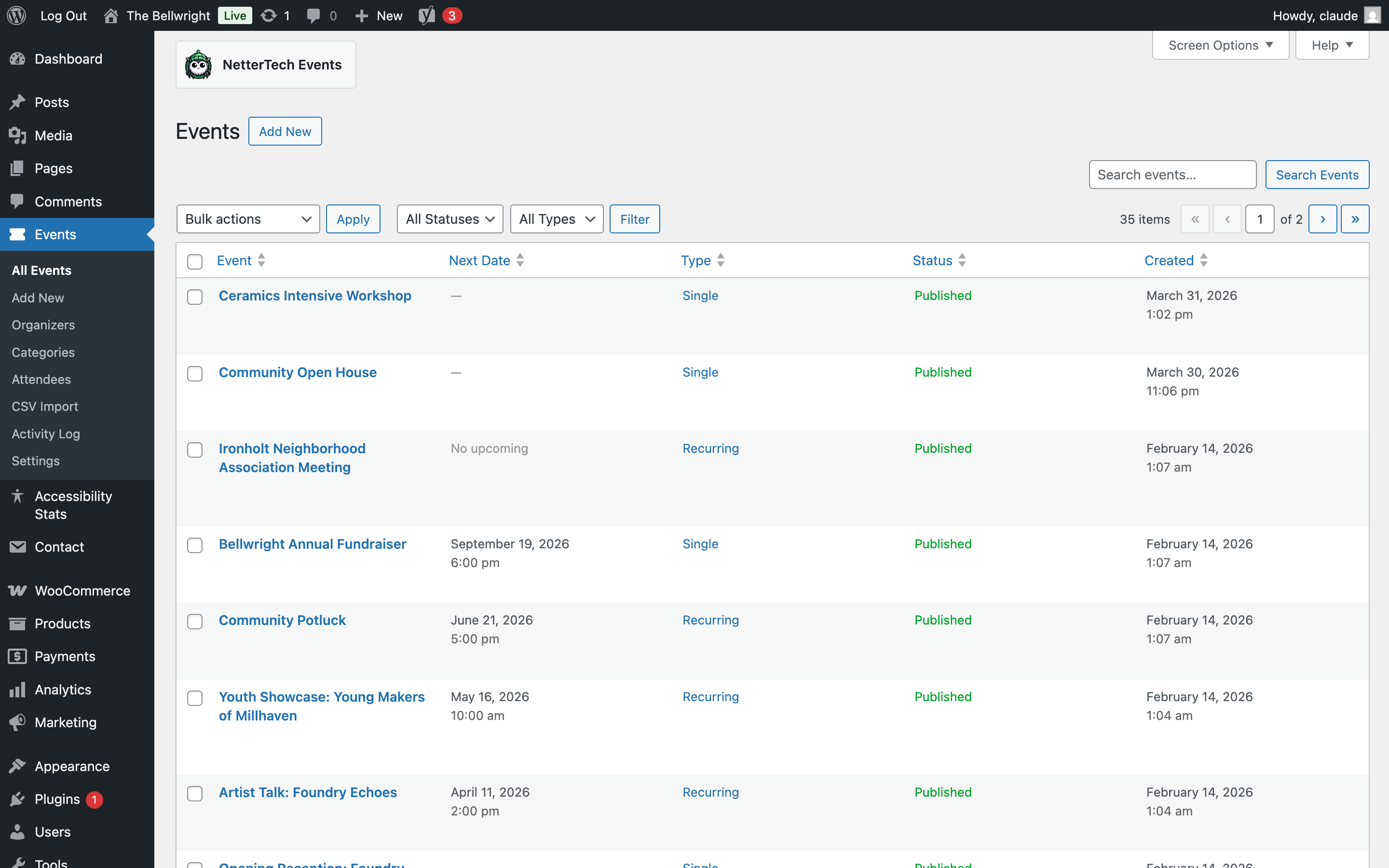
* All Events list: new “Tickets Sold” (with percent of capacity) and Date columns, a “Ticketed” type filter, and a “Purchases” row action that opens the Attendees list filtered to that event — with per-occurrence drill-down and WooCommerce order links.
* Year-scoped past-events archive: browse past events by year.
* Archive filters: multi-select category/tag filtering, timeframe limiting, and settings to control which filters appear.
* Beaver Themer integration for event field data.
* Configurable defaults for new-event start time and duration, and an optional intro paragraph above the events archive.
Improvements
* The Past Events archive now shows event imagery at full vibrance; the muted “past” treatment is reserved for mixed/upcoming views where it still distinguishes past entries.
* Accessible multi-select filter widget and accessible (3:1+) disabled-button styling.
* Safer event deletion: removing an event cleans up its child data and ticket products, events with sold tickets are protected, and order history is preserved.
* Static analysis raised to PHPStan level 8 across the codebase, with a large expansion of automated test coverage.
Fixes
* Single-event featured images render at the configured aspect ratio instead of being clipped to a fixed-height band.
* Recurrence: yearly rules honor BYMONTH; BYSETPOS no longer overrides a positioned BYDAY; cancelled and edited occurrences survive schedule regeneration without duplicating.
* All Events list: filter and search restored; bulk actions no longer truncate on long selections.
* iCal exports recover original occurrence slots correctly (EXDATE / RECURRENCE-ID).
* Timezone correctness: event “past” / “Completed” status now honors the site timezone (DST-aware). On UTC-hosted servers, events no longer flip to past/completed hours before they actually end in local time, and the calendar feed (iCal DTSTART/DTEND) exports the correct moment.
Under the hood
* Database schema updates apply automatically on upgrade (additive, no data loss): per-occurrence overrides, occurrence sequence numbers, the per-event image crop anchor, and occurrence authoring timezones.
1.0.2
- Compliance: Round-2 WP.org Plugin Review remediation. Suppression-as-documentation removed across the source tree; per-issue root-cause refactors landed in waves.
- Compliance (Wave A): Output escaping refactored across blocks, BeaverBuilder modules, frontend shortcodes, admin/repo/service classes, and templates. Custom
wp_ksesallowlist helper (ShortcodeOutput::get_allowlist()) preserves SVG, ARIA, and data-* attributes thatwp_kses_postwould strip. - Compliance (Wave B): Service classes (
RecurrenceRuleBuilder,TicketTypeSaver,CheckInEmailSaver,AttendeeFieldsSaveHandler) no longer fall back on$_POST— callers must pass verified data after nonce/capability checks. Bulk-action handlers extract input only after nonce verification. - Compliance (Wave B):
SecurityHeadersre-anchored tocurrent_screen+WP_ScreenAPI (was reading$_GETonadmin_initpriority 1). - Compliance (Wave B): Calendar shortcode URL parameters migrated from
?month=/?date=to registered query varsnettertech_events_calendar_month/..._date; legacy URLs 301-redirect to the prefixed format. - Compliance (Wave B): Settings page sanitizes
$_POST['nettertech_events_settings']at the boundary viamap_deep( ..., 'sanitize_textarea_field' ); type-specific tightening continues inSettingsSanitizer. - Compliance (Wave B):
TicketCartAjaxsanitizes the JSON ticket payload at the boundary; the prior suppression is removed. - Compliance (Wave B):
EventTemplateResolver::can_preview_event()refactored to close a bypass gap where a malformed?preview=value could skip nonce verification. - Compliance (Wave C): Dynamic-hook patterns (e.g.
Hooks::SETTINGS_TAB_PREFIX . $tab,{filter_prefix}_get_template_part_{slug}) replaced with fixedHooks::*constants; listeners receive what was previously encoded in the suffix as an action argument. Backward-compat bridges fire the deprecated names alongside the canonical ones (will be removed in 2.0). - Compliance (Wave C):
AdminMenuexposes explicitSUBMENU_NEW,SUBMENU_EDIT,SUBMENU_ATTENDEES,SUBMENU_QR_GENERATOR,SUBMENU_CSV_IMPORT,SUBMENU_ACTIVITY_LOG,SUBMENU_SETTINGSconstants. Eight callsites refactored. - Compliance (Wave C):
MigrationManager(legacyve_*canonical) state-option keys renamed fromnte_rebrand_migration_*tonettertech_events_legacy_rebrand_*. A v1.0.2 upgrade-path transition forwards legacy keys onto the new names for sites that ran the migration under v1.0.0/1.0.1. Only the canonicalnettertech_events_legacy_rebrand_completeaction fires on completion; the legacy bridge hook was removed for the initial WP.org submission. - Compliance (Wave C):
PrefixMigrationManagerloads its old/new prefix maps fromconfig/legacy-prefix-map.jsoninstead of carryingnte_*literals in PHP source. The remainingnte_*mentions in production source are confined to theMigrationManagerlegacy-rename code path: state-transition source-key strings (nte_rebrand_migration_complete,nte_rebrand_migration_log) read on upgrade from v1.0.0/1.0.1, the intermediate post-type and taxonomy slugs targeted by theve_*canonical rename, and docblock examples documenting them. Nonte_*literal is emitted at steady-state runtime. - Compliance (Wave C): Template loader now passes a typed
TemplateContext(orEmailContextfor email templates) as a single$contextparameter instead of injecting locals viaextract(). Thirty-two templates refactored to property-style access ($context->event). TheNonPrefixedVariableFoundsuppressions acrosstemplates/are gone (was 38). - Compliance (Wave D): Vendor documentation (per-library
LICENSE,NOTICE,CHANGELOG.md,README.md, tests, examples) excluded from the distribution zip. The “Bundled Third-Party Libraries” section of thisreadme.txtis the authoritative attribution surface (a standaloneCREDITS.mdwas previously used and has been inlined here). License selected for the dual-licensedchillerlan/php-qrcodedependency: MIT (GPL-2.0 compatible). - Compliance (Wave D):
.eslintignoreremoved from the distribution (Plugin Check’s “hidden files are not permitted” rule).
1.0.1
- Compliance: Renamed all
nte_*prefix identifiers tonettertech_events_*to satisfy WP.org plugin review’s 4-character minimum prefix requirement (hooks, options, post/user/order-item meta keys, transients, AJAX action strings, nonces, $POST keys, JS-localized variables, table prefixes, cron hook names) - Compliance: Renamed custom post type slug from
nte_eventtonettertech_event(16 chars; the originally-planned 23-char name exceeded WP core’s 20-charregister_post_type()limit and would have silently failed registration) - Compliance: Renamed taxonomies to
nettertech_event_categoryandnettertech_event_tagfor safer headroom under WP’s 32-char taxonomy slug limit - Compliance: Renamed style handle
nte-public-tickettonettertech-events-public-ticket - Compliance: Sanitization fixes — added
wp_unslash()andsanitize_text_field()to 13 superglobal access points flagged byWordPress.Security.ValidatedSanitizedInputsniff (Rentals: 11 sites; Seating: 2 sites) - Migration: New
PrefixMigrationManagerclass (Step 2 migration, separate from the existing legacyve_* → nte_*MigrationManager) automatically renames all DB-persisted artifacts on plugin upgrade — custom tables (RENAME TABLE),wp_posts.post_type,wp_term_taxonomy.taxonomy, options (exact-match per key, no broad REPLACE),wp_postmeta/wp_usermeta/wp_woocommerce_order_itemmetakeys, transients (cache vs stateful classification), cron hook reschedule with cadence preserved, and shortcode rewrites inwp_posts.post_content - Migration: Conflict-detection rule — if both old and new tables exist, migration logs the conflict and aborts rather than auto-merging (per data-safety policy); transient lock prevents parallel runs
- Migration: Per-addon migrators (Pro, Rentals, Seating) listen on the base completion action AND run a
plugins_loadedpriority 20 fallback check, so addons activated after base migrate independently. Each addon has its own completion flag and log option. - Note for site owners: existing sites running the in-review v1.0.0 should run
update_option( 'nettertech_events_prefix_migration_complete', '' )before upgrade only if they want the migration to re-run; otherwise the migration runs automatically on plugin update. - BREAKING — Yoast SEO templates: The three custom title-template variables registered via
wpseo_register_var_replacement()were renamed from%%nte_event_date%%,%%nte_event_venue%%,%%nte_event_organizer%%to%%nettertech_events_event_date%%,%%nettertech_events_event_venue%%,%%nettertech_events_event_organizer%%. Sites with the legacy variable names in their Yoast title templates will need to update those templates after the upgrade — the old names no longer resolve and will render as the literal string. Rank Math equivalents were already migrated and are unaffected. - Cleanup: Swept all stale
nte_*references out of comments, PHPDocs, local PHP variable names, test fixtures, block render templates, Beaver Builder module render templates, and the uninstall handler. The only remainingnte_*strings in the codebase are insideMigrationManager.php(Step-1ve_*nte_*migrator, never executes on a fresh install) andPrefixMigrationManager.php(Step-2 input keys for the rename map). Both are documented carve-outs. - Fix:
uninstall.phpwas deleting transients matching_transient_nte_%(the pre-1.0.1 prefix) which would have leftnettertech_events_*transients orphaned on uninstall after the migration ran. Pattern updated to match the post-migration prefix. - Fix:
uninstall.phpwas filtering shadow posts by the post-type slug'nettertech_events_event'(23 chars; exceeded WP’s 20-char limit and was never the live slug). Replaced with the canonicalShadowPostType::POST_TYPEconstant so it stays in sync with the registered slug.
1.0.0
- Feature: Category system migrated from WordPress taxonomy to internal tables with dedicated editor
- Feature: Event reminder emails with configurable timing and cron scheduling
- Feature: GDPR privacy tools — WordPress privacy exporter/eraser for attendee data
- Feature: Event card redesign with full-tile clickability and responsive images
- Feature: Category checkbox UI in event editor sidebar
- Feature: WooCommerce event_id meta on cart items for integration support
- Feature: Distribution packaging with .distignore and GPL v2 LICENSE
- Enhancement: God class decomposition — 8 large classes refactored into focused modules
- Enhancement: PHPStan Level 7 static analysis with zero-error baseline
- Enhancement: CSS custom properties for themeable colors (date badge, ticket area, borders)
- Enhancement: 12px minimum font floor enforced; systemic rem-to-em CSS conversion
- Enhancement: Test suite of over 5,000 unit tests with over 17,000 assertions
- Fix: Event time not saving correctly (BUG-001)
- Fix: Past events AJAX pagination missing parameter (BUG-002)
- Fix: Category filter dropdown empty after iCal import (BUG-003)
- Fix: Ticket quantity buttons non-functional due to script timing (BUG-004)
- Fix: Event editor browser tab title stuck on “All Events” (BUG-005)
- Fix: Category UI missing from event editor (BUG-007)
- Fix: ActivityLogHooks signature updated to accept Attendee model
- Fix: Admin bar “Edit Event” hover color
- Security: Compatible with WooCommerce High-Performance Order Storage
- Security: OWASP 2025 compliance verified across all endpoints
0.9.0
- Feature: Multi-organizer support with junction tables
- Feature: Categories and tags junction tables for scalability
- Enhancement: Test coverage improved to 29.30% (1,077 unit tests)
- Enhancement: E2E test suite expanded to 53 Playwright tests
- Enhancement: Schema version bump with automatic migration
- Security: Check-in codes generated via random_bytes (16-hex-char codes, cryptographically secure per OWASP 2025)
0.8.0
- Feature: ServiceRegistry DI pattern with 7 contracts
- Feature: Denormalized counter caching for ticket sales
- Feature: N+1 query prevention with identity maps
- Security: OWASP 2025 compliance (authorization order fixes)
- Enhancement: 887 unit tests + 51 E2E Playwright tests
- Enhancement: Beaver Builder modules with direct class invocation
- Enhancement: Gutenberg blocks for Calendar, Carousel, and Grid
0.7.0
- Feature: QR code generation with color customization
- Feature: Atomic check-in operations (race-condition safe)
- Feature: Email confirmations with ICS attachments
- Feature: Series passes for recurring events
- Feature: Template tickets with automatic propagation
- Enhancement: Centralized capacity service
0.6.0
- Feature: WooCommerce ticketing integration
- Feature: RSVP form shortcode
- Feature: Theme-overridable template system
- Enhancement: Event categories taxonomy
0.5.0
- Feature: Recurring event frontend pages
- Feature: Occurrence-specific pages with tickets
- Feature: Event carousel shortcode
- Feature: Event list shortcode with AJAX filters
0.4.0
- Feature: REST API endpoints
- Feature: Calendar shortcode with multiple views
- Enhancement: Frontend router for clean URLs
0.3.0
- Feature: Admin event editor with metaboxes
- Feature: Events list table with bulk actions
- Feature: Recurrence rule builder UI
0.2.0
- Feature: RFC 5545 RRULE parser
- Feature: Occurrence generation service
- Feature: Pre-computed occurrence storage
0.1.0
- Initial pre-release
- Custom database tables for events, occurrences, tickets, attendees
- Basic event CRUD operations